GitHub provides a good way to create and manage source code repository.
But, how do you delete a repository when you no longer need it? I found this to be non-intuitive when I needed to delete one.
Here are the steps.
Log into GitHub and open your repository, as shown in Fig. 1.
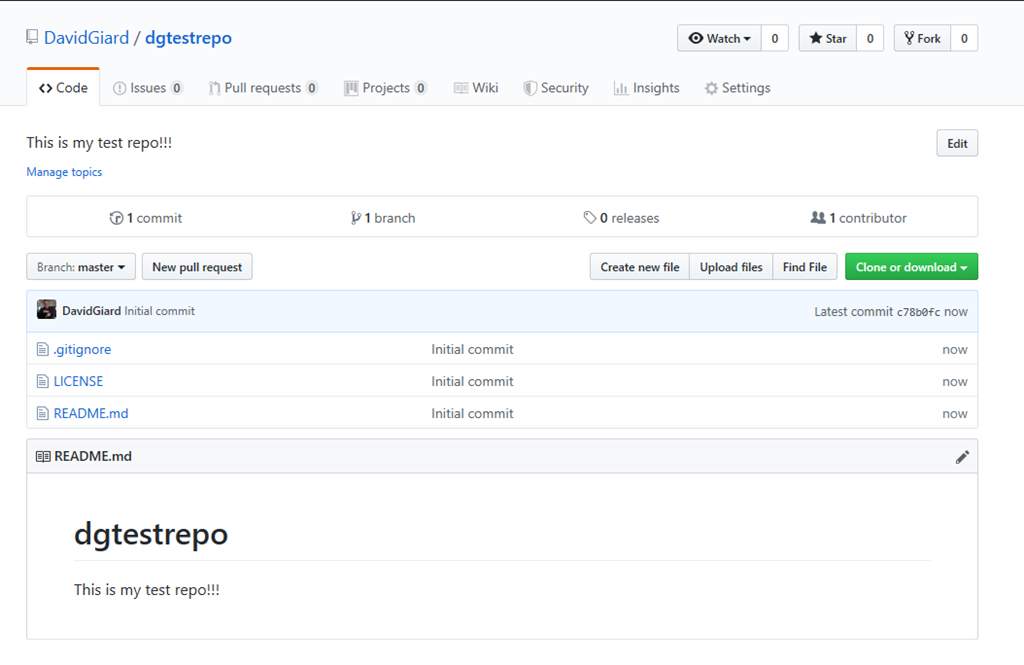
Fig. 1
Click the [Settings] tab (Fig. 2) near the top of the page.

Fig. 2
The "Settings" page displays, as shown in Fig. 3
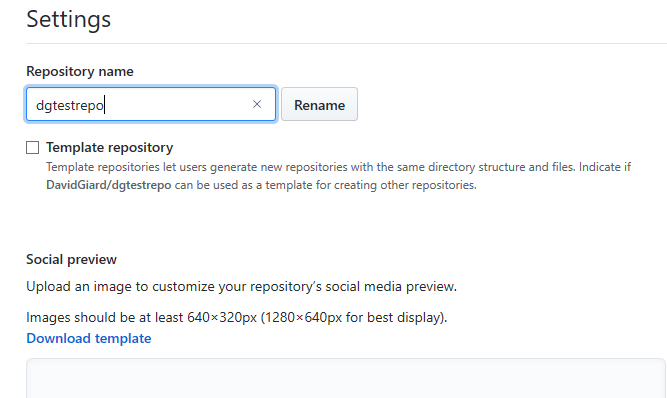
Fig. 3
Scroll to the "Danger Zone" section at the bottom of the "Settings" page, as shown in Fig. 4.
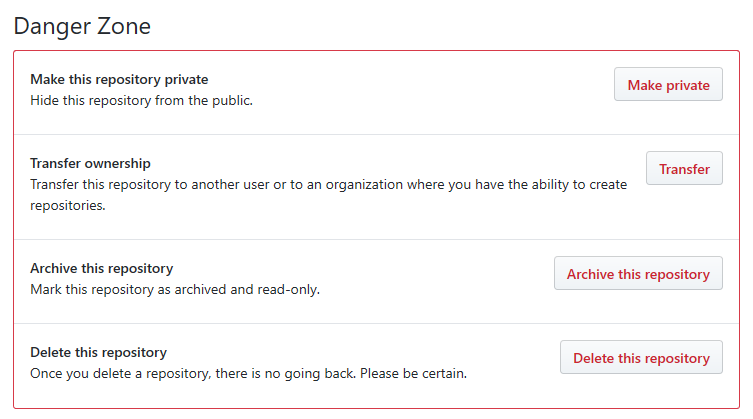
Fig. 4
Click the [Delete this repository] button.
A confirmation popup (Fig. 5) displays, warning you that this action cannot be undone (which is why it is in the Danger Zone).
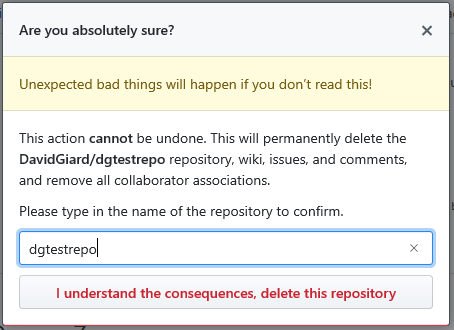
Fig. 5
If you are sure you want to delete this repository, type the repository name in the textbox and click the [I understand the consequences, delete this repository] button.
If all goes well, a confirmation message displays indicating that your repository was successfully deleted, as shown in Fig. 6.

Fig. 6
Congratulations! Your repository is no more! It is an ex-repository!