July 2023 Gratitudes

Comments [0]

7/3
Today I am grateful to relax inside on a stormy day.

7/4
Today I am grateful I was born in the United States.

7/5
Today I am grateful to watch unregulated fireworks from the safety of my balcony last night.

7/6
Today I am grateful to see Nik West in concert with Nick and his family.

7/7
Today I am grateful to plan and book my first vacation of the year.

7/8
Today I am grateful to see "Lucy and Charlie's Honeymoon" on my first visit to Lookingglass Theatre last night.

7/9
Today I am grateful to see a production of Shakespeare's Cymbeline at a local park last night.

7/10
Today I am grateful to attend the Square Roots festival in Lincoln Square yesterday.

7/11
Today I am grateful for coffee with Lwin yesterday.

7/12
Today I am grateful to close a bunch of tasks from last Fiscal Year.

7/13
Today I am grateful to deliver a presentation last night at the Azure Cleveland user group.

7/14
Today I am grateful to see Puddles Pity Party in concert last night.

7/15
Today I am grateful for a new pair of eyeglasses.

7/16
Today I am grateful to pass through so many block parties, farmers markets, and festivals on my ride yesterday.

7/17
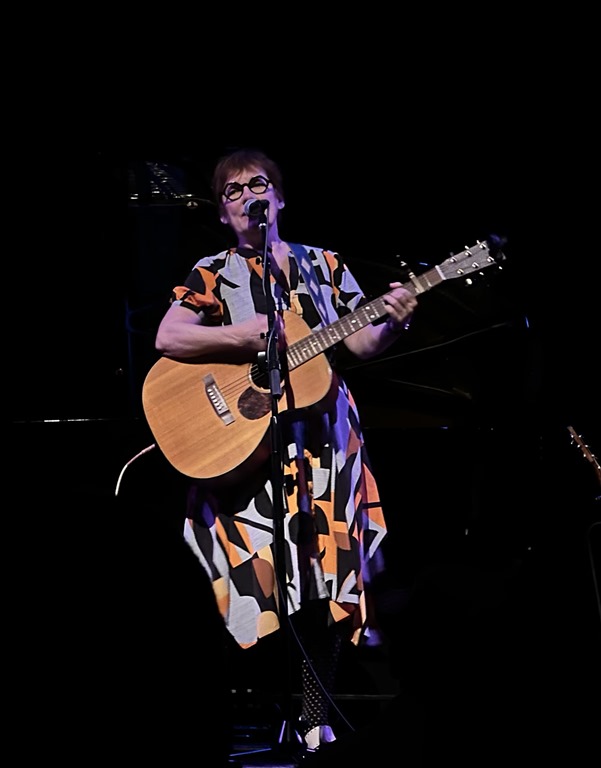
Today I am grateful to see Iris Dement in concert last night.

7/18
Today I am grateful for a conversation with Christine yesterday.

7/19
Today I am grateful for all the excellent guests I have interviewed and scheduled for #TechnologyAndFriends the past few weeks.

7/20
Today I am grateful to catch up with Jennifer yesterday.

7/21
Today I am grateful to begin my first vacation of 2023!

7/22
Today I am grateful:
- to meet some of my teammates for the first time yesterday
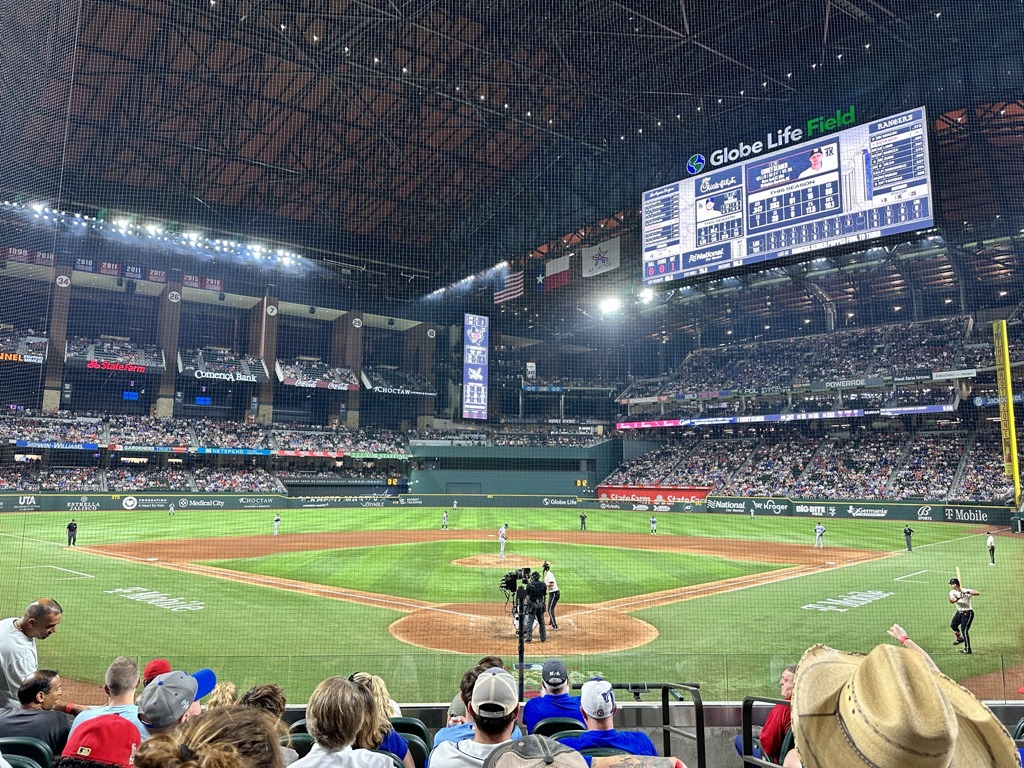
- to attend the Dodgers-Rangers game last night on my first visit to Globe Life Field

7/23
Today I am grateful for:
- Lunch with Jason yesterday
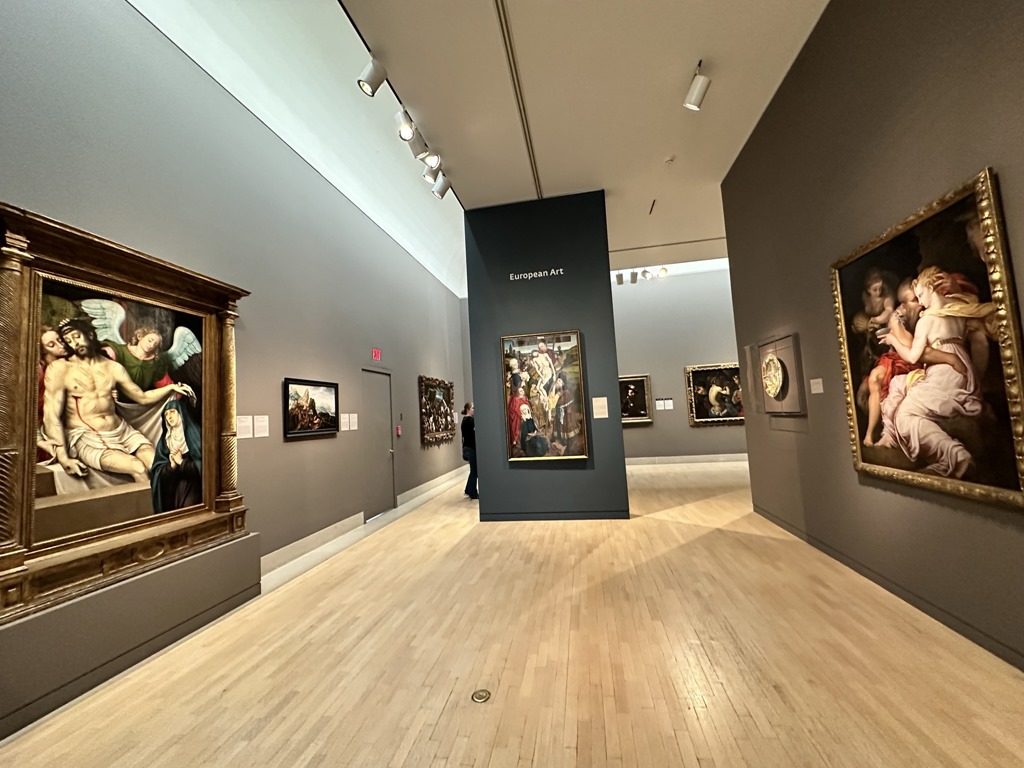
- My first visit to the Dallas Museum of Art
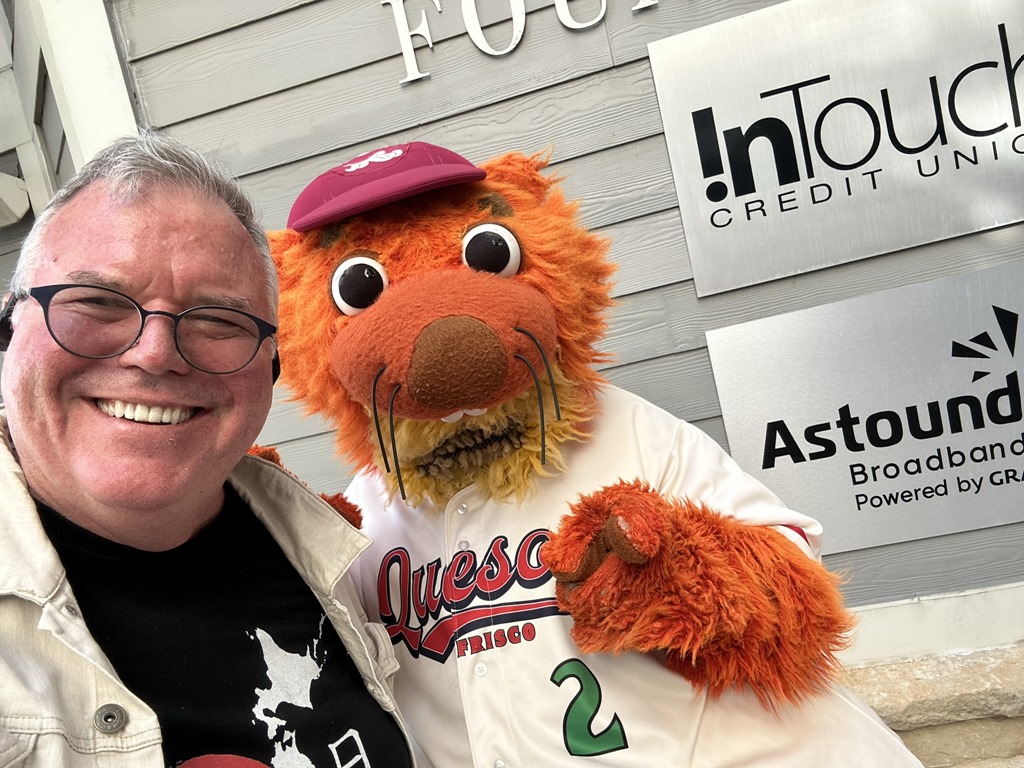
- A Minor League Baseball game in Frisco, TX last night

7/24
Today I am grateful for:
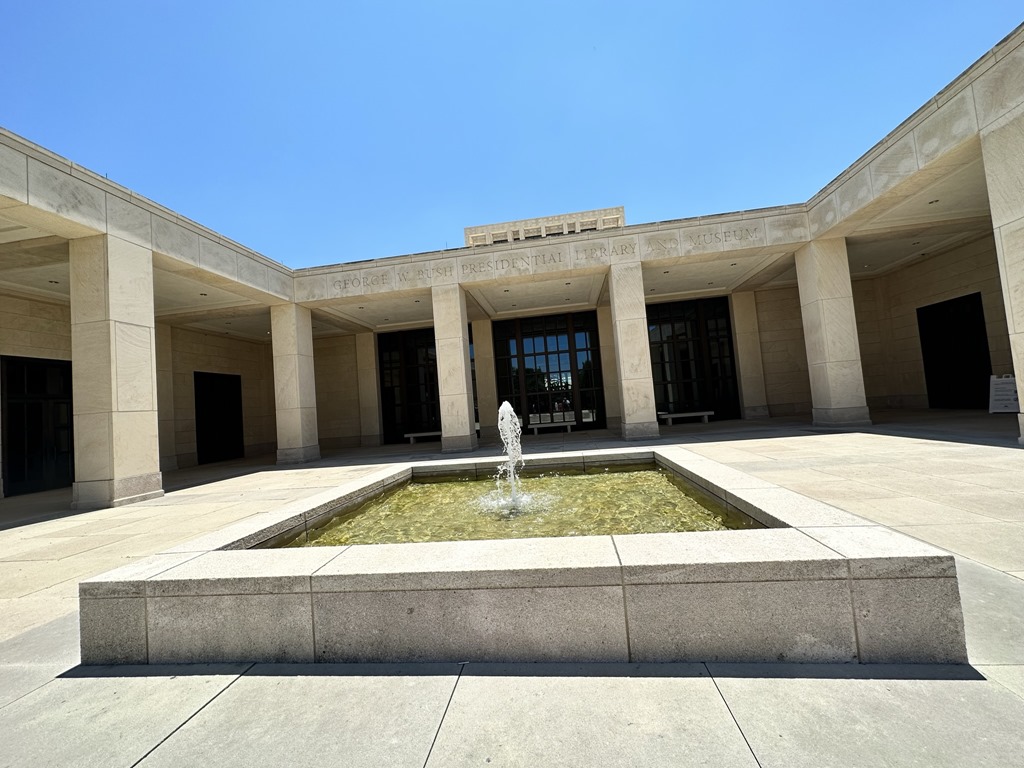
- a visit to the George W. Bush Presidential Library and Museum
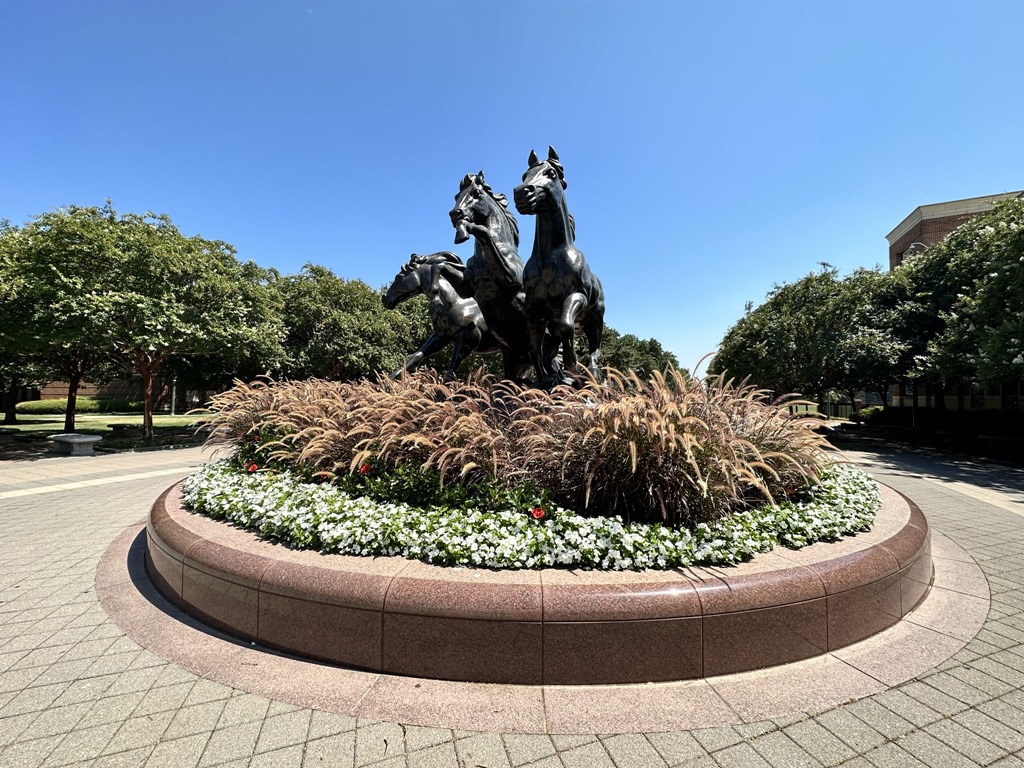
- a walk around the campus of Southern Methodist University

7/25
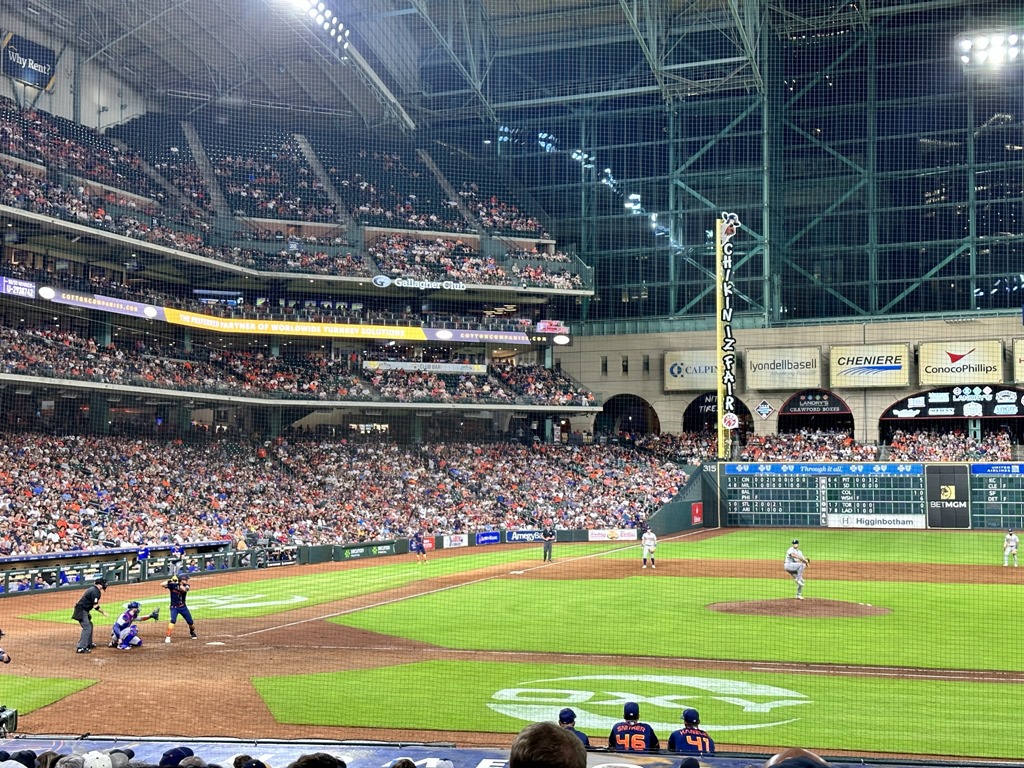
Today I am grateful to see an exciting baseball game on my first visit to Minute Maid Park last night.

7/26
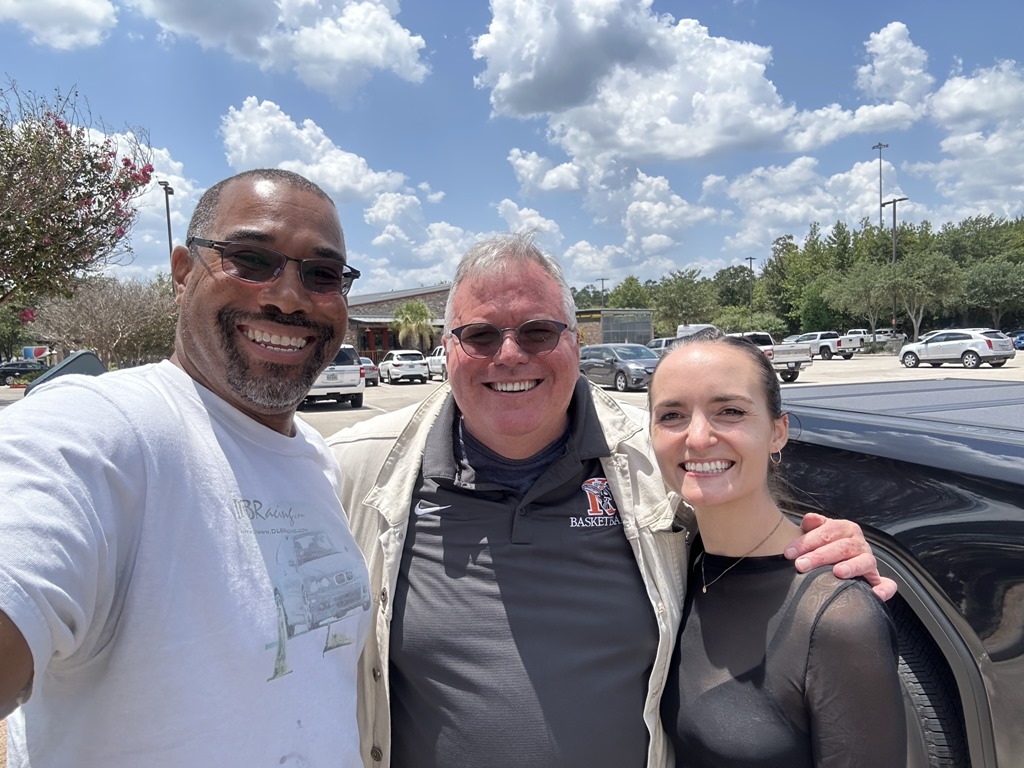
Today I am grateful for lunch with Donovan and Chelsea yesterday.

7/27
Today I am grateful to discover two beautiful parks of which I was unaware just 2 miles from my home.

7/28
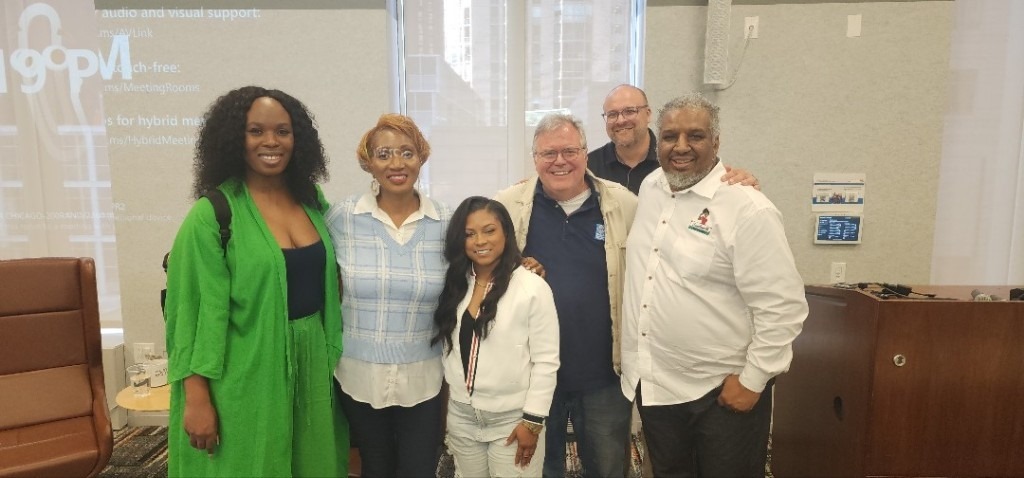
Today I am grateful to attend the Microsoft Inspire partner event in Chicago yesterday.

7/29
Today I am grateful to sit on my balcony last night, sipping Frangelico, and watching thunderstorm.

7/30
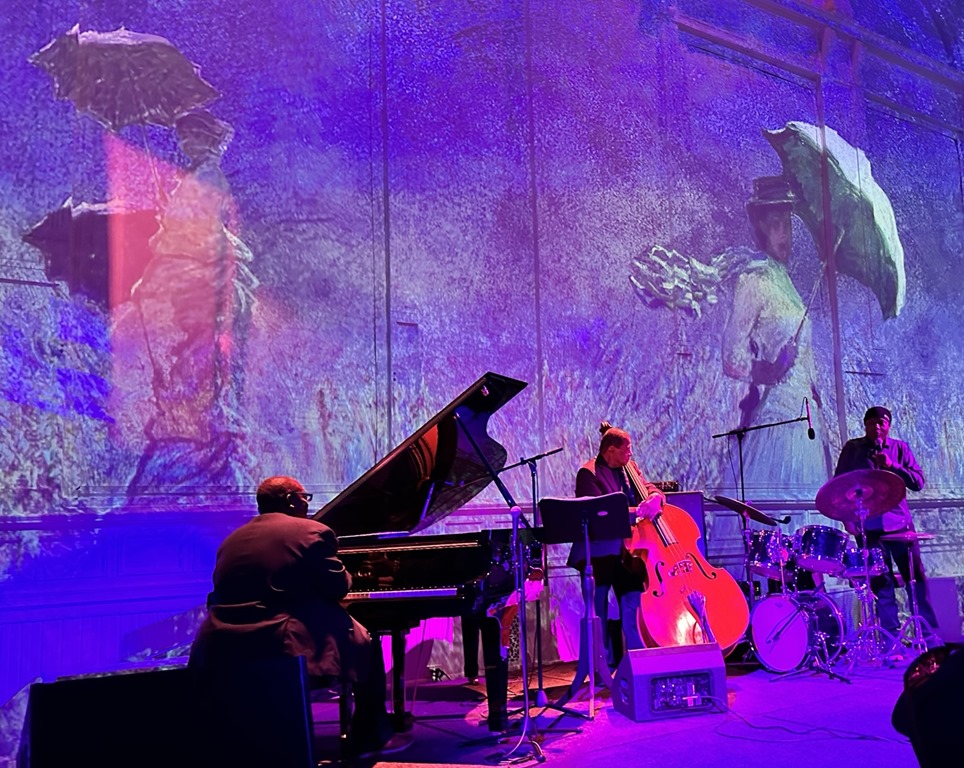
Today I am grateful to see the Chicago Symphony Orchestra perform the music of Carole King, Carly Simon, and Joni Mitchell at Ravinia last night.

7/31
Today I am grateful for
- lunch at the Chicago Food Truck Festival
- a show at Second City last night

8/1
Today I am grateful for:
- a new espresso machine
- a call from Tiberiu yesterday

8/2
Today I am grateful to all who congratulated me yesterday, even though I did not deserve it.

8/3
Today I am grateful for a conversation with Matt yesterday

8/4
Today I am grateful to ride over to Grant Park and listen to Lollapalooza music from outside the gates last night.

8/5
Today I am grateful to put yesterday's medical procedure behind me.

8/6
Today I am grateful to enjoy Afghan food last night with Jill, John, and Sara


Leigh Bardugo achieved fame with her "Shadow and Bone" trilogy, which introduced a world loosely based on nineteenth-century Eastern Europe and Russia.

Bardugo followed up with "Six of Crows," – a story set in another part of the same world. The world consists of unstable governments on the verge of war and a world in which the Grishas are born with preternatural abilities. Many people fear the Grisha and some governments seek to control or exterminate them.

The anti-hero of the story is Kaz Bekker. He was an orphan who grew up in the tough ghetto of The Barrel. He survived by showing his toughness and convincing others to work for him. Ultra-rich merchant Jan Van Eck hires Kaz to break out a scientist from the world's most secure prison. This scientist invented jurda parem - a drug that enhances the mystical abilities of Grishas but leaves them weakened and addicted after just one or two doses. Nothing goes as planned, and Bekker's crew must improvise to save themselves and complete their mission.

Bekker and his five companions form the Six of Crows. The narrative's point of view shifts between them, giving the reader a look into their thoughts, reactions, and backstories.

Bardugo slowly reveals the past and motivation of each character, peeling away the layers of the story and introducing new twists.

If you enjoyed Bardugo's "Shadow and Bone" trilogy, you will enjoy this. The characters are new, but the universe is the same. It is an action story, a heist story, a love story, and a revenge story. The author achieves a balance as none of those concepts overshadow the others. I can see the author's writing and plotting getting stronger with each new book.

The characters are the strength of this story. They were each strong, intelligent, talented, and resourceful, yet each had their flaws. I like Bardugo's ability to create strong female characters.

This book is part one of a duology, so we are left with unresolved storylines, presumably concluded in "Crooked
Kingdom." I did not mind the cliffhanger, as I plan to pick up the sequel in the coming weeks.


The US Army assigned Major Victor Joppolo to administer the town of Adano, Italy after Allied forces drove out Mussolini's Fascists near the end of World War II.

The town needs many things: food, water, clean streets, affordable goods, safety, and a new bell for its tower. The Fascists removed the 700-year-old bell to melt it down for bullets, leaving the town without its most prized icon.

Joppolo does his best to treat the local citizens fairly and honestly, including trying to get a new bell. Despite bad behavior by many other American soldiers, he gradually wins the townspeople's hearts.

John Hersey's 1944 novel "A Bell for Adano" paints a plausible picture of life in a town suffering through war and occupation. He shows some of the absurdities of military bureaucracy, the selfishness of those clinging to power, the temptations of those in privilege, and the kindness of people trying to help others.

The novel focuses on the civilians affected by the war rather than the actions on the battlefield.

"A Bell for Adano" is a simple story told in a straightforward manner, as one would expect from a journalist like Hersey. And it is a touching story that warmed my heart. I grew to care about Adano and its people and to appreciate Major Joppolo. We need more men like him today.


GCast 154:

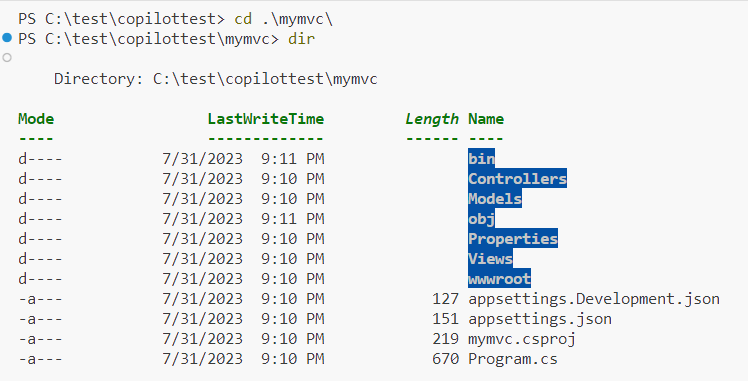
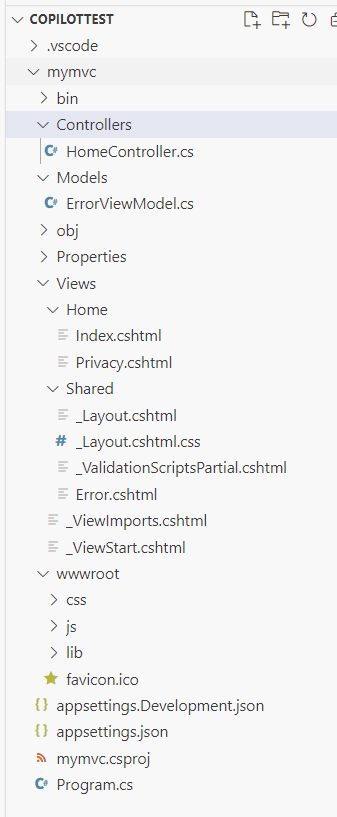
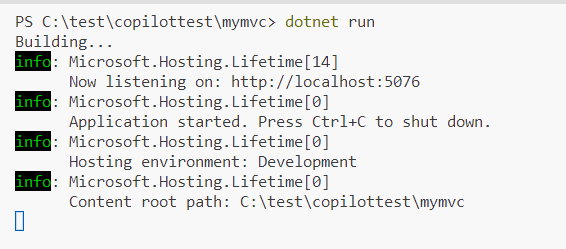
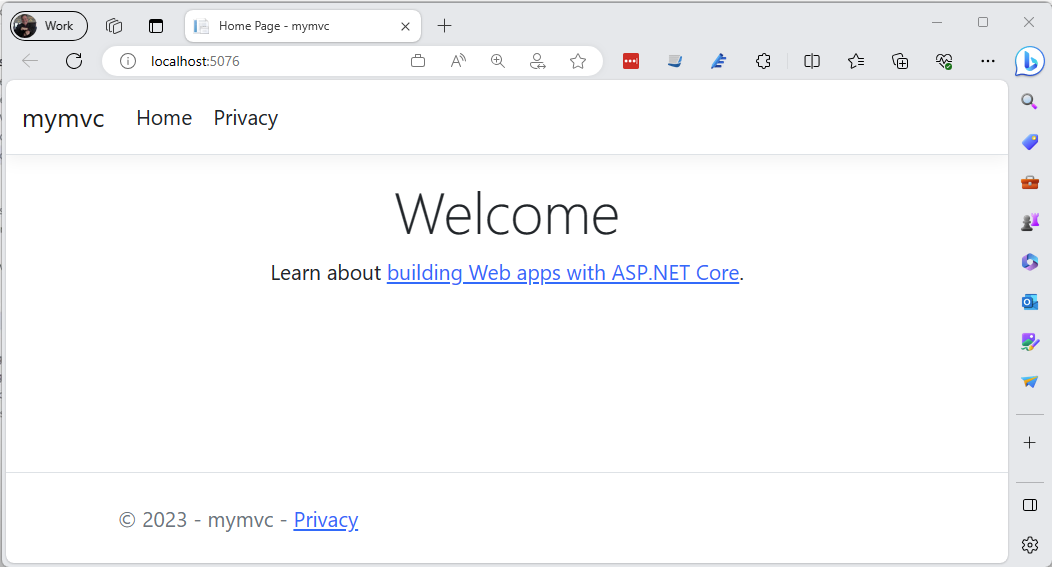
Creating an ASP.NET MVC Application from the Command Line

Learn how to create, run, and deploy an ASP.NET MVC Application using the CLI command line tool.


Overview

Application Insights is a set of tools within Azure Monitor that allow you to store metrics, telemetry data, and logs for future analysis.

But how long should you retain this data? There is a cost to storing it and managing that storage. We have options:

  1. Keep the data forever
  2. Keep the data for a predetermined time period; then, delete it
  3. Keep the data for a predetermined time period; then, move it to "cold storage" for long-term retention.

Application Insights supports each of these options. Archiving and retention of Application metrics is managed within the "Diagnostic settings" section.

Configuring Retention

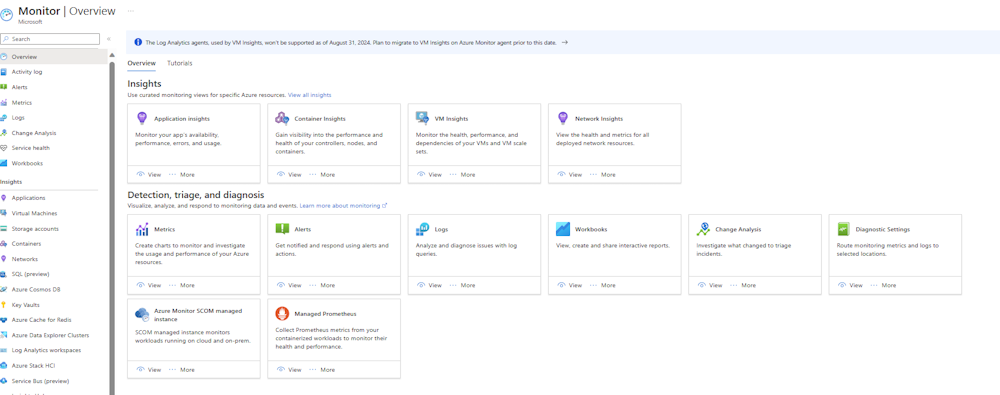
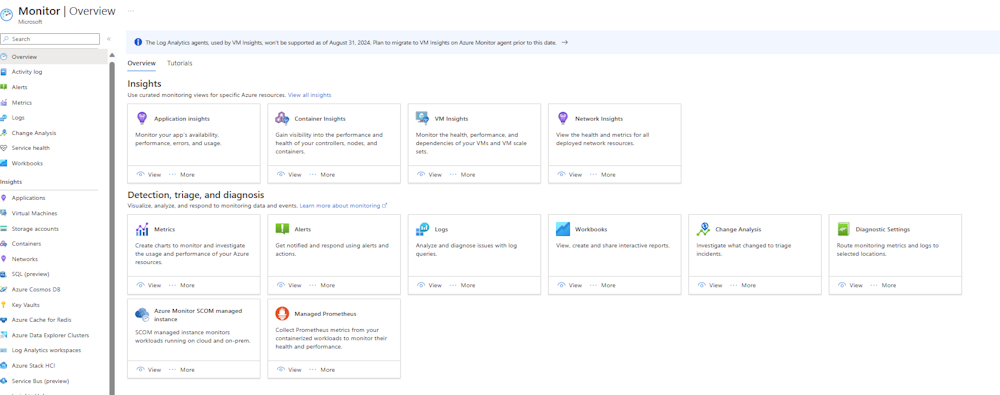
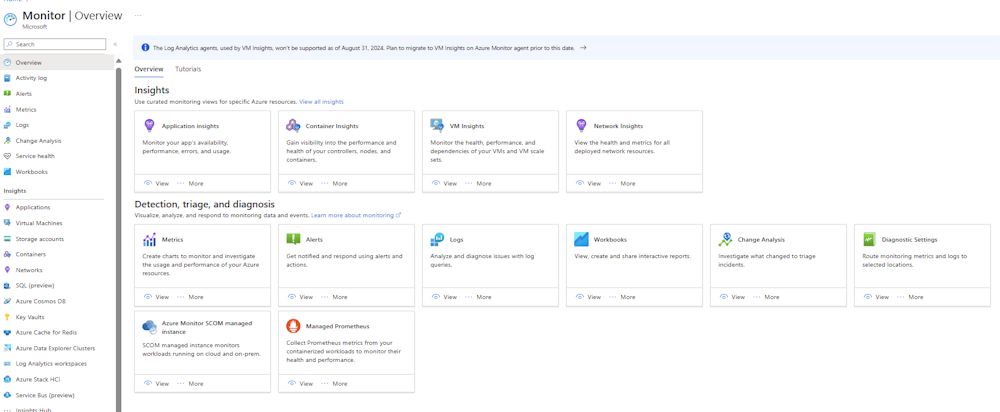
To begin, log into the Azure Portal and navigate to the "Azure Monitor", as shown in Fig. 1.

Azure Monitor Overview Tab
Fig. 1

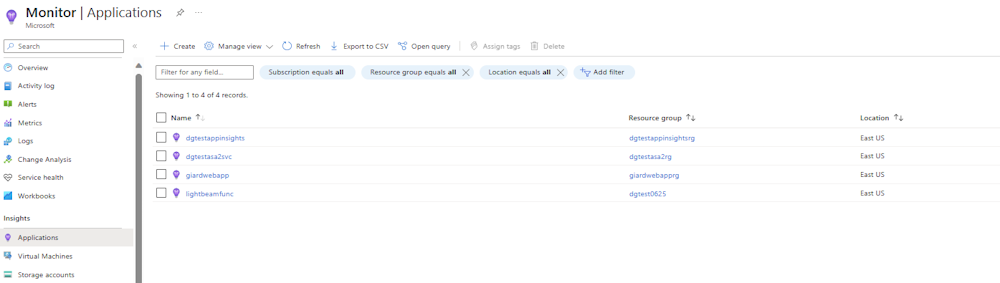
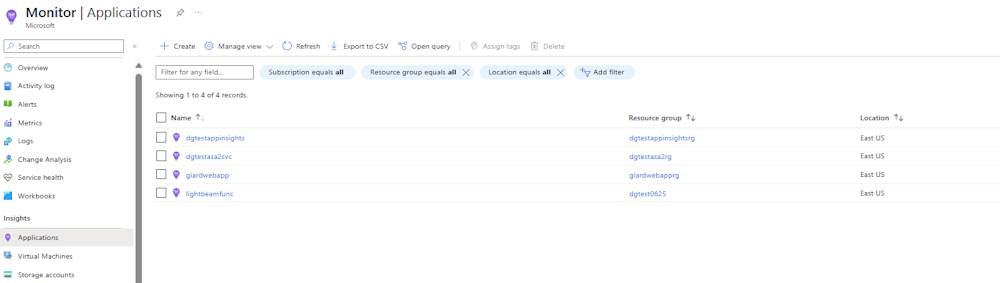
In the left menu, click the [Applications] button to display the "Applications" blade, as shown in Fig. 2.

Azure Monitor Applications Tab
Fig. 2

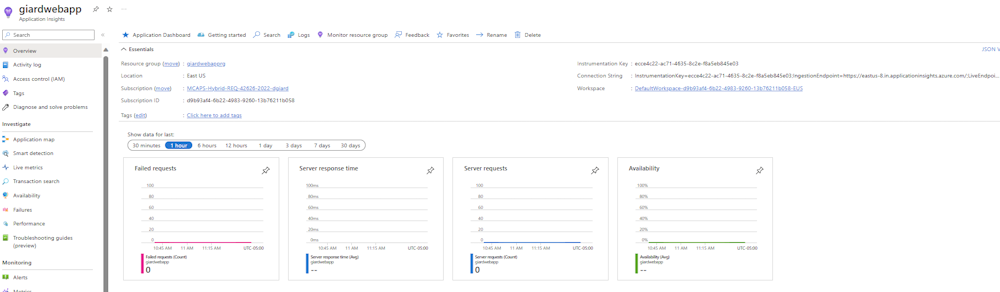
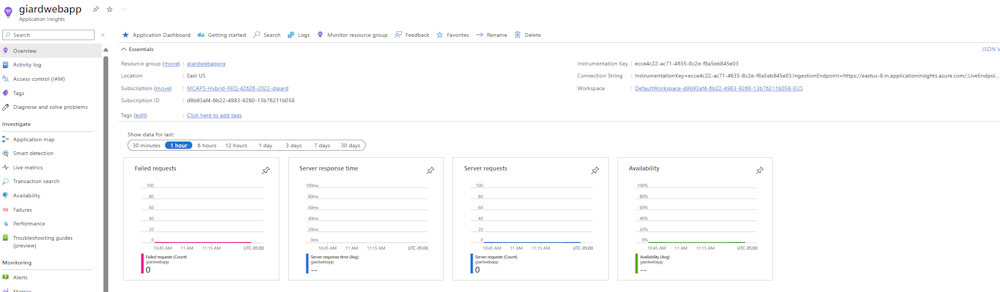
Select the Application for which you wish to configure archiving and retention. Application details will display with the application's "Overview" blade selected, as shown in Fig. 3

Application Insights Application Overview Tab
Fig. 3

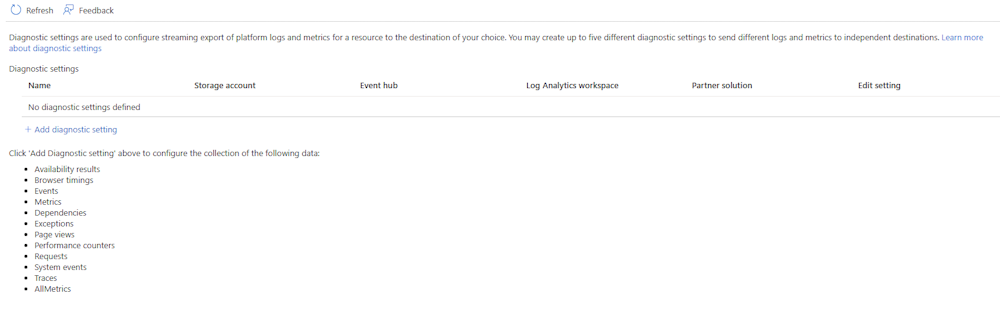
Click the [Diagnostic setting] button of the "Monitoring" section of the left menu (Fig. 4) to display the "Diagnostic setting" blade, as shown in Fig. 5.

Diagnostic Settings Button
Fig. 4

Diagnostic Settings Blade
Fig. 5

Click the [Add diagnostic setting] button (Fig. 6) to display the "Diagnostic setting" dialog, as shown in Fig. 7.

Add Diagnostic Setting Button
Fig. 6

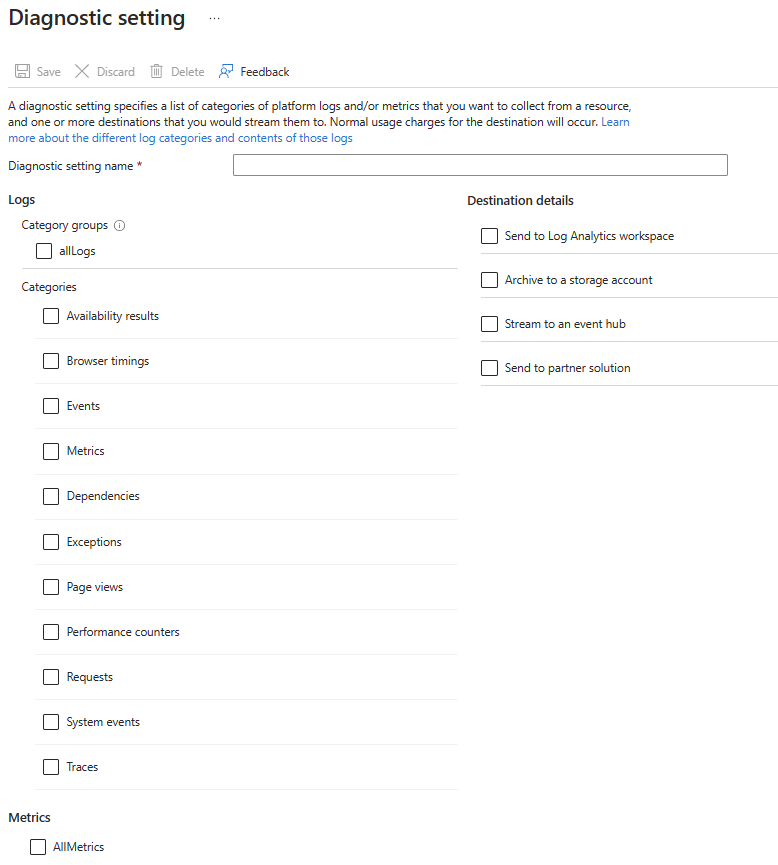
Diagnostic Setting Dialog
Fig. 7

At the "Diagnostic setting name" field, enter a name for this set of configuration settings.

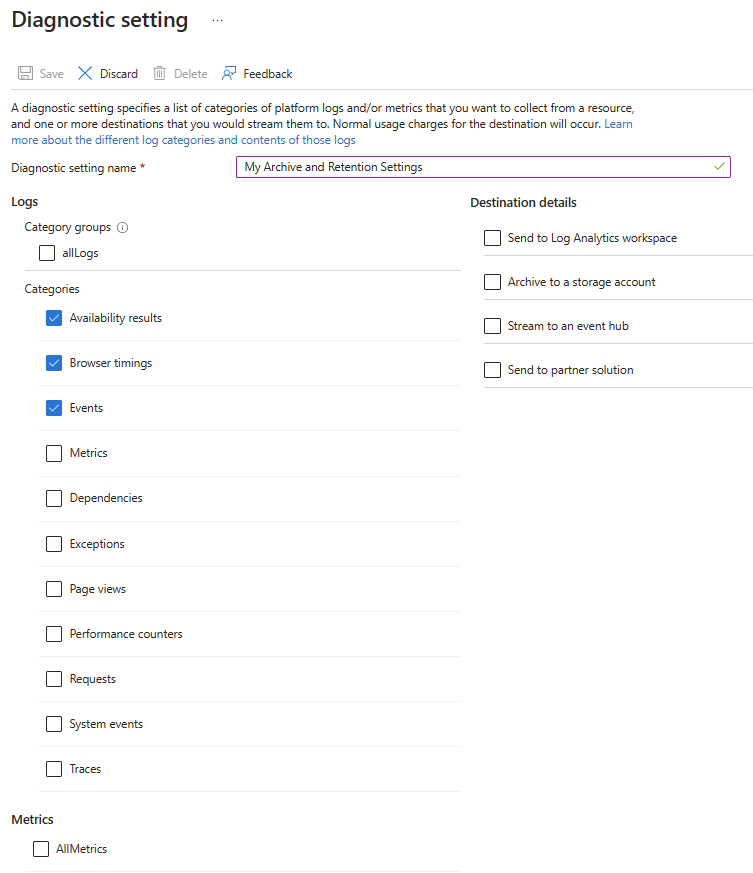
The left side of this dialog lists different types of data that Azure Monitor captures. You can manage a set of data by checking the checkbox next to that item. Check the [allLogs] checkbox to checkbox to check everything under the Logs Categories section.

Fig. 8 shows several of the categories checked, along with the all the metrics.

Diagnostic Setting Dialog With Logs Selected
Fig. 8

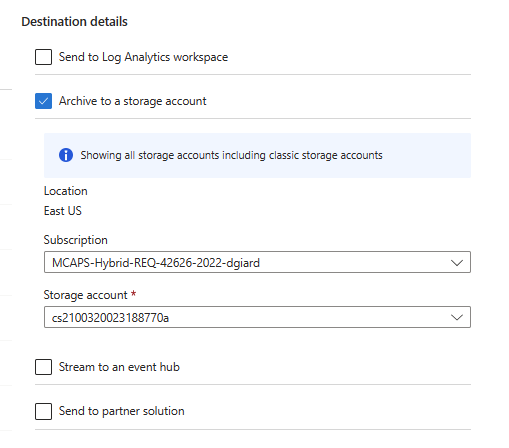
On the right side of the "Diagnostic setting" dialog, you tell Azure what action to take on the checked metrics. This article concerns archiving and retention, so Fig. 9 shows additional prompts displayed when you check the "Archive to a storage account" checkbox.

Diagnostic Setting Dialog With Archive To Storage Account Selected
Fig. 9

Select the Azure subscription and storage account into which you wish to move the metric data after Azure deletes it from the Monitor database. The Storage account must be in the same region as the logs.

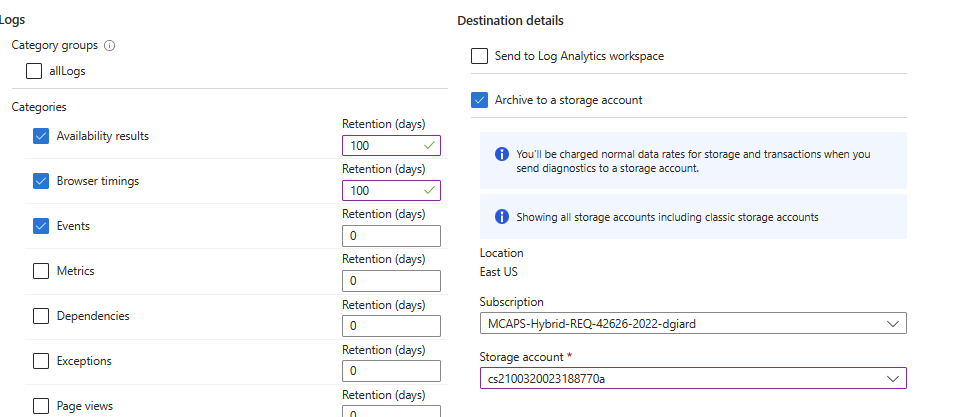
In addition, you can set the retention days, indicating how long a record will remain in the storage account before it is automatically deleted. Setting the retention to 0 indicates that the data will never be deleted automatically. Fig. 10 shows these settings.

Retention Settings
Fig. 10

Click the [Save] button (Fig. 11) to commit all the settings you have made in this dialog.

Save Button
Fig. 11

Conclusion

In this article, you learned how to configure retention for Azure Application Insights Logs and Metrics

References

https://learn.microsoft.com/en-us/azure/azure-monitor/essentials/diagnostic-settings


Overview

Application Insights is a set of tools within Azure Monitor. These tools allow you to view the performance of your application or service quickly and to review detailed information to determine the causes of an incident. Using Application Insights, you can configure your applications to store metrics, telemetry data, and logs for future analysis.

A convenient way to present the collected data is using a Dashboard - a single screen that presents multiple views of one or more data sets. A Dashboard allows the user to quickly get a snapshot of important information.

Building a Dashboard

To begin, log into the Azure Portal and navigate to the "Azure Monitor", as shown in Fig. 1.

Monitor Overview Tab
Fig. 1

In the left menu, click the [Applications] button to display the "Applications" blade, as shown in Fig. 2.

Monitor Applications Tab
Fig. 2

Select the Application for which you wish to create a Dashboard. Application details will display with the application's "Overview" blade selected, as shown in Fig. 3

Application Insights Application Overview Tab
Fig. 3

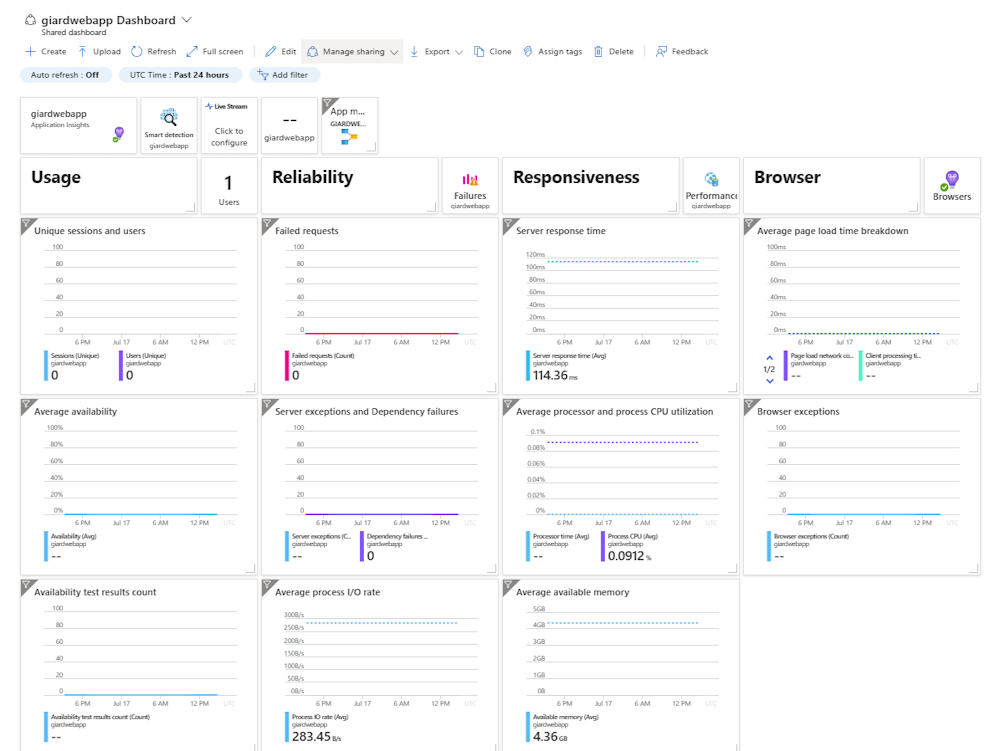
A default Dashboard is created for this application. Click the [Application Dashboard] button (Fig. 4) to display this default Dashboard, as shown in Fig. 5.

Application Dashboard Button
Fig. 4

Application Dashboard
Fig. 5

You can accept this default Dashboard as-is, or you can edit it, or you can create a new one.

To create a new Dashboard, click the [Create] button (Fig. 6) to display the "Create a Dashboard" dialog, as shown in Fig. 7.

Create Button
Fig. 6

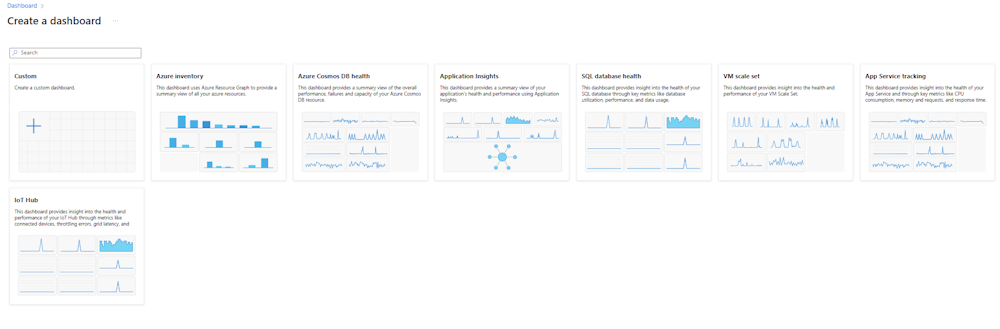
Create A Dashboard Dialog
Fig. 7

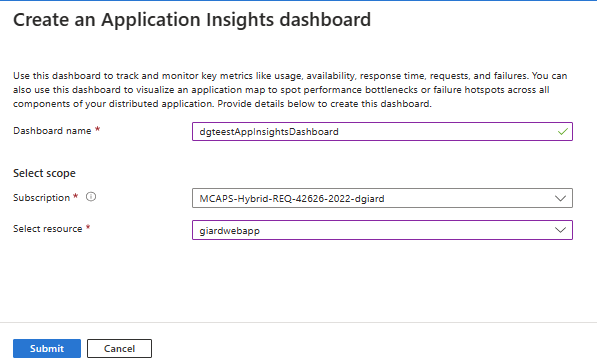
Select one of the templates displayed in this dialog to begin with a Dashboard containing some initial visualizations or select the "Custom" template to begin with an empty Dashboard. The "Create an Application Insights dashboard" dialog displays, as shown in Fig. 8.

Create An Application Insights Dashboard Dialog
Fig. 8

At the "Dashboard name" field, enter a descriptive name for this new Dashboard.

At the "Subscription" field, select the Azure Subscription into which this Dashboard will be stored. Many of you will have only one Azure subscription.

At the "Select resource" field, select the resource the Azure resource for which you wish to see visualizations.

Click the [Submit] button to create the Dashboard.

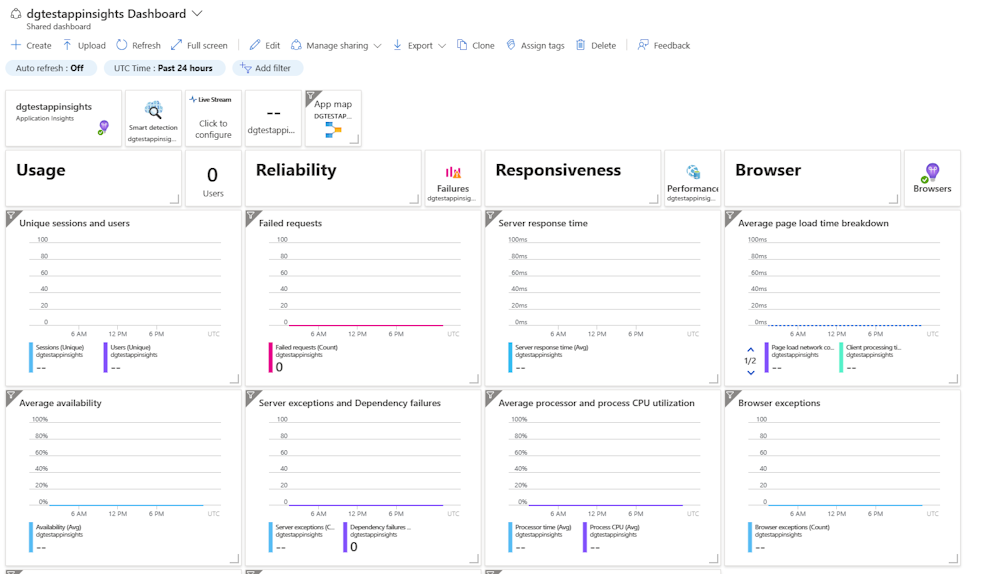
New Dashboard Based On App Insights Template
Fig. 9 shows a newly created dashboard for an Azure App Service.

Fig. 9

You can edit any Dashboard. With this (or any) Dashboard displayed, click the [Edit} button (Fig. 10) to place the Dashboard into Edit mode. In Edit mode, you can add new Tiles, delete existing Tiles, and drag a Tile to move it to a new location on the screen.

Edit Button
Fig. 10

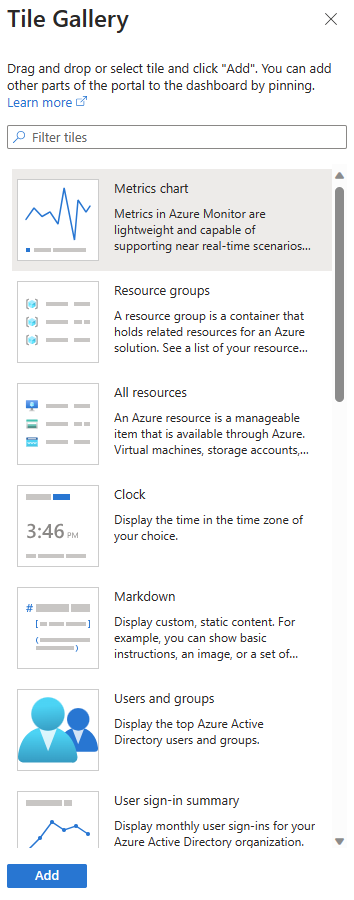
To add a new Tile, click the [Add Tiles] button (Fig. 11), which displays the "Tile Gallery" dialog shown in Fig. 12.

Add Tiles Button
Fig. 11

Tile Gallery
Fig. 12

Select a desired Tile template in the "Tile Gallery" dialog and click the [Add} button to add this Tile to the bottom of the Dashboard.

To configure the Tile, click the [Context] button (Fig. 13) in the Tile's top-right corner to display the Context menu (Fig 14) and select "Configure Tile settings" to display the "Configure Tile settings" dialog, as shown in Fig. 15. (NOTE: The context menu button may not appear until you hover over it.)

Context Menu Button
Fig. 13

Tile Context Menu
Fig. 14

The "Configure Tile settings" dialog allows you to override the time span for this Tile (by default the past 24 hours, as inherited from the Dashboard") and set filter settings. Fig. 15 shows a sample "Configure Tile settings" dialog.

Configure Tile Settings Dialog
Fig. 15

Click the [Apply] button to save your configuration setting changes.

To remove a Tile, click the [Delete] button (Fig. 16) in the top right corner of the Tile. This button often will not display until you hover over it.

Delete Button
Fig. 16

To resize a Tile, hover over the bottom right corner until the cursor becomes a double-pointed arrow and drag to the desired size.

To move a Tile, hover over the Tile, until the cursor becomes a 4-pointed arrow and drag the Tile to the desired location.

At any time, you can click the [Preview] button (Fig. 17) to see what the Dashboard will look like when you save it.

Preview Button
Fig. 17

Click the [Save] button (Fig. 18) to save your changes to the Dashboard or click the [Cancel] button (Fig. 19) to discard your changes.

Save Button

Fig. 18

Cancel Button
Fig. 19

Conclusion

In this article, you learned how to create and modify an Azure Application Insights Dashboard.


Episode 760

Oren Eini on Building Projects that Endure

Oren Eini began creating RavenDB 15 years ago and the project is still going strong. He discusses some of the things he learned about maintaining a project over many years so that they will endure.


Richard Ford's "The Lay of the Land" takes place a decade after the weekend depicted in "Independence Day." Protagonist Frank Bascombe is now 55 and thinking about death almost all the time. Frank recently learned he has prostate cancer, which profoundly impacted his outlook.

Frank is experiencing what he calls his "Permanent Phase," in which he foolishly believes his life's major stressors and uncertainties are behind him. He is doing well financially. He owns his own real estate company and lives in a house on the beach. Throughout the week, Frank interacts with his ex-wife, his immature adult son, his conflicted lesbian daughter, his assimilated immigrant business partner, and a host of strangers and acquaintances. But most of his encounters are unpleasant, and some are hostile. The novel takes us through Thanksgiving week and follows Frank's actions and thoughts - almost minute by minute. The narration is written in the first person and is told in the present tense, except for some flashbacks. As a result, we get an account of all that happens during Frank's waking hours and his impressions of the events and the people involved. Frequently, pages of Frank's opinion follow a page of dialogue and action.

I have not decided whether I like Frank. He is polite to most people, but he disdains many of them. Regardless, he does not deserve many things that happen to him. He and his second wife Sally were happily married for years when Sally's husband Wally reappeared decades after he was declared legally dead. Sally decides to leave Frank and rejoin Wally in Scotland, where he has been living all this time.

Ford has a casual style that appeals to me and makes Frank's philosophy interesting and bearable. Frank is quirky and arrogant, but not unbearably so. He is a detached observer who may or may not be a reliable narrator. Some of his observations are insightful, and some are trivial. He compares everyone's looks to 1940s movie stars for no obvious reason.

This book contains both more action and more introspection than its predecessor. Like "Independence Day," this one relies far more on characters than a plot to advance the story. The book also presents a chaotic climax near the end as Frank witnesses a violent confrontation outside his home on Thanksgiving afternoon. It is more brutal than the climax of "Independence Day," but it serves a similar purpose by injecting sudden and unexpected action into the book.


Texas Rhapsody 2023

Comments [0]

Texas-1I had a free weekend with nothing to do. Everyone close to me planned to be out of town, and none needed me to tag along.

I decided I needed a vacation. 2023 was more than half over, and I had taken only two vacation days and had not left town for either of them. This was a mistake since my company recently switched to an unlimited vacation policy.

So, I booked a flight to Texas. My primary goal was to see a Rangers game in Arlington and an Astros game in Houston. After checking the schedule, I flew to Dallas Friday afternoon and booked a hotel in Arlington, then flew to Houston Monday morning before my flight home Tuesday evening.

Texas-2I drove straight from the DFW airport to Hard Eight BBQ - my favourite BBQ restaurant in the Dallas area, where I planned to meet some co-workers. My team is scattered across the US, and I joined this team over a year ago, but I have met very few of my teammates in person, thanks to the COVID pandemic and a limited travel budget. It was great to see Tommy, Pardeep, and Thomas for the first time after interacting with them virtually for thirteen months.

Texas-3I attended the Texas Rangers - Los Angeles Dodgers game at the new Globe Life Field on Friday evening. I aim to see a game in every Major League Baseball team's home stadium. I went to a Rangers home game a few years ago but decided I needed to return to experience their new stadium. Globe Life Field is beautiful, and the dome kept the temperatures manageable, despite the 100-degree outside temperature. The game was exciting for the first seven innings as each team traded runs and the lead, but the Dodgers blew the game open with six runs in the eighth and ninth innings, winning 11-5. The highlight came in the fifth inning when Dodgers rookie center fielder Jonny Deluca made spectacular catches on back-to-back Rangers at-bats. The old baseball stadium still stands across the street, where it serves as the home to the Arlington Renegades of the XFL, North Texas SC of MLS Next Pro, and the Dallas Jackals of Major League Rugby.

Texas-4I drove to downtown Dallas on Saturday morning and met my friend Jason for lunch. Jason and I worked together for years until he left Microsoft in 2019 to enter the startup world. One of my best Microsoft memories is of the time Jason and I drove to St. Louis years ago to visit our friend Bill, who was dying of pancreatic cancer. We surprised Bill with a demo of the HoloLens before its official release.

After lunch, I visited the Dallas Museum of Art, where I spent most of the afternoon. The museum features a variety of works, but I was most impressed with its European Impressionist collection. Although smaller than the Art Institute of Chicago, this museum rivals its northern counterpart in the quality of this genre.

Texas-5Saturday evening, I decided I needed more baseball; so I drove to Frisco, TX, north of Dallas, and attended a game between the Frisco Roughriders and the San Antonio Missions. They celebrated Hispanic diversity this night by temporarily renaming the teams Los Quesos de Frisco and the San Antonio Flying Chanclas. Minor League baseball is always fun, with seats close to the field and kid-friendly activities between innings. I witnessed a grand slam by Thomas Saggese of the Roughriders / Quesos - something I have only seen a few times in my life at a professional baseball game. The home team won 8-6.

Texas-6I slept in Sunday morning, then drove to the George W. Bush Presidential Library on the campus of Southern Methodist University, where I spent most of the afternoon. The country has mixed opinions about Bush's presidency, but this museum celebrated his positive achievements. His reaction to the events following the terrorist attacks on September 11, 2001, largely defined his legacy in the eyes of most Americans. Well-produced videos featured prominently in this museum, telling the story of Bush's life, character, and actions from the point of view of the former President and his family.

Texas-7After leaving the museum, I walked around the SMU campus for a while, taking in the sights. For an urban campus, it has some beautiful landscaping and open spaces. I could not spend much time walking around outside, as the temperatures approached 100 degrees Fahrenheit all weekend.

Texas-8My plan for Monday afternoon was to visit one or two museums in Houston. Sadly, a mechanical failure forced the cancellation of my morning flight, and I did not arrive in Houston until late afternoon. I missed the museum visits but arrived in time for an exciting Astros - Rangers game at Minute Maid Park. The Astros won on a walk-off RBI with one out in the ninth inning.

I met my friend Donovan and his wife, Chelsea, for lunch on Monday. Donovan recently retired from Microsoft, and the two spend their time traveling around North America, racing their Tesla and riding roller coasters. It was good to catch up with good Tex-Mex food and good company. As a bonus, Donovan brought a charger for my Kindle, so I was able to read on the flight home.

Texas-9As I write this, I am sitting in the terminal at the George H.W. Bush Airport in Houston, waiting to board my plane. I am exhausted but glad I came to Texas. I visited two museums, attended three baseball games, and met with old and new friends. It was well worth the trip.


Overview

An Azure Monitor Alert is an Action taken when a system meets a predetermined condition. These are useful to notify us when a system has a problem or a potential problem. You can read more here.

We can create Alerts in Azure Monitor, as described here.

An Alert Action Group defines notifications that the Alert sends or actions triggered by the Alert.

Azure creates a number of Action Groups automatically, but you can create more if desired. Creating custom Action Groups is useful if you want to notify specific people, roles, or groups that are not identified in the built-in Action Groups. Once created, you can use the custom Action Group for more than one Alert.

This article describes how to create a custom Action Group.

Creating an Action Group

To begin, log into the Azure Portal and navigate to the "Azure Monitor", as shown in Fig. 1.

Monitor Overview Blade
Fig. 1

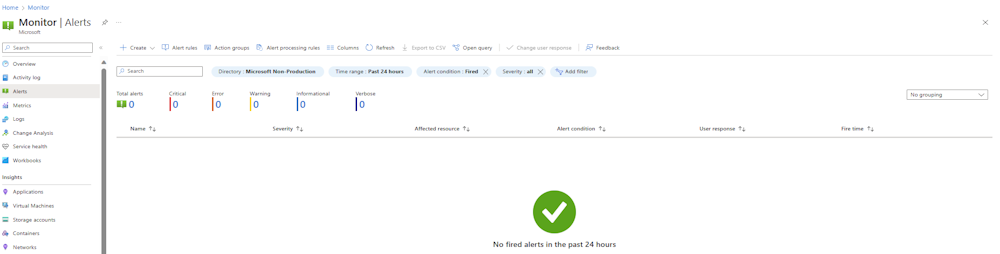
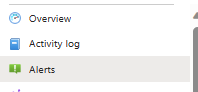
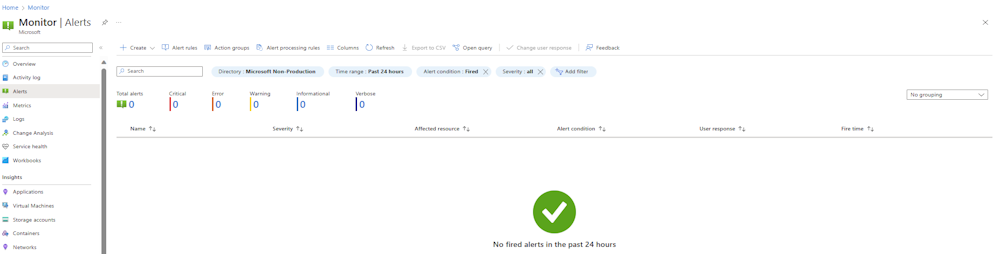
In the left menu, select the [Alerts] button (Fig. 2) to display the "Alerts" blade, as shown in Fig. 3
Alerts Button
Fig. 2

Alerts Blade
Fig. 3

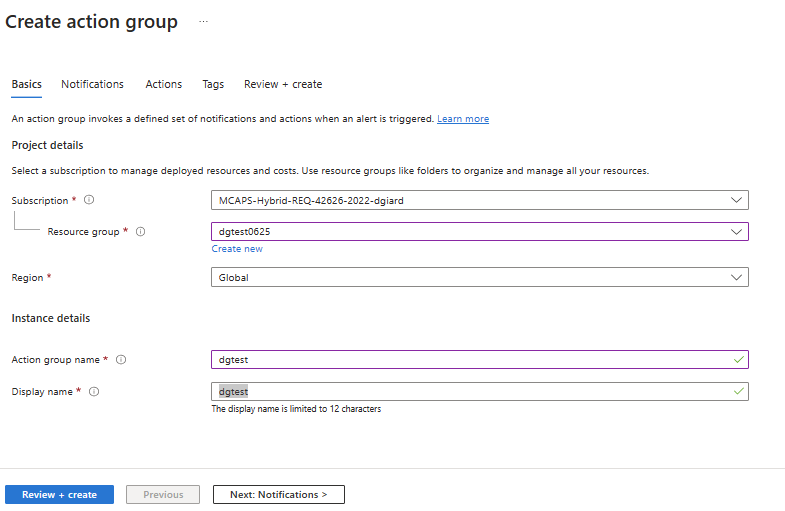
Click the [Create action group] button (Fig. 4) to display the "Create action group" dialog, as shown in Fig. 5.
Create Action Groups Button
Fig. 4

Create Action Groups Dialog
Fig. 5

The "Create action group" dialog has multiple tabs: "Basics", "Notifications", "Actions", "Tags", and "Review + create". The "Basics" tab displays initially.

At the "Subscription" dropdown, select the Subscription into which you want to create this Action Group. Many of you will have only one Subscription.

At the "Resource group" dropdown, select a resource group into which you want to organize this Action Group or click the "Create new" link to create a new resource group.

At the "Region" dropdown, select the region in which you want to save this Action Group.

At the "Action group name" field, enter a unique name for this Action Group.

At the "Display name" field, enter a name that will describe and easily identify this Action Group.

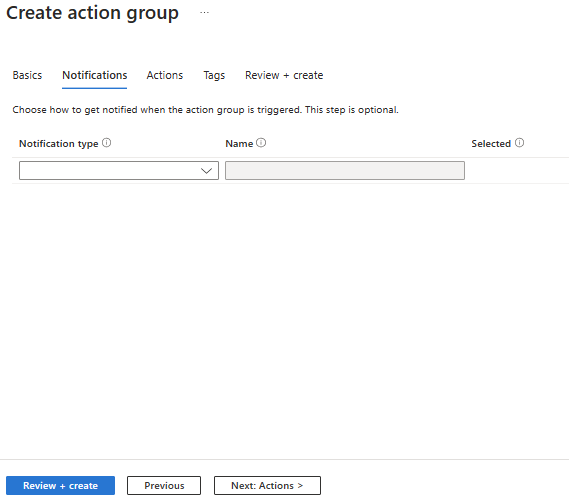
Select the "Notifications" tab, as shown in Fig.6.
Create Action Groups Dialog Notifications Tab
Fig. 6

A the "Notification type" dropdown, (Fig. 7)select:

  • "Email Azure Resource Manager Role", if you want to send an email message to one of the predefined Azure roles when the Alert fires
  • "Email/SMS message/Push/Voice" if you want to send a message to a specific mailbox, phone number, or mobile app

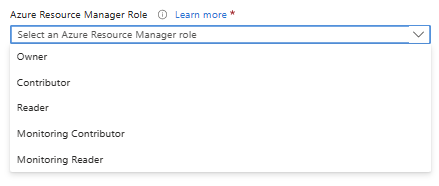
If you selected "Email Azure Resource Manager Role" (Fig. 8), select the specific "Aure Resource Manager Role" you want to message, as shown in Fig. 9.

Notification Type Dropdown
Fig. 7

Email Azure Resource Manager Role
Fig. 8

Azure Resource Manager Role Dropdown
Fig. 9

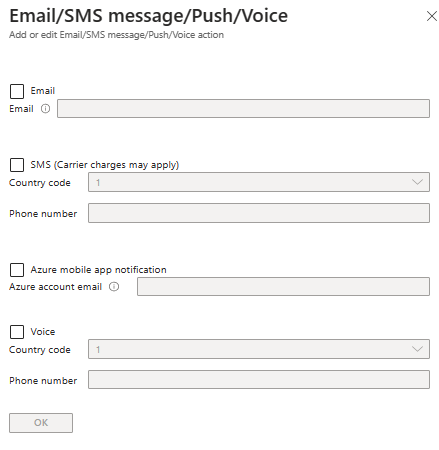
If you selected "Email/SMS message/Push/Voice", the "Email/SMS message/Push/Voice" dialog displays, as shown in Fig. 10.
Email Sms Message Push Voice Dialog
Fig. 10

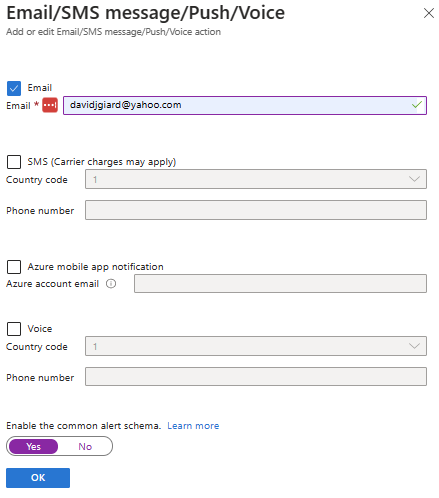
Here you can choose whether to send an email, SMS message, Mobile Push Notification, or Voice call. You must complete the details for any checkboxes you select. Fig. 11 shows the required field filled in for an Email notification,
Email Sms Message Push Voice Dialog With Email Configured
Fig. 11

By default, the message will contain human readable text. If you wish to send JSON, toggle the "Enable he common alert schema" button to [Yes]. This is useful if your recipient has an automated process to parse and handle the message.

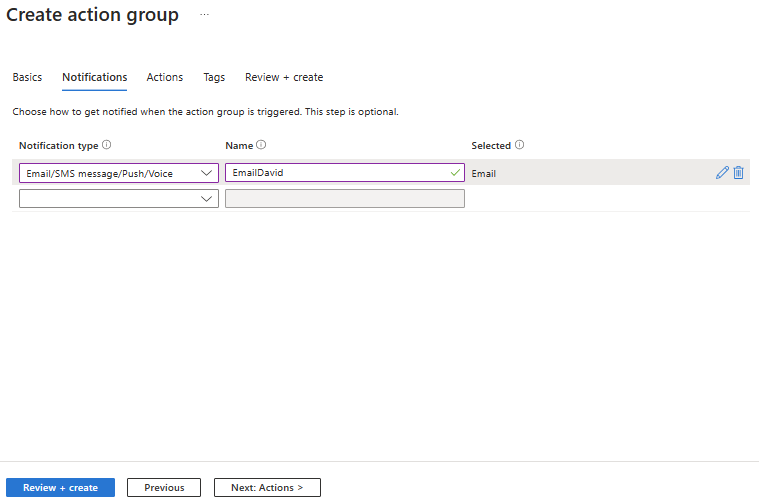
Click the [OK] button when you complete the "Email/SMS message/Push/Voice" dialog. The dialog closes and the "Notifications" tab of the "Create action group" dialog displays with the Notification type filled in, as shown in Fig. 12.
Create Action Group Dialog With Email Notification
Fig. 12

Enter a name for this notification type.

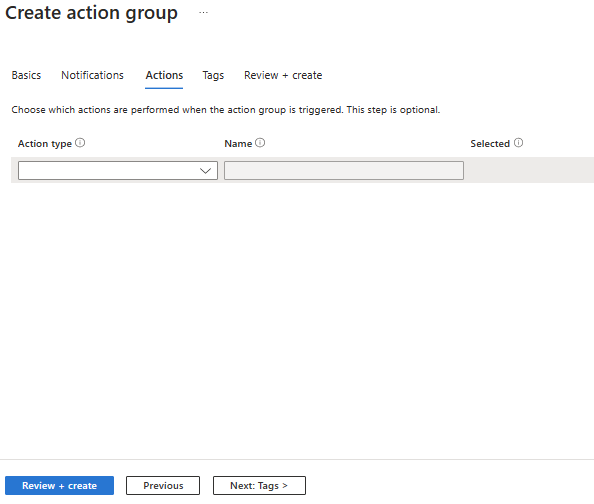
Select the "Actions" tab, as shown in Fig. 13.
Create Action Groups Dialog Actions Tab
Fig. 13

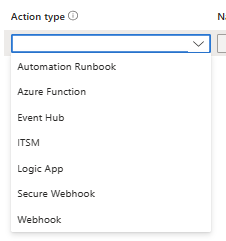
On this tab, you can configure other actions triggered by the Alert. Actions selected here will send data to another application or service. At the "Action type" dropdown (Fig. 14), select the action you wish the Alert to trigger.
Action Type Dropdown
Fig. 14

When you select an Action Type, a dialog displays prompting you for more information. The information required depends on which Action type you selected. Fig. 15 shows the "Azure Function" dialog.
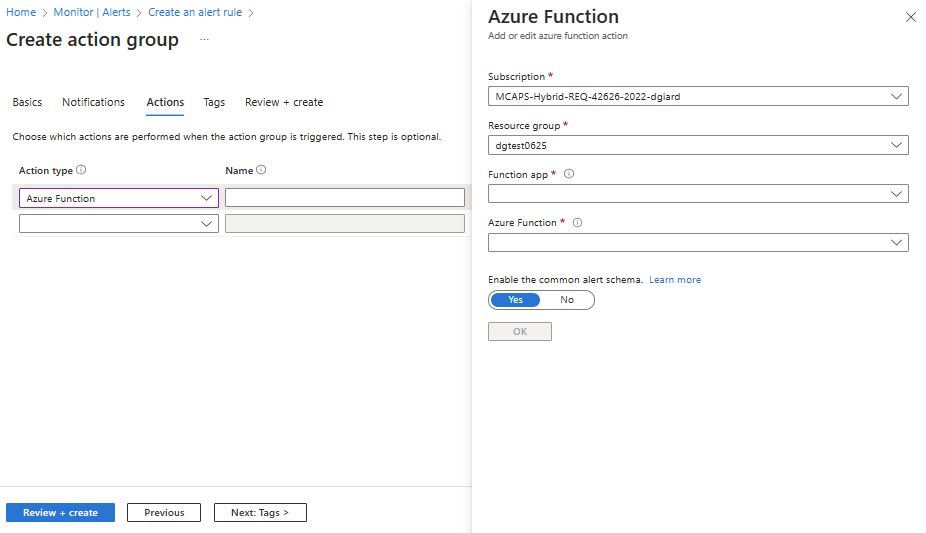
Create Action Groups Dialog Actions Tab With Azure Function Notification Selected
Fig. 15

Complete the required information and click the [OK] button to save it and close the dialog.

Select the "Tags" tab, as shown in Fig. 16.
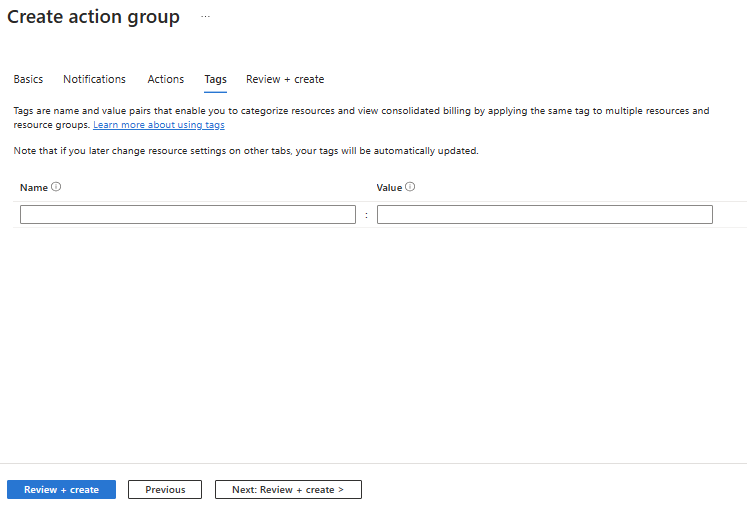
Create Action Groups Dialog Tags Tab
Fig. 16

Here you can enter name/value pairs that act as metadata associated with the Action Group. While not required, this metadata is useful in reporting, as it allows you to group, sort, and filter on these fields.

Select the "Review + create" tab, as shown in Fig. 17.
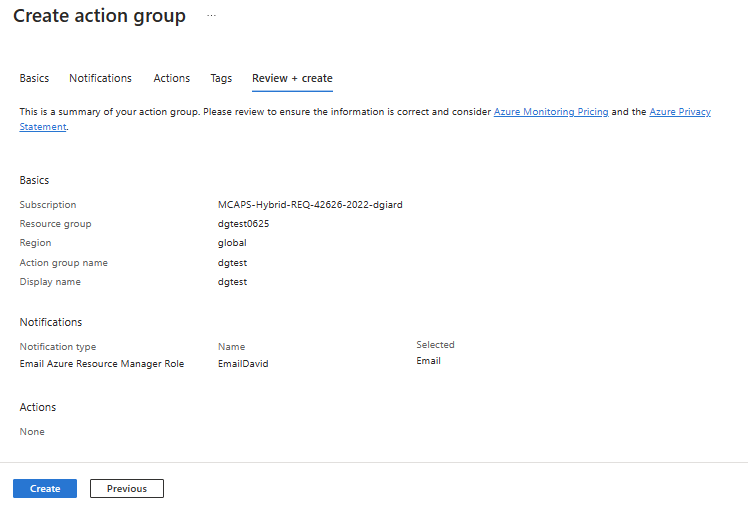
Create Action Groups Dialog Review And Create Tab
Fig. 17

If you omitted any required information or entered anything incorrectly, an error message displays on this tab. Correct any errors before proceeding. When all information is correct, click the [Create] button to create the Action Group.

After the Action Group is created, it will be listed in the "Action Groups" tab of the "Alerts" blade, as shown in Fig. 18.

Action Groups
Fig. 18

Click the [Refresh] button (Fig. 19) if you do not see your new Action Group listed.

Refresh Button
Fig. 19

You can now use this Action Group when creating a new Alert.

Conclusion

In this article, you learned how to create a custom Action Group for Azure Alerts.


Overview

An Azure Monitor Alert Rule is an Action taken when a system meets a predetermined condition. These are useful to notify us when a system has a problem or a potential problem. You can read more here.

We can create Alert Rules in Azure Monitor.

Creating an Azure Alert Rule

To begin, log into the Azure Portal and navigate to the "Azure Monitor", as shown in Fig. 1.

Monitor Overview Blade
Fig. 1

In the left menu, select the [Alerts] button (Fig. 2) to display the "Alerts" blade, as shown in Fig. 3

Alerts Button
Fig. 2

Alerts Blade
Fig. 3

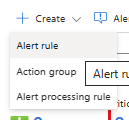
Expand the [Create] menu button and click the [Action group] button (Fig. 4) to display the "Create an alert rule" dialog, as shown in Fig. 5.

Create Alert Rule Button
Fig. 4

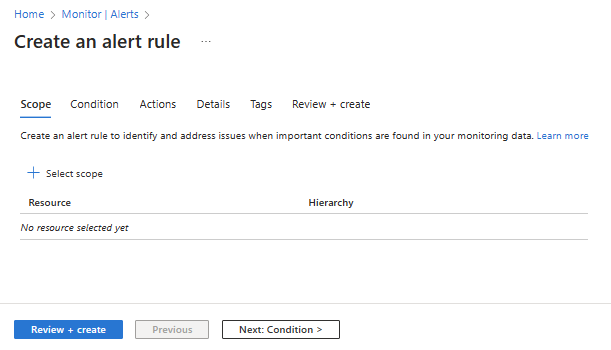
Create An Alert Rule Dialog
Fig. 5

The "Create an alert rule" dialog has multiple tabs: "Scoope", "Condition", "Actions", "Details", "Tags", and "Review + create". The "Scope" tab displays initially.

A Scope defines the Azure resources that will trigger an Alert.

Click the [Select scope] button (Fig. 6) to display the "Select resource" dialog, as shown in Fig. 7.

Select Scope Button
Fig. 6

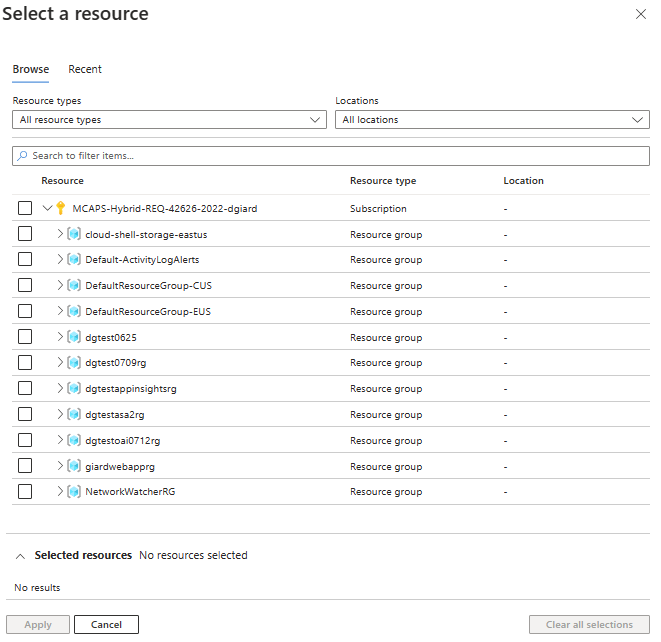
Select A Resource Dialog
Fig. 7

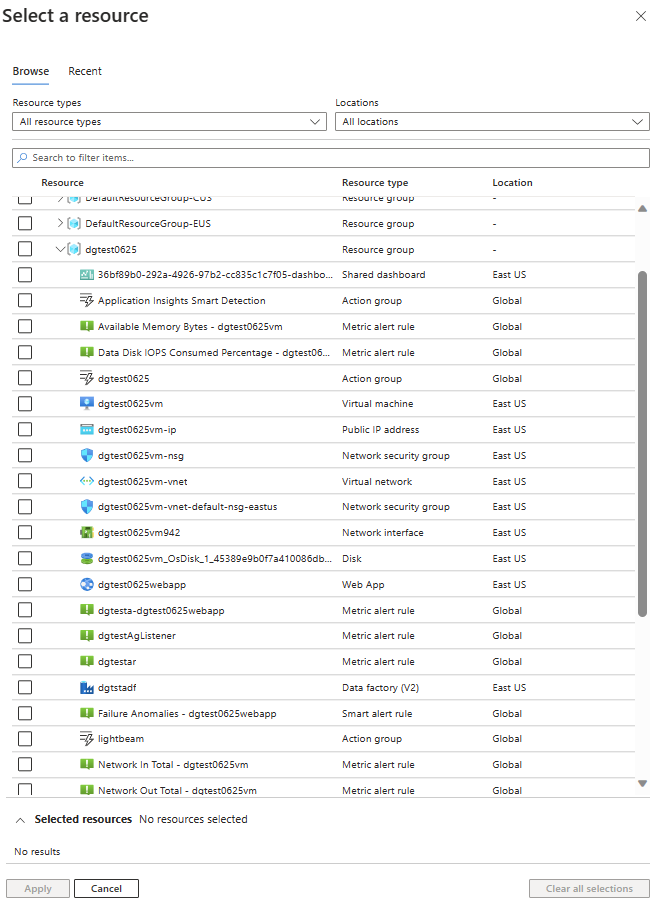
This dialog lists all the resource groups in the current subscription. Expand a resource group to reveal the Azure resources within that resource group, as shown in Fig. 8.

Select A Resource Dialog With Resource Group Expanded
Fig. 8

Select the resource that will trigger the Alert and click the [Apply] button to close the dialog and return to the "Scope" tab of the "Create an alert rule" dialog, as shown in Fig. 9.

Select A Resource Dialog With Resource Selected
Fig. 9

The scope will now list in this tab.

Note that you can only select one scope per Alert Rule. Click the [Select scope] button again if you wish to change the scope.

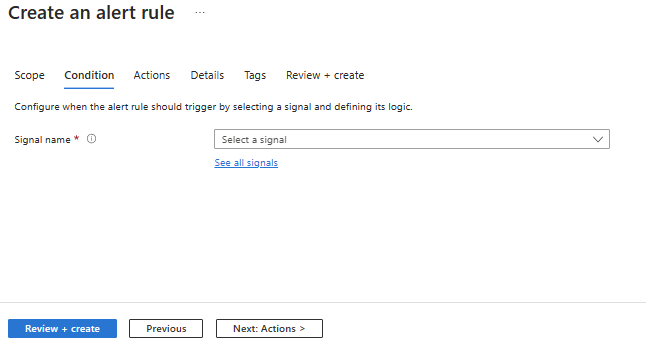
Select the "Condition" tab, as shown in Fig. 10.

Select A Resource Dialog Condition Tab
Fig. 10

On this tab, you can configure the condition that must be met to trigger the alert actions.

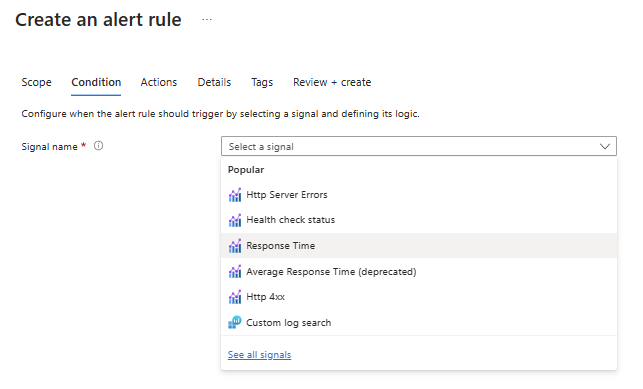
At the "Signal name" dropdown, select the metric on which you will base the condition, as shown in Fig. 11.

Signal Name Dropdown
Fig. 11

The list displayed depends on the type of resource selected in the Scope. Popular signals are listed, but you can see more by clicking the "See all signals" link.

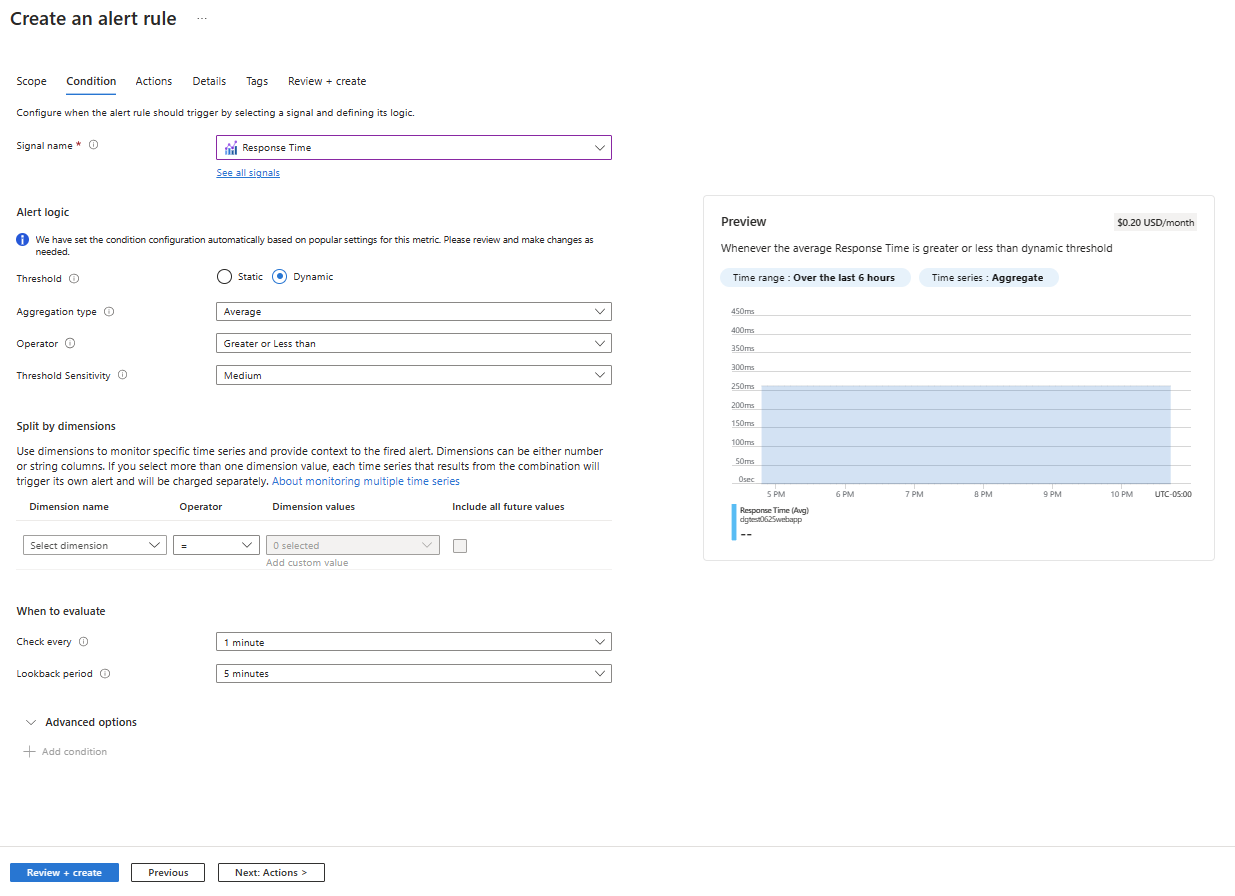
After you select a signal, a dialog similar to Fig. 12 displays.

Response Time Condition Details
Fig. 12

Here you can specify the details of the condition, such as how often to check and the threshold involved. For thresholds, you have the option of entering a static value or allowing machine learning to determine what constitutes a low, medium, or high value based on historical data of your application. This is useful if you want Azure to notify you when the system deviates from its normal operation.

Select the "Actions" tab, as shown in Fig. 13.

Select A Resource Dialog Action Tab
Fig. 13

On this tab, you can configure the actions that occur when the condition is met. An action can be a notification sent to someone via email, text, phone call, or mobile application push. It can also be a message sent to another application or service, such as an Azure Function or Event Hub.

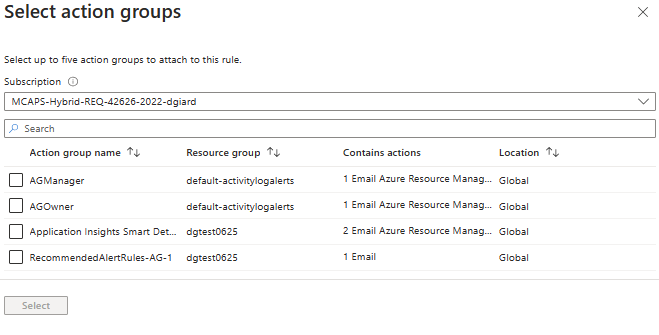
Click the [Select action group] button (Fig. 14) to display the "Select action groups" dialog, as shown in Fig. 15.

Select Action Groups Button
Fig. 14

Select Action Groups Dialog
Fig. 15

Azure creates a few Action Groups that send notifications to those assigned to Azure roles. Select the action group you want to notify.

If none of the built-in Action Groups meet your needs, you can create a custom Action Group, as described here.

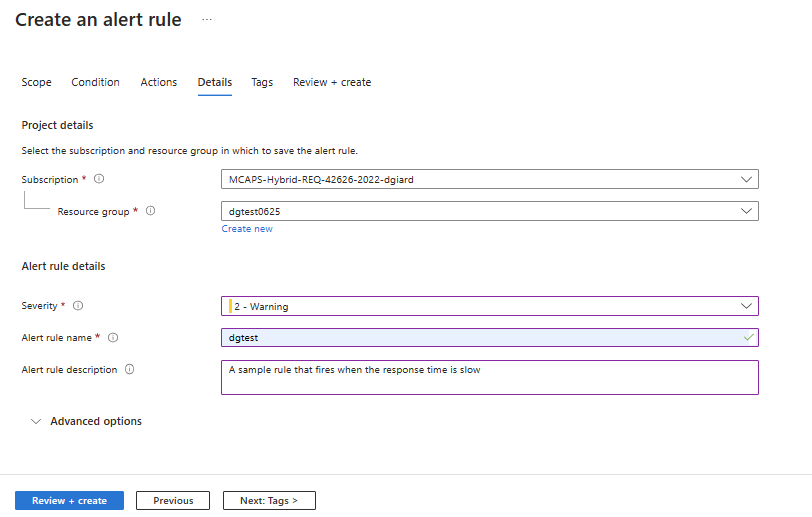
Select the "Details" tab, as shown in Fig. 16.

Select A Resource Dialog Details Tab
Fig. 16

On this tab, you can configure miscellaneous details of the Alert Rule, including a name and description to easily identify it later.

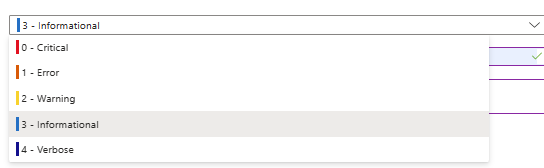
At the "Severity" dropdown, select the severity of the issue when the condition is met. Values range from Critical to Informational / Verbose, as shown in Fig. 17.

Severity Dropdown
Fig. 17

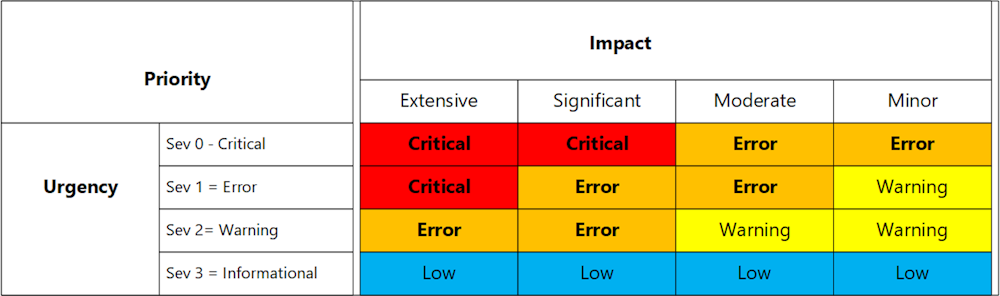
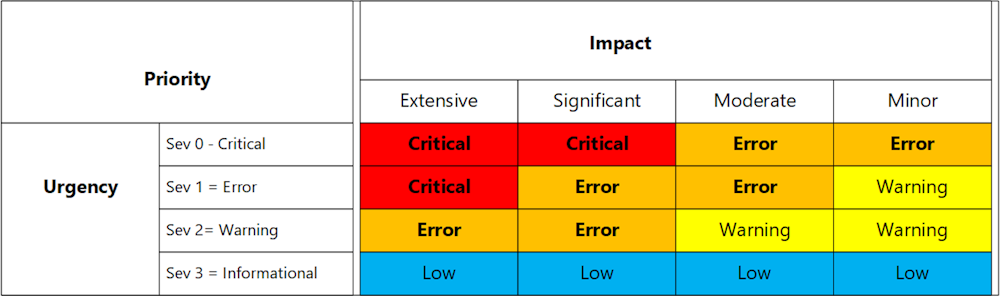
The Severity should be an indication of the priority of the incident that triggered the alert, which is based on the issue's impact (how many people or systems are affected) and its urgency (how soon we need to fix it). The matrix in Fig. 18 will help in determining this.

Prioritize Issues
Fig. 18

Select the "Tags" tab, as shown in Fig. 19.

Select A Resource Dialog Tags Tab
Fig. 19

Here you can enter name/value pairs that act as metadata associated with the Action Group. While not required, this metadata is useful in reporting, as it allows you to group, sort, and filter on these fields.

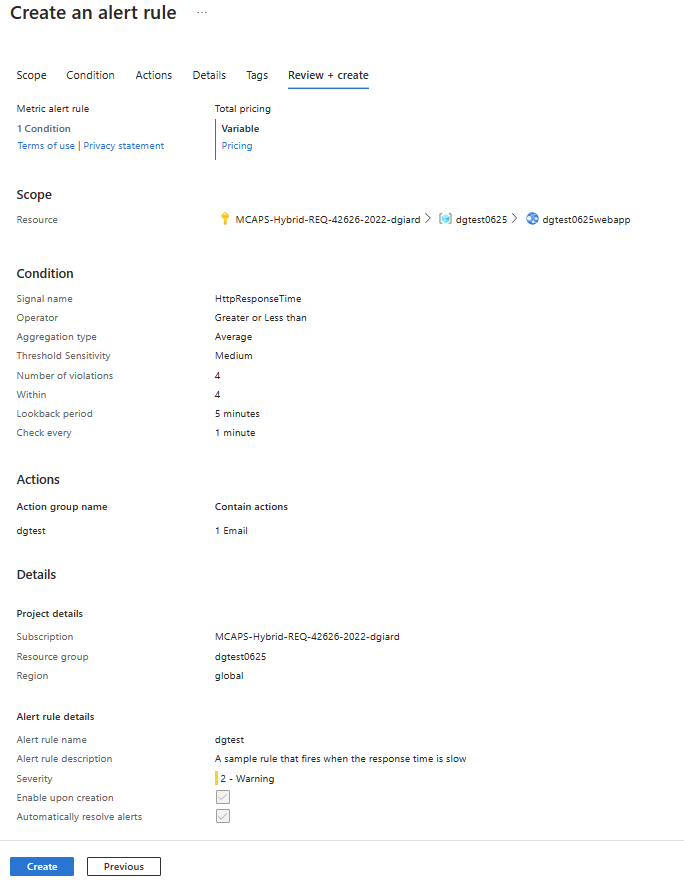
Select the "Review + create" tab, as shown in Fig. 20.

Select A Resource Dialog Review And Create Tab
Fig. 20

If you omitted any required information or entered anything incorrectly, an error message displays on this tab. Correct any errors before proceeding. When all information is correct, click the [Create] button to create the Action Rule.

Conclusion

In this article, you learned how to create an Azure Monitor Alert Rule.


When building a software system of any complexity, it is useful to collect information about the use and performance of that system. Azure Monitor provides the ability to capture and persist metrics and logs. We can later review this data using reports or graphics, which helps us determine if there are any issues, allowing us to correct those issues.

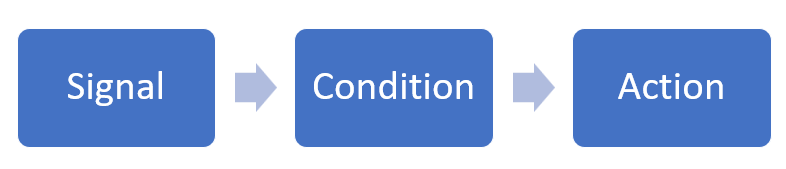
However, this requires us to check these reports, which involves a delay. Some events require more immediate attention. Fortunately, Azure Monitor provides the ability to create Alerts to do this. An Alert will perform an action based on a specified condition, as shown in Fig. 1.

Alert Flow

Fig. 1

The signal can be any metric collected by Azure Monitor, such as CPU usage, memory usage, or response time.

Typically, that condition will be a metric that falls outside an acceptable boundary. For example, we may wish to know when a web application's CPU usage exceeds 50% of capacity.

An Action can be a notification, such as an email, an SMS message, or a phone call. In addition, we can tell Azure to send a message to another system, such as an Azure Function, an Event Hub, or a Logic App. By sending a message to another system, we can configure a more complex workflow to respond to the alert.

An Action Group defines what actions to perform and who or what to notify.

Alerts are useful to notify us of a problem, so we can quickly know about it and correct it. But alerts can also let us know before a problem occurs. Low disc space may not cause a problem yet, but knowing about it helps us correct it before it becomes a problem.

It helps to label the severity of an issue when sending an alert. Consider the impact of an issue (how many people or systems are affected) and the urgency (how soon we need to fix it) when determining the severity. High-urgency/high-impact issues take top priority, while low-impact/low-urgency issues may require no action and should not be a candidate for alerts. Fig. 2 illustrates this matrix.

Prioritizing Issues Matrix

Fig. 2

This article discusses the importance of Alerts and how to use them. In the following articles, I will show how to define an Action Group and an Azure Monitor Alert so that you can implement Azure Monitor Alerts.


On August 6, 1945, at 8:15 AM, an American plane dropped an atomic bomb on Hiroshima, Japan. The bomb detonated above the city, destroying most of the buildings and killing a hundred thousand people - nearly half the city's population.

Journalist John Hersey traveled to Hiroshima after the war and interviewed six survivors of the explosion. He wrote about it in his book "Hiroshima."

The survivors - two clergymen, two doctors, a widow, and a young female clerk - were near the city's edge when they saw the flash of light. Their paths crossed multiple times.

Hersey relays their stories in a straightforward journalistic style. It reminded me of Thornton Wilder's classic novel "The Bridge of San Luis Rey," but it struck me harder knowing that these were real stories of real people.

The first four chapters cover the two weeks immediately following the detonation, as the survivors deal with the injuries to themselves, the destruction of their homes and workplaces, and the massive devastation of their city. The New Yorker published these chapters in its August 1946 issue - a year after the incident. The issue quickly sold out, and the chapters were published as a book shortly after.

Hersey returned to Japan forty years later to learn about the lives of the six survivors after the war. Most of them suffered long-term physical and mental effects from the experience. Some had passed away in the years between. He told their later life stories in the July 1985 issue of the New Yorker. Editions of the book published after 1985 included this as a final chapter.

The nuclear attacks on Hiroshima and on Nagasaki three days later undoubtedly led to Japan's surrender less than a month later. But this book does not focus on the reasons for the bomb or whether its use was justified. It seeks instead to shine a light on the effect the bomb had on the ordinary people in its path. No one has dropped an atomic bomb on a city since then, and "Hiroshima" may have contributed to widespread resistance to nuclear warfare. One cannot help but be moved by the misery the victims experience after such an attack.

More than any book I can remember, "Hiroshima" brought the horrors of war to life. Nations go to war, which often causes collateral damage, destroying the lives of innocent bystanders. Hersey gave faces and voices to these victims.


Episode 759

Michael Brown on Juneteenth Conference

Michael Brown discusses the Juneteenth conference - a conference for African American technologists. He talks about organizing the conference, speaker diversity, and the history of Juneteenth.

Links:

Juneteenth Conference - June 16th in Chicago and Online


Leigh Bardugo's "Ruin and Rising" concludes the trilogy she began with "Shadow and Bone" and continued with "Siege and Storm."

Each book gets a little better and a little darker.

In this volume, the evil Darkling sets his sights on capturing young Alina to exploit her powers so that he can rule the world. Alina can generate vast amounts of heat and light and can increase that power exponentially by finding and killing the three amplifiers. She has conquered two and seeks the third to improve her chances against the Darkling.

Meanwhile, the Darkling destroys cities and kills thousands in his quest to find Alina. Alina is on the run with a small group of rebels seeking the final amplifier and hiding from their pursuer.

The heroine makes alliances, decides who to trust, and wrestles with difficult moral decisions.

This is an exciting novel with plenty of action and unexpected twists. Bardugo brings her characters to life as they evolve in realistic ways.

"Ruin and Rising" is a satisfying ending to a good trilogy.


We first met Frank Bascombe in Richard Ford's 1986 novel "The Sportswriter." Ford returned to the character in 1995 with "Independence Day."

Frank is older and has left the world of sportswriting to become a real estate agent in New Jersey suburbia. He has a decent career, an ex-wife, a pretty girlfriend, a stable financial situation, a nice home (bought from his ex-wife), and a troubled teenage son.

While this book provides no straightforward plot, it takes the reader through a holiday weekend inside and outside Frank's mind as he navigates the different parts of his life.

He begins by showing houses to a prospective customer who cannot make up his mind after dozens of showings and accuses Frank of everything from dishonesty to homosexuality.

We see Frank struggle with his romantic relationship. Girlfriend Sally does not know how to handle Frank's attempts to keep her at arm's length.

We see his frustration with his ex-wife, who has remarried a man that both Frank and his son Paul abhor.

And we travel with Frank and Paul to the Basketball and Baseball Halls of Fame as they try and fail to establish a decent father-son bond.

Ford creates a memorable character and reveals that character through his thoughts. The entire book is written in the first person and the present tense, giving readers the impression they are eavesdropping on Frank's thoughts as they pass through his mind. Frank is drifting through his privileged life, trying to convince himself that he is content.

Outwardly, Frank is calm and polite - even to those who are rude and abusive. He almost always says the right thing; when he does not, he is immediately aware of his mistake. But inwardly, he despises nearly everyone, holding them in contempt. He is a nihilist who observes and interprets the world but seems to exist outside of it. He combines cynicism and angst so that the reader feels sympathy for him. A lifelong Democrat, Frank is frustrated by the poor 1988 campaign run by Michael Dukakis (Historical Note: Bush handily defeated Dukakis in the fall election.)

Anyone else would long since have abandoned the racist, unreasonable husband who refuses to like any of the houses Frank shows him, but Frank takes it all in stride.
 
The road trip with the intelligent but troubled son is the most interesting part of the story. Paul has been disruptive and violent lately, including assaulting a security guard and striking his stepfather with an oar. Paul shows symptoms of autism and Tourette syndrome. His nearly constant sarcasm places him on the wrong side of the line between funny and annoying.

Frank attempts to connect with him, but his own faults make this problematic. The father is self-absorbed and indecisive. Within 36 hours, Frank considers asking his ex-wife to remarry him, confesses his love to his girlfriend, tries to pick up the young chef at a Cooperstown motel, and drunk dials his old sweetheart.
The story finishes on July 4 - American Independence Day - but it is also about Frank's struggle for Independence from his past.
"Independence Day" won Ford the Pulitzer Prize and the PEN/Faulkner Award. It is a classic episodic novel told with humor and sensitivity.


IrisDement2023Iris Dement looked out and smiled at the audience, which filled the Old Town School of Folk Music's Maurer Auditorium. "You know my music," she said. "You know what you're in for." The audience laughed and applauded. And Iris did what she does best. She sang and played guitar and piano and entertained for 90 minutes.

Dement's hillbilly twang tells us she has never left the Arkansas roots of her childhood. Her music is steeped in traditional country music with gospel, folk, and blues mixed in. Sunday evening, she played them all. She was joined onstage by bassist Liz Draper for the entire set and for a few songs by Ana Egge, a sweet-voiced songwriter who also served as the night's opening act.

Known for her longtime collaboration with the late Chicagoan John Prine, Dement delighted the crowd when she sang one of his songs.

Iris still seems to enjoy performing, and her voice and playing sound the same as when she first entered our consciousness in 1992 with her debut album "Infamous Angel." She closed the show with an encore of two songs from that album: "Let the Mystery Be" and "Our Town." The audience sang along with the band during the chorus of each.

We knew what we were in for. And we loved it.


GCast 153:

Transactable Containers Labs, Lab 3: Publishing the Container Offer

A walkthrough of Lab 3 of the Transactable Containers labs Learn how a Microsoft partner can create, package, and submit a Kubernetes application to the Azure marketplace

This video walks through Lab 3 in which you publish your container offer to the Azure Marketplace.

Links: https://microsoft.github.io/Mastering-the-Marketplace/container/#hands-on-labs
https://davidgiard.com/becoming-a-microsoft-partner


Overview

Diagnostic Settings allows an Azure SQL Managed Instance to interact with Azure Monitor. You must enable and configure this feature in order to take advantage of it.

Enabling Diagnostic

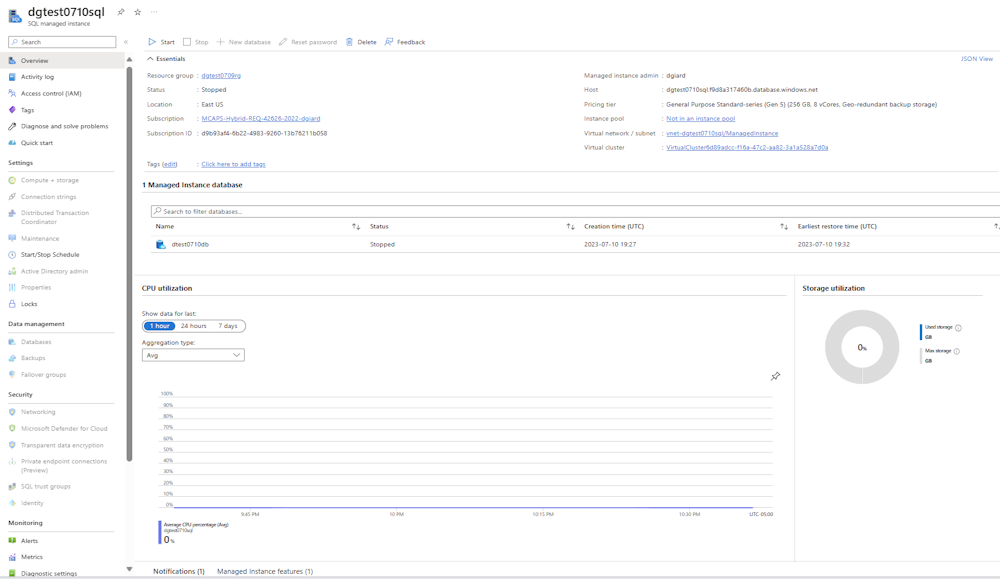
Navigate to the Azure Portal and log in. Then, navigate to your Azure SQL Managed Instance, as shown in Fig. 1.

Sql Managed Instance
Fig. 1

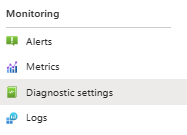
From the left menu, click the [Diagnostic Settings] button in the "Monitoring" section (Fig. 2) to open the "Diagnostic Settings" blade, as shown in Fig. 3.

Diagnostic Settings Menu Option
Fig. 2

Diagnostic Settings Blade
Fig. 3

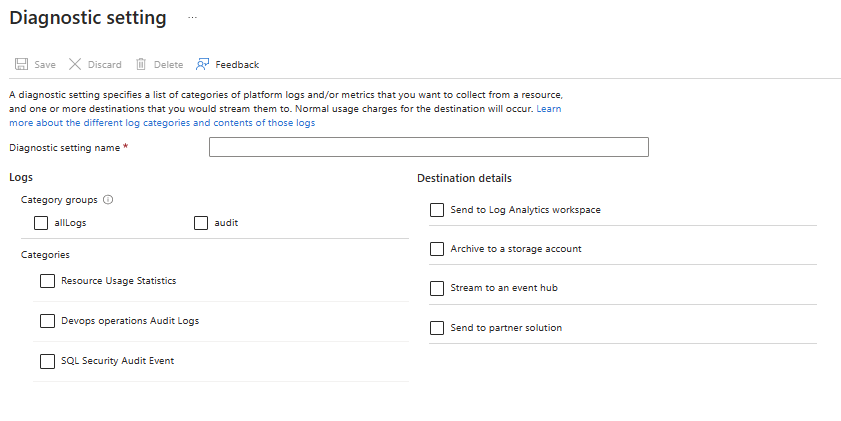
Click the [Add diagnostic setting] button (Fig. 4) to open the "Diagnostic setting" dialog, as shown in Fig. 5.

Add Diagnostic Settings Button
Fig. 4

Diagnostic Settings Dialog
Fig. 5

The left side of this dialog allows you to select the information you want to log (Resource Usage Statistics, Devops operations Audit Logs, and SQL Security Audit Events). You may select any or all these events. Clicking the "AllLogs" checkbox checks all three categories below. Clicking the "audit" checkbox checks only the "Devops operations Audit Logs" and "SQL Security Audit Events" checkboxes.

The right side of this dialog allows you to configure a destination to send events. Clicking any of these four checkboxes displays prompts for more information.

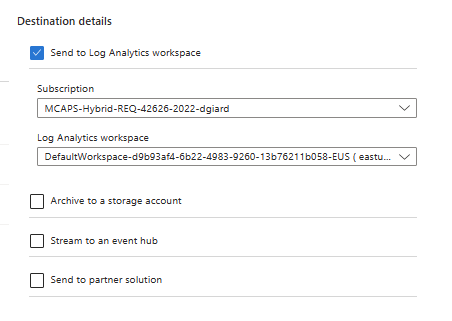
If you check the "Send to Log Analytics workspace" checkbox, the additional prompts shown in Fig. 6 display.

Send To Log Analytics Workspace Options
Fig. 6

Here you can select the Log Analytics workspace to which you want to send the event information. A has its own data repository and configuration.

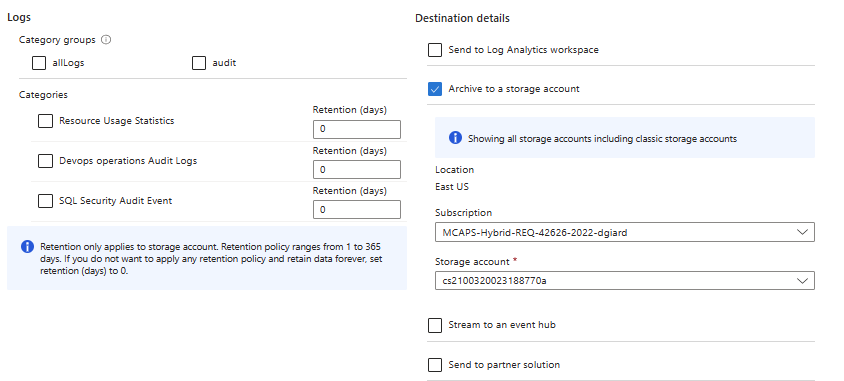
If you check the "Archive to a storage account" checkbox, the additional prompts shown in Fig. 7 display.

Archive To A Storage Account Options
Fig. 7

Here you can select the Storage Account into which event data will be persisted.

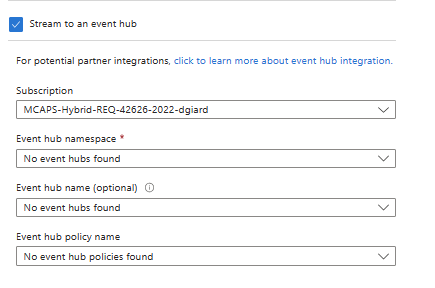
If you check the "Stream to an event hub" checkbox, the additional prompts shown in Fig. 8 display.

Stream To An Event Hub Options
Fig. 8

Here you can select the Event Hub details to which you want to stream events collected from this SQL Managed Instance.

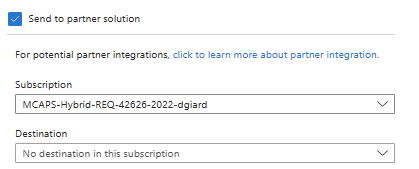
If you check the "Send to partner solution" checkbox, the additional prompts shown in Fig. 9 display.

Send To Partner Solution Options
Fig. 9

Here you can select a third-party application to which you want to send your data. This is useful if you are using a tool like DataDog or Elastic to monitor your Azure applications.

Before configuring the destinations on the right side of the "Diagnostic setting" dialog, the destination must already exist. For instance, you must create the Storage Account or Event Hub before you can send data to it.

Conclusion

In this article, you learned how to enable and configure Azure Diagnostics for an Azure SQL Managed Instance.


Overview

Azure Application Insights (App Insights) provides a fast, scalable way to collect metrics within an application or service and save that information to a log in Azure for later viewing, querying, reporting, or analysis.

In many cases, you can configure Application Insights without writing any code. However, you want more control of what is logged and when it is logged, you modify code in your application using an SDK. This article shows how to use the Application Insights SDK for .NET Core in an ASP.NET application.

Before you begin

To write anything to Azure Application Insights, you must have an existing Azure Application Insights service. You can configure Application Insights when you create another service. For example, this article describes how to configure App Insights for an Azure Web App. You can also create an App Insights service independent of other services, as described in this article.

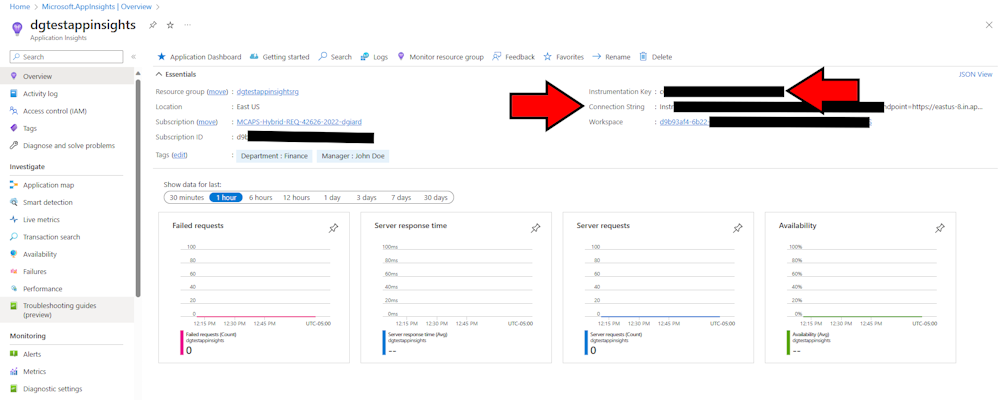
However, you create the App Insights service, you need to retrieve the Instrumentation Key and Connection String from that service. Navigate to the "Overview" blade of the App Insights service and copy the Connection String, as shown in Fig. 1.

Application Insights OverviewTab
Fig. 1

The SDK

To get started with your .NET project, you must add the SDK to your .NET application. This is done by adding the Microsoft.Extensions.Logging.ApplicationInsights NuGet package. In Visual Studio, you can right-click a project, select "Manage NuGet Packages..." and searching for the package. Alternatively, you can install the package in the project's root folder with the following command:

dotnet add package Microsoft.Extensions.Logging.ApplicationInsights --source https://api.nuget.org/v3/index.json

appsettings.json

To use Application Insights in our .NET Core project, we need to configure it using the appsettings.json file. Add the following to this file:

{
  "ApplicationInsights": {
    "InstrumentationKey": "INSTRUMENTATION_KEY_FROM_AZURE_APP_INSIGHTS_OVERVIEW_BLADE","
  },
  "Logging": {
    "LogLevel": {
      "Default": "Information",
      "Microsoft.AspNetCore": "Warning"
    }
  },
  "AllowedHosts": "*"
}

Startup Code

The first thing to do in our code is to tell the program we are using Application Insights logging and configure it appropriately.

Add the following code to the program.cs:

builder.Logging.AddApplicationInsights(
        configureTelemetryConfiguration: (config) => 
            config.ConnectionString = "CONNECTION_STRING_FROM_AZURE_APP_INSIGHTS_OVERVIEW_BLADE",
            configureApplicationInsightsLoggerOptions: (options) => { }
    );

builder.Logging.AddFilter("your-category", LogLevel.Trace);

This lets the engine know that any logging statements should be directed to our Application Insights service. By default, logging statements are only written to the console.

Logging Code

Now, you can write your logging code. This code is the same regardless of the destination of your logs.

Add the following code at the top of each class in which you want to log.

private readonly ILogger _logger;

where NAME_OF_THIS_CLASS is the name of the class in which this code appears.

The ILogger interface contains methods, such as _LogInformation, LogWarning, and LogError that allow you to log different types of messages.

_logger.LogInformation("Demo Info", "This is an info message");
_logger.LogWarning("Demo Warning", "This is a warning message");
_logger.LogError("Demo Error", "This is an error message");

Viewing the Logs

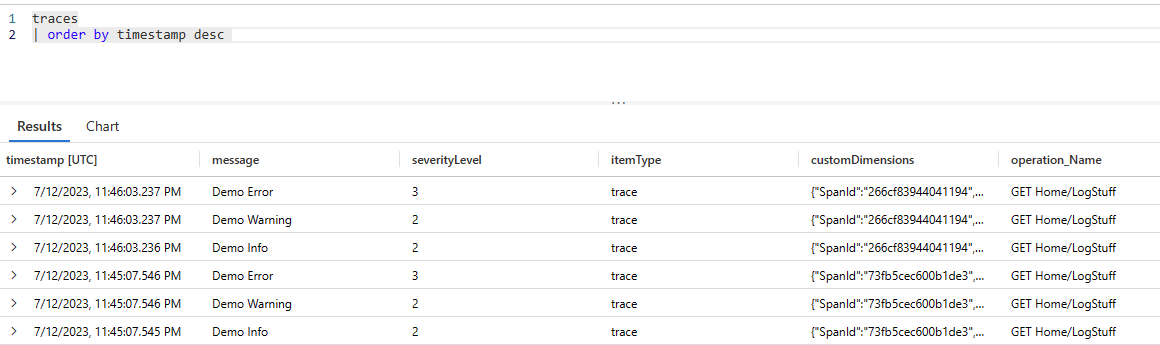
You can view the logs in Application Insights. They are stored in the "traces" table. You can view them with a query like the following:

traces  
| order by timestamp desc

Which yields results like those in Fig. 2.

Application Insights Logs
Fig. 2

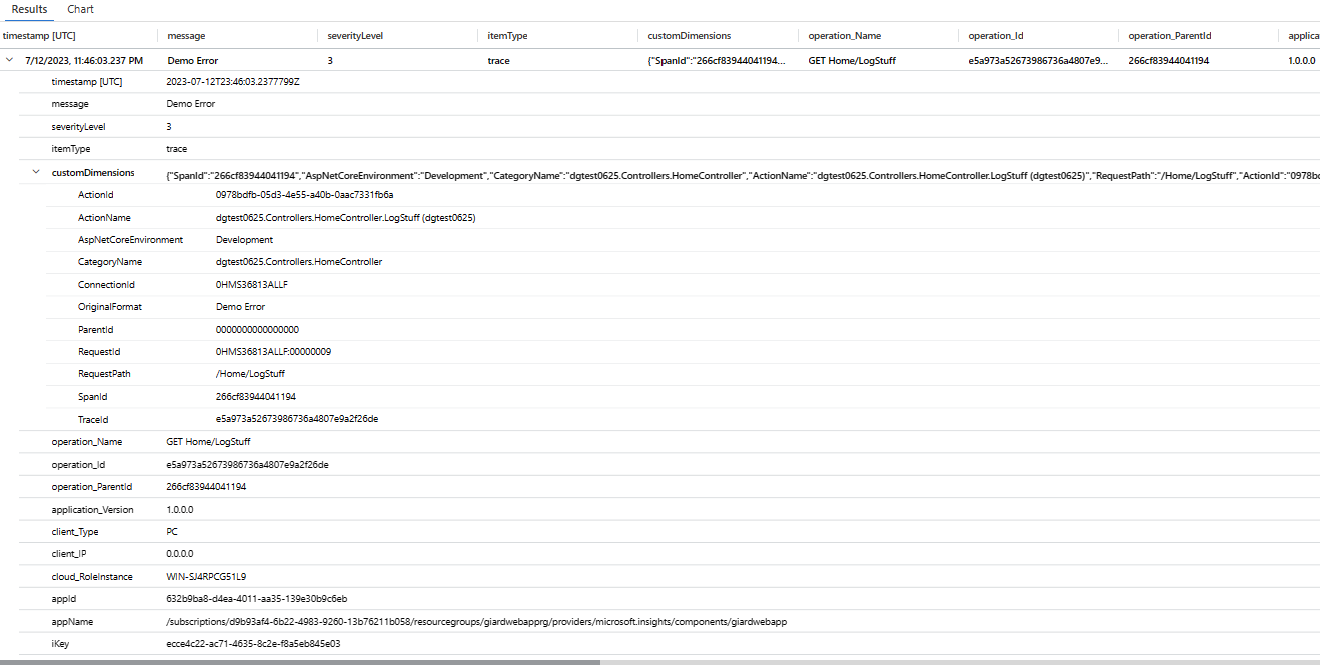
Fig. 3 shows details when I expand one of the log entries.

Trace Details
Fig. 3

Conclusion

In this article, I showed you how to log information, warning, and errors from a .NET Core application into Azure Application Insights.


Episode 758

Mike Amundsen on HyperCLI and HyperLANG

Mike Amundsen describes HyperCLI - an open source command-line tool for interacting with REST APIs and HyperLANG - the language to interact with this tool.

Links

https://github.com/webapicookbook/hyper
https://twitter.com/hyper_cli
https://mamund.substack.com/


Sam Clay was a street-smart Jewish kid from New York City. His cousin Joe Kavalier escaped to New York after the Nazis invaded Prague. Joe's training as an artist, a magician, and an escape artist helped them create a masked superhero known as The Escapist.
Together, they sold the idea to a publisher and began writing comic books.

Michael Chabon's "The Amazing Adventures of Kavalier & Clay" takes us through 15 years in the lives of the two cousins.

Kavalier, Clay, and the Escapist have their own story, set against the backdrop of the early comic book industry. Numerous storylines concern their involvement in this industry. Their publisher applies pressure to stop portraying Nazis as villains because America has not yet entered the war, and they wish to sell comics in Germany. The publishers of Superman sue The Escapist's team, claiming they stole the character idea, which leads to a lengthy court battle. And, as in the real world, the creators of popular comic book heroes share in very few profits generated by their creation.

As someone who collected and read comic books well into adulthood, I loved the references to the medium's history. We saw the rise of superheroes during World War II, the decline in popularity after the war, and the attacks blaming comics for juvenile delinquency and homosexuality. This era was the Golden Age of Comics, which began with Superman's 1939 debut and ended when Fredric Wertham's 1954 book "Seduction of the Innocent" prompted Senate hearings, which blamed comic books for juvenile delinquency and hedonism.

But this is more than a comic book story. Chabon's story gives us a love triangle, a family lost to the war, friendship, and men struggling with their sexuality.

The author expertly uses the comic book heroes as a metaphor for the struggles of ordinary people; the Escapist as a metaphor for those trying to escape the persecution of the Nazis; and magic as a metaphor for the illusions of everyday life.

Joe is the most compelling character in this novel. His fictional hero succeeds in battling Hitler's power, but he longs to contribute more tangibly to this fight - to kill Nazis and rescue his family trapped in Czechoslovakia. When he falls short, the reader feels his pain.

This is one of the most enjoyable books I have read this year. I could not wait to get to the next chapter.


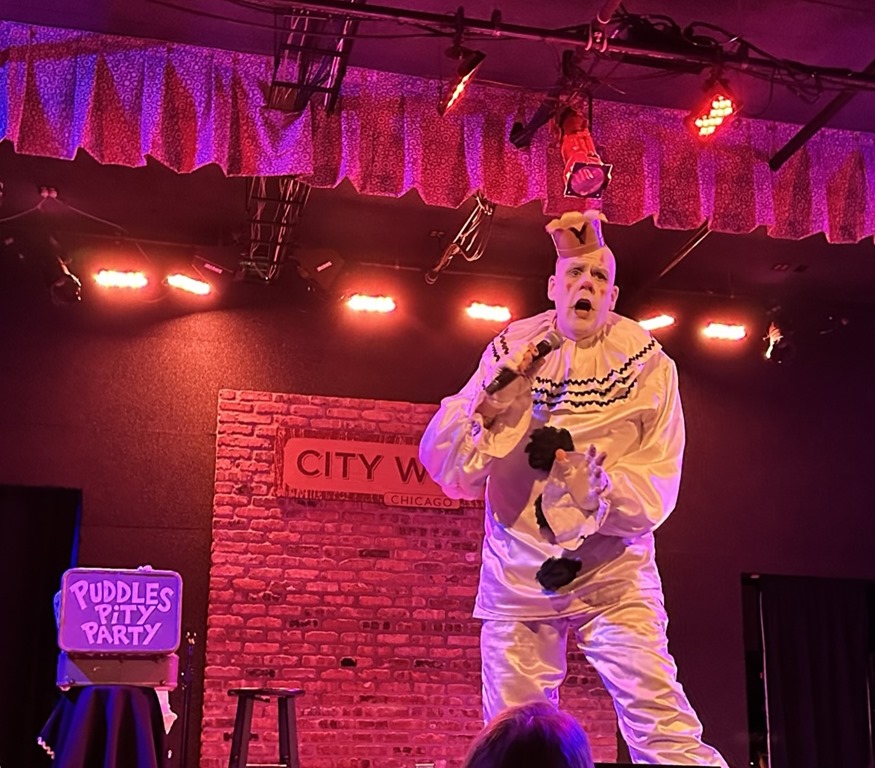
Puddles Pity PartyPuddles Pity Party is the brainchild of Mike Geier, who created the alter ego of Puddles, a giant sad clown. Geier stands at 6'8" in height, making him stand out, even if he did not choose to dress in clown makeup and a black and white clown costume when he appears as Puddles.

Geier brought his Puddles Pity Party show to Chicago's City Winery Thursday evening before a sold-out crowd.

The show opened with a video montage of Kevin Costner in various movie roles, accompanied by Costner's recording of country and Western songs. While the video played, Puddles made his way through the crowd shaking hands with nearly every audience member in the venue.

He reached the stage, slowly dragged the microphone across the set, and launched into a beautiful pitch-perfect rendition of R.E.M.'s "Everybody Hurts" as clips from "The Walking Dead" played on the video screen. Videos played during each of his songs, sometimes in a humorous way that contrasted with the sad material Puddles chose. At one point, he played an obviously fake audio track accompanied by a video of Richard Branson in which the billionaire appeared to implore Puddles to sing "David Bowie's Space Oddity. The singer complied.

Interpreting the music of others is the artist's specialty. He covered songs by Warren Zevon ("Desperadoes Under the Eaves"), Britney Spears ("Toxic"), and Eric Carmen ("All By Myself"), among others.

On a couple of occasions, he performed a medley as when he mashed up Ozzy Osborne's "Crazy Train" with the Police's "Message in a Bottle" and Styx's "Come Sail Away" with "Let It Go" from Disney's "Frozen." In a similar mashup, he sang the lyrics of Gilligan's Island to the tune of Led Zeppelin's "Stairway to Heaven," a concept that originated with Little Roger and the Goosebumps decades ago.

Puddles managed to entertain us without saying a word. In addition to his excellent voice, he communicated through mimes and brought audience members on stage to help him perform. One man dressed in a tequila bottle costume as Puddles sang Los Lobos's "Estoy Sentado Aquí"; another woman accompanied Puddles on a cardboard guitar.

The performance was reminiscent of The Blue Man Group, which also combines physical humor with quality music.

This modern version of Pagliacci put on one of the most entertaining shows I have ever seen.


Overview

Azure Application Insights is a part of Azure Monitoring that collects logs of event, error, and other information for later analysis, reporting, and actions.

You can configure an Application Insights when creating another service, such as an Azure Web App or you can create the Application Insights service on its own and point your applications to this service.

To begin, navigate to the Azure Portal and log in.

Do I have any Application Insights services?

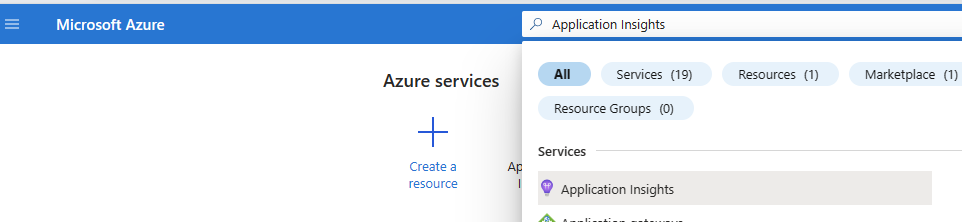
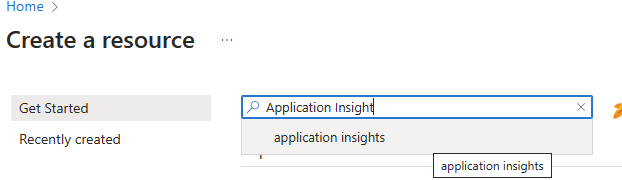
To see if your subscription already has any Application Insights services, type in the search box at the top of the portal and select "Application Insights," as shown in Fig. 1.

Search For Application Insights
Fig. 1

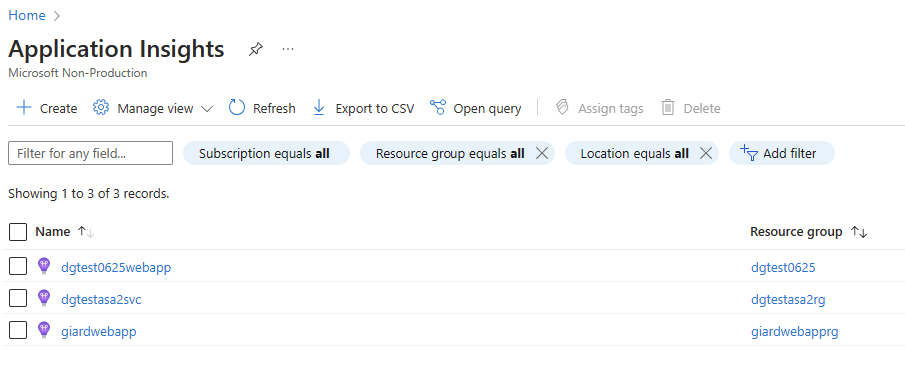
A list of Application Insights services displays, as shown in Fig. 2.

Application Insights Search Results
Fig. 2

If you do not already have a service, or you wish to create a new one, navigate back to Azure Portal Home Page and click the [Create a Resource] button (Fig. 3) and search for Application Insights, as shown in Fig. 4.

Create A Resource Button
Fig. 3

Search For Application Insights
Fig. 4

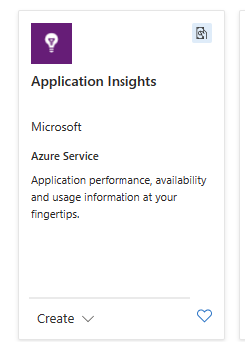
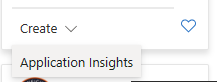
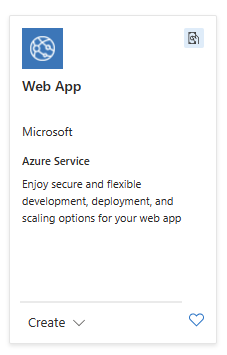
A list of cards with services that match your search criteria displays. On the "Application Insights" card (Fig. 5), expand the menu at the bottom and select the [Create] button, as shown in Fig. 6.

Application Insights Card
Fig. 5

Create Application Insights Button
Fig. 6

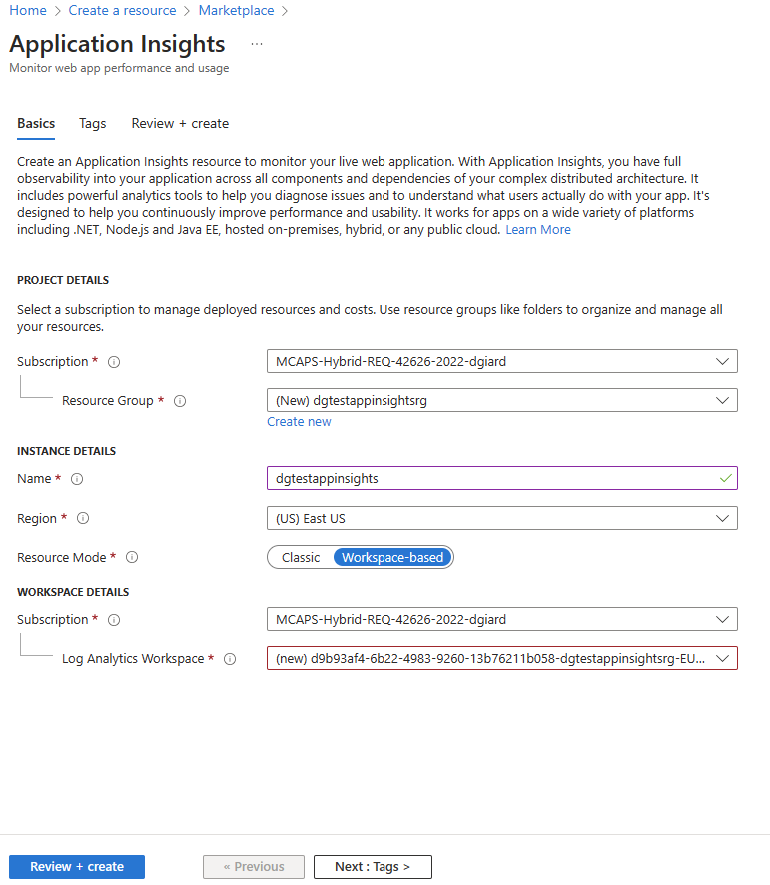
The "Create Application Insights" blade displays with the "Basics" tab selected, as shown in Fig. 7.

Create Application Insights Blade Basics Tab
Fig. 7

At the "Subscription" field, select the subscription into which you want to create this service. Many of you will have only one subscription.

At the "Resource Group" field, select a Resource Group into which you want to organize this service or click the "Create new" link to create a new Resource Group.

At the "Name" field, enter a unique name for this Application Insights service.

At the "Region" dropdown, select a region in which to store the service. Consider which applications and services will read to and write from this service and where they are located. You want to minimize latency.

Under the "Workspace" section, you can select a subscription and Log Analytics Workspace associated with this service. You can select an existing workspace or create a new one for this service. A Log Analytics Workspace specifies the storage location and configuration settings of the data captured by Application Insights.

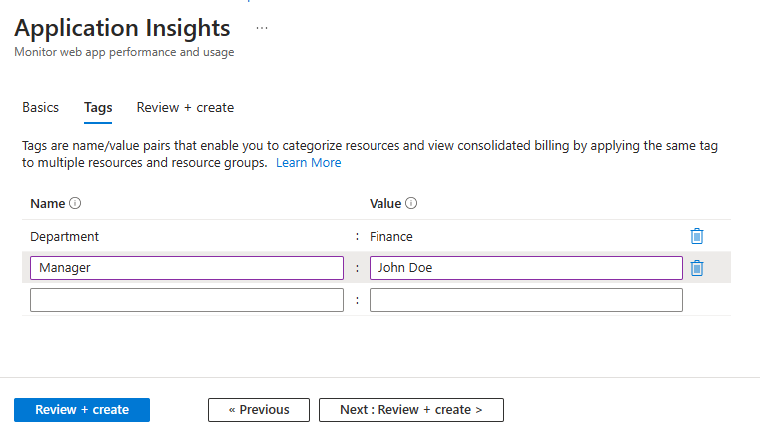
If desired, you can add name/value pairs on the "Tabs" blade, as shown in Fig. 8.

Tags Tab
Fig. 8

These are used as metadata and can be useful for filtering, sorting, and grouping reports across multiple Azure resources, but they are not required.

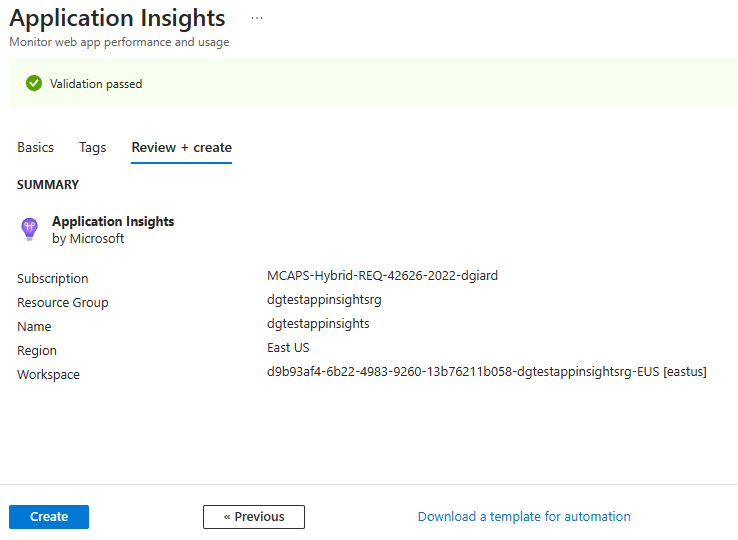
When you are finished configuring the Application Insights service, select the "Review + create" tab, as shown in Fig. 9.

Review And Create Tab
Fig. 9

If you have made any errors or omitted required information, this tab will tell you. Correct those errors and return to this tab. Click the [Create] button to create the Azure Application Insights service.

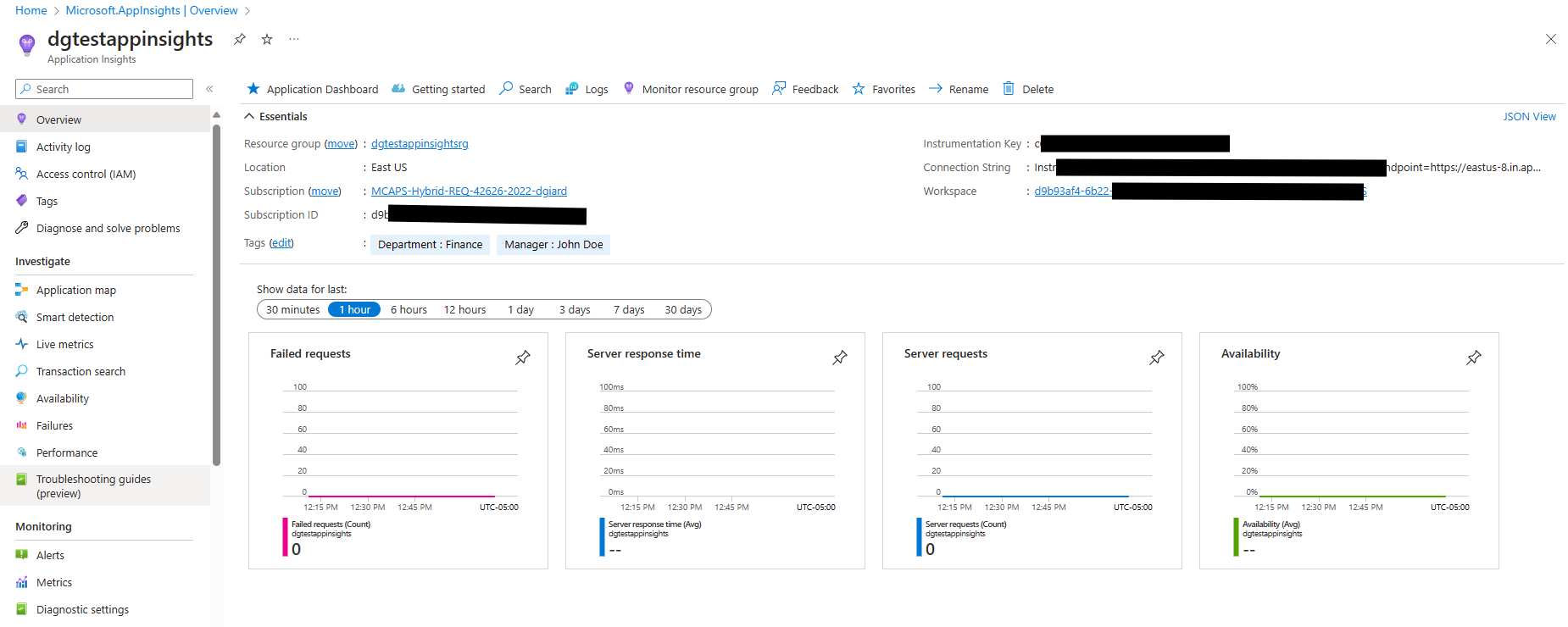
After a few minutes, you can navigate to the services and view or modify its properties, as shown in Fig. 10.

Application Insights Overview Tab
Fig. 10

The Instrumentation Key and Connection String are important pieces of information that other applications will use to connect to this service. Copy them and keep them safe.

Conclusion

In this article, I showed you how to create an Azure Application Insights service that is not associated with any Azure resource.


Overview

Azure can host a web application as an App Service that serves up a web site or web service in a highly scalable, highly reliable way.

Creating a Web App

To create a new Azure Web App, navigate to the Azure portal and click the [Create a resource] button (Fig. 1).

Create Resource Button
Fig. 1

If the [Create Web App] button (Fig. 2) displays, click the "Create" link below. it.

Create Web App Button
Fig. 2

If you do not see the [Create Web App] button, use the search box (Fig. 3) to search for a web app.

Search Box
Fig. 3

From the search results, find the "Web App" panel (Fig. 4); then expand the dropdown at the bottom and click the [Web App] button, as shown in Fig. 5.

Web App Panel
Fig. 4

Create Web App Dropdown Button
Fig. 5

Basic Tab

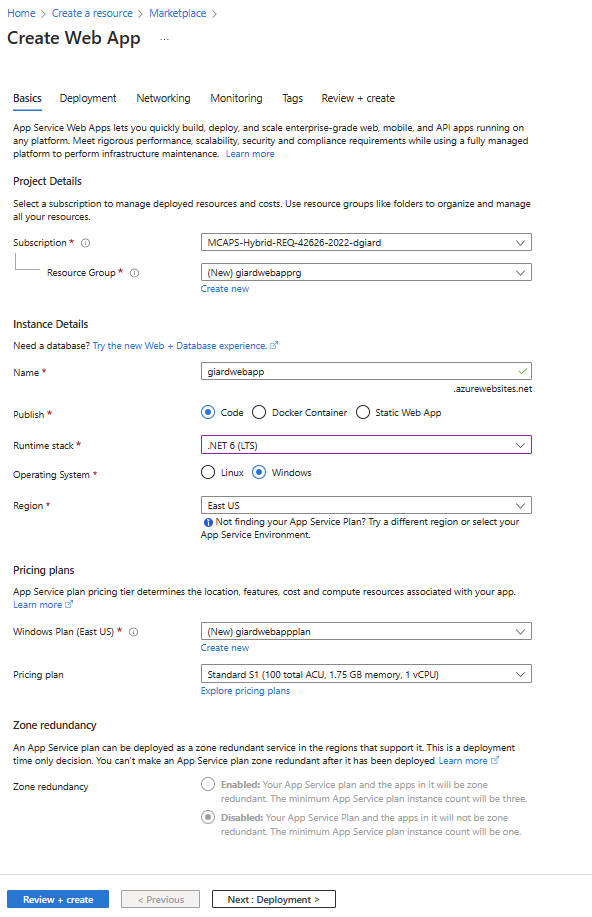
Either of the above methods will display the "Create Web App" dialog with the "Basic" tab selected, as shown in Fig. 6.

Create Web App Dialog
Fig. 6

At the "Subscription" dropdown, select the subscription into which you want to create the web app. Most of you will have only one subscription.

At the "Resource group" field, select an existing resource group that will contain your new web app or click "Create new" to create a new resource group.

At the "Name" field, enter a unique name for your web app. By default the default URL will be the text you enter here, followedby ".azurewebstites.net".

At the "Publish" field, select whether you want to create a dynamic web application ("Code"), a web app stored in a Docker container, or a static web site.

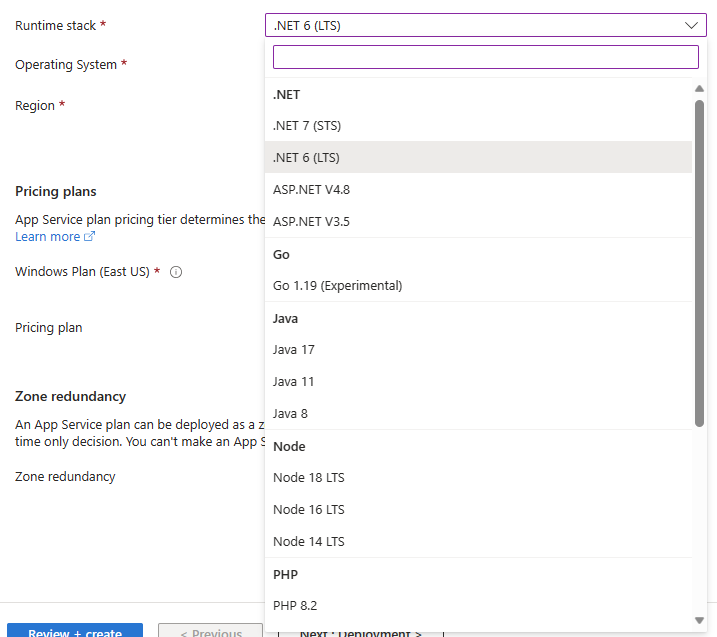
At the "Runtime stack" field, select from the available languages and platforms supported by Azure App Services, as shown in Fig. 7.

Runtime Stack
Fig. 7

At the "Operating System" field, select the operating system ("Linux" or "Windows") on which you want your application to run.

At the "Region" field, select the region in which to deploy this Web App. When selecting a region, consider the location of your users and of any resources on which the app depends. You want to minimize latency by keeping things close to one another, if possible.

At the "Windows Plan" field, select an existing Application Plan or click "Create new" to create a new plan. The plan determines the size of machines on which the app will run.

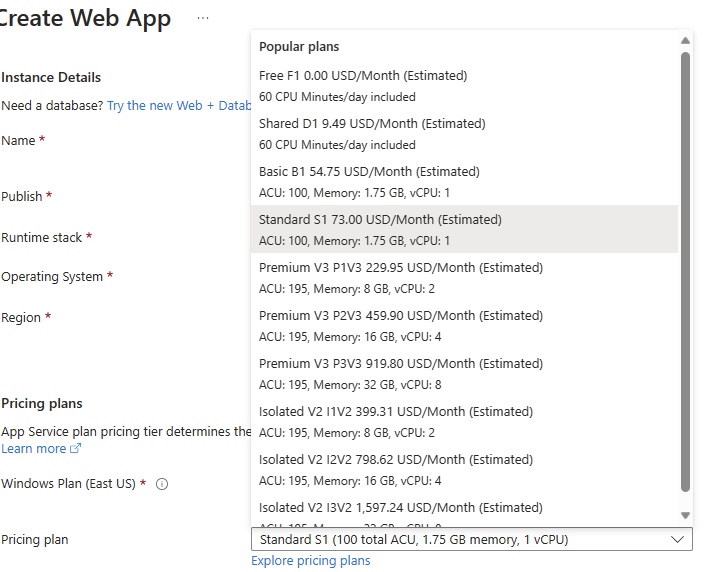
If you create a new Windows Plan, the "Pricing plan" field prompts you to select the machine size, as shown in Fig. 8.

Pricing Plan List
Fig. 8

At the "Zone Redundancy" field, select whether you want Azure to create multiple copies of your web app to support failover.

Other Tabs

The fields on the "Basic" tab are the only ones required. However you can select any of the four other tabs (Deployment, Networking, Monitoring, and Tags) and configure settings contained therein.

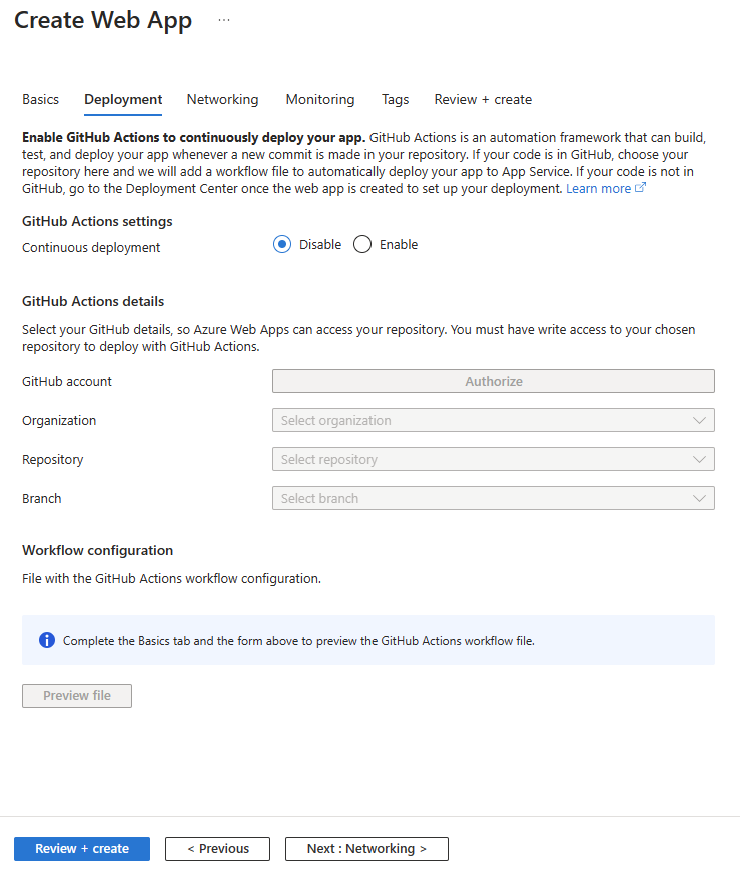
The "Deployment" tab (Fig. 9) allows you to configure a GitHub source code repository from which you can deploy code to this web app.

Deployment Tab
Fig. 9

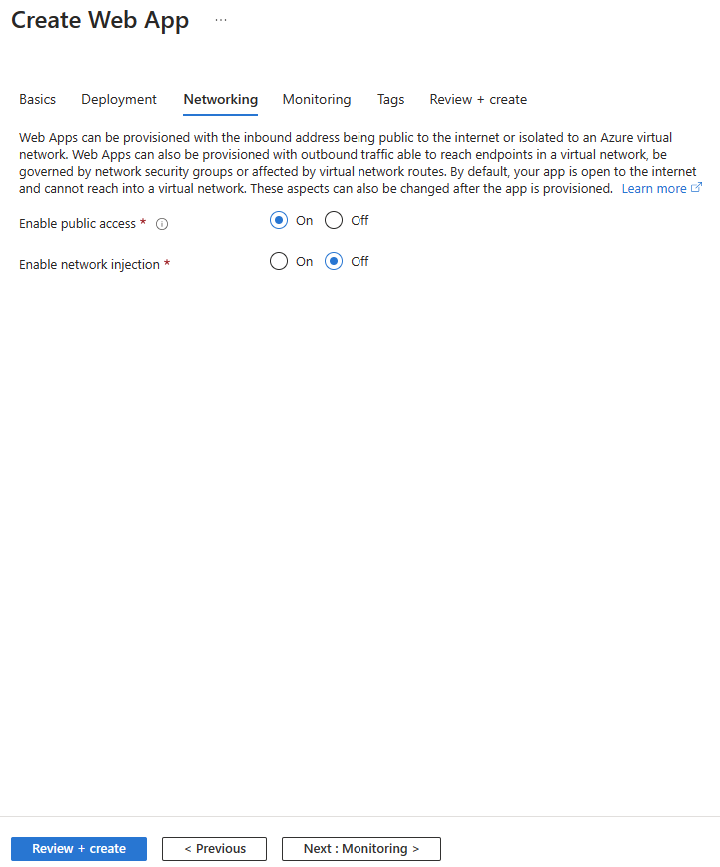
On the "Networking" tab (Fig. 10), you can enable or disable access to the web app from the public Internet and be part of a virtual network.

Networking Tab
Fig. 10

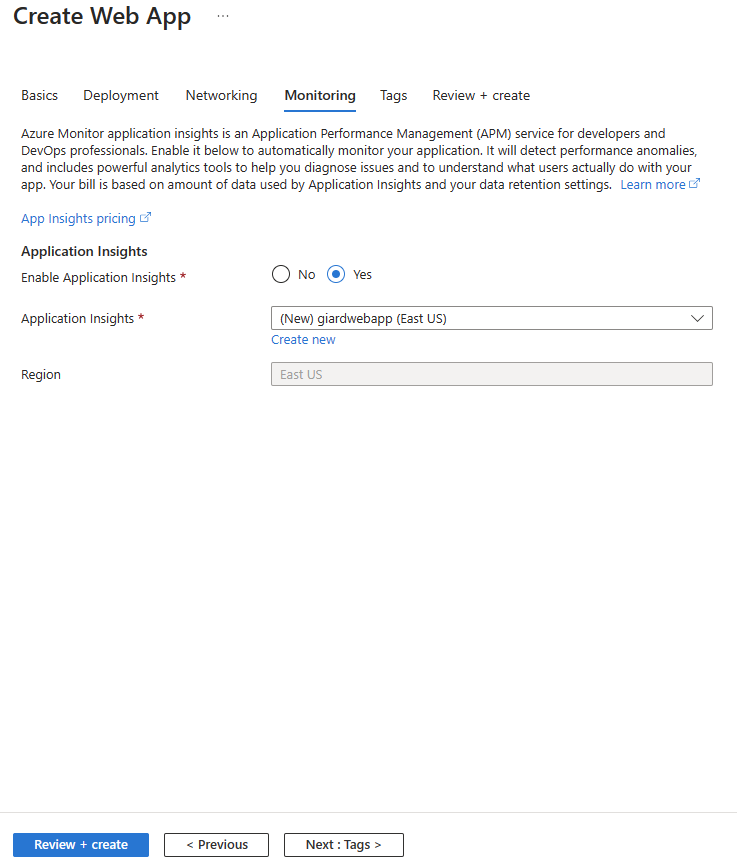
The "Monitoring" tab (Fig. 11) allows you to enable and configure Application Insights so that events can be logged and analyzed later.

Monitoring Tab
Fig. 11

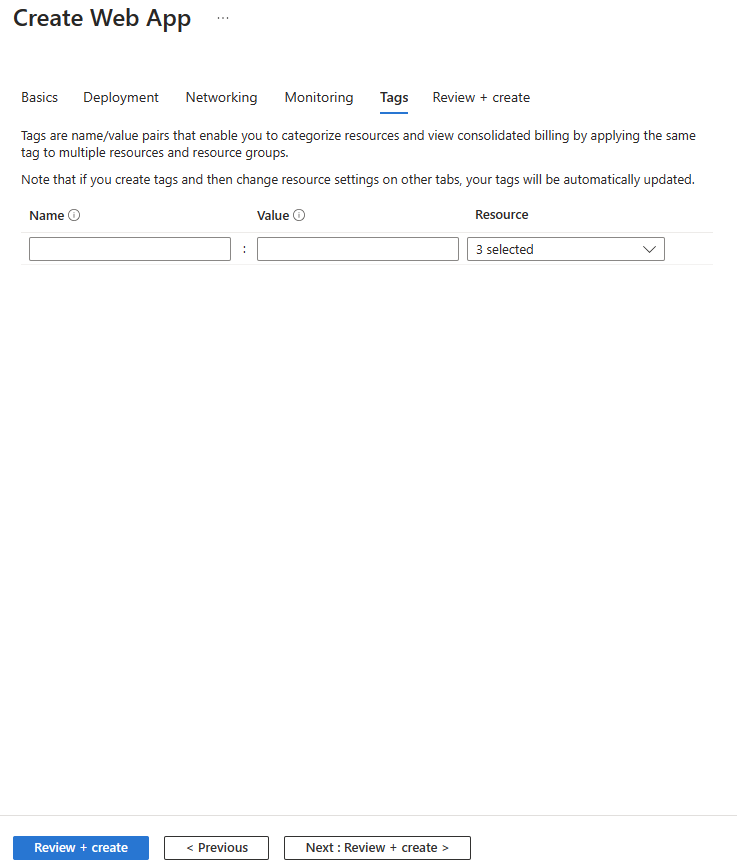
On the "Tags" tab (Fig. 12), you can add name value pairs to the Web App. This is useful when grouping, filtering, and sorting on reports about Azure assets.

Tags Tab
Fig. 12

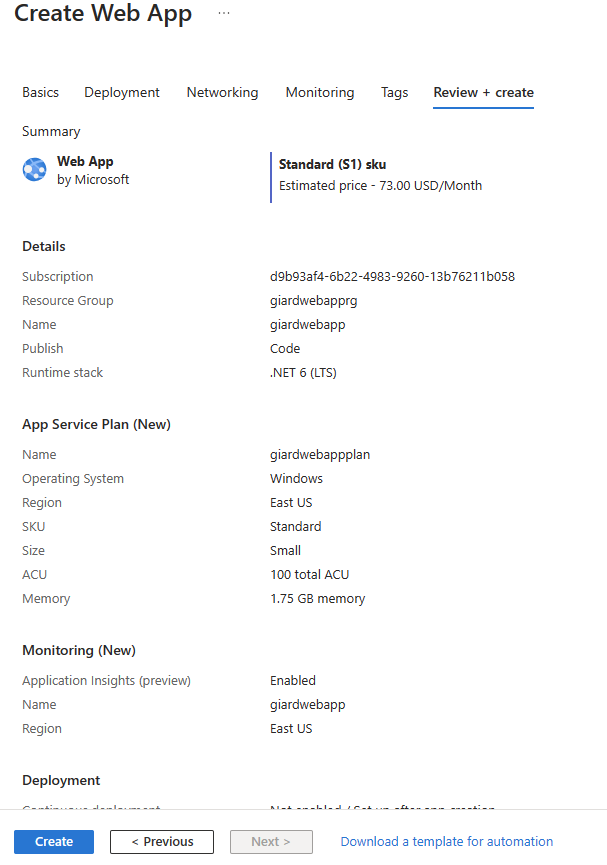
After you have configured everything to your liking, navigate to the "Review + create" tab (Fig. 13).

Review Create Tab
Fig. 13

If anything is missing or incorrect, an error will display and you will have the opportunity to correct it. Click the [Create] button to create the Web App.

The Deployed Web App

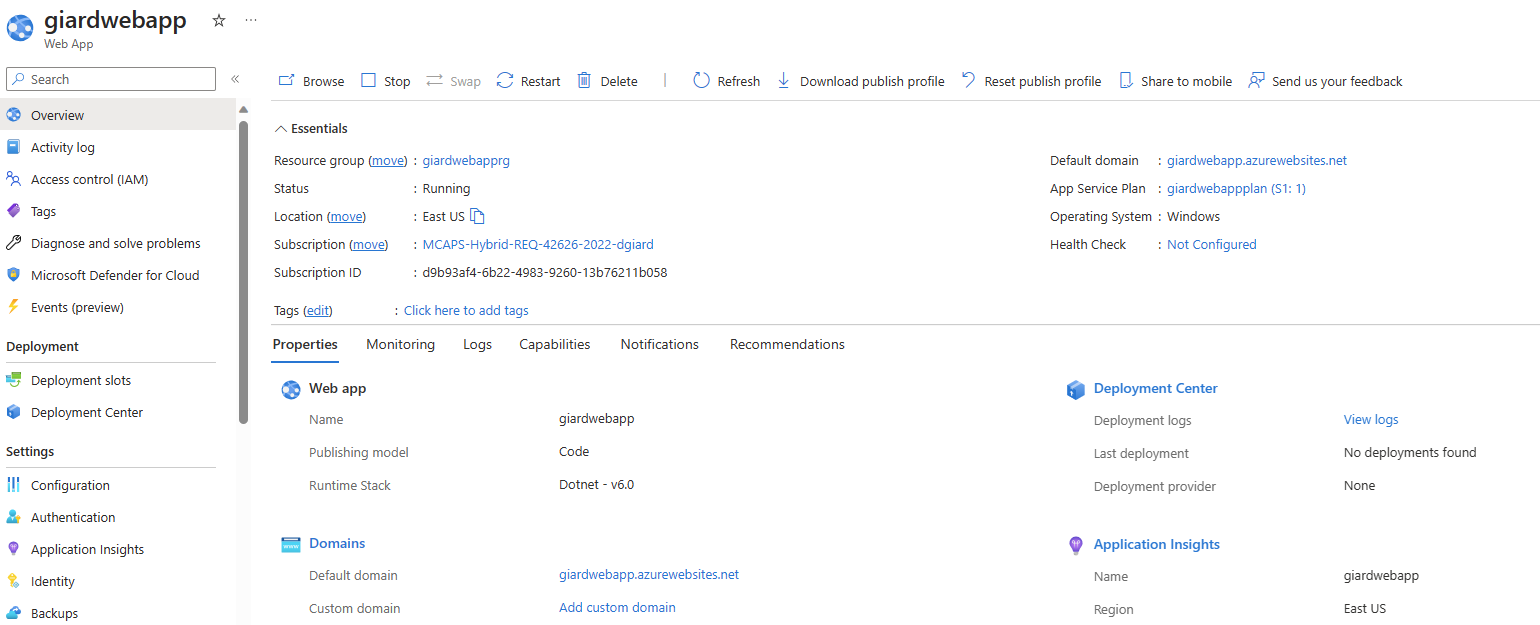
After a short time, the Web App is created and provisioned. Fig. 14 shows the "Overview" tab of a web app.

Web App Overview Blade
Fig. 14

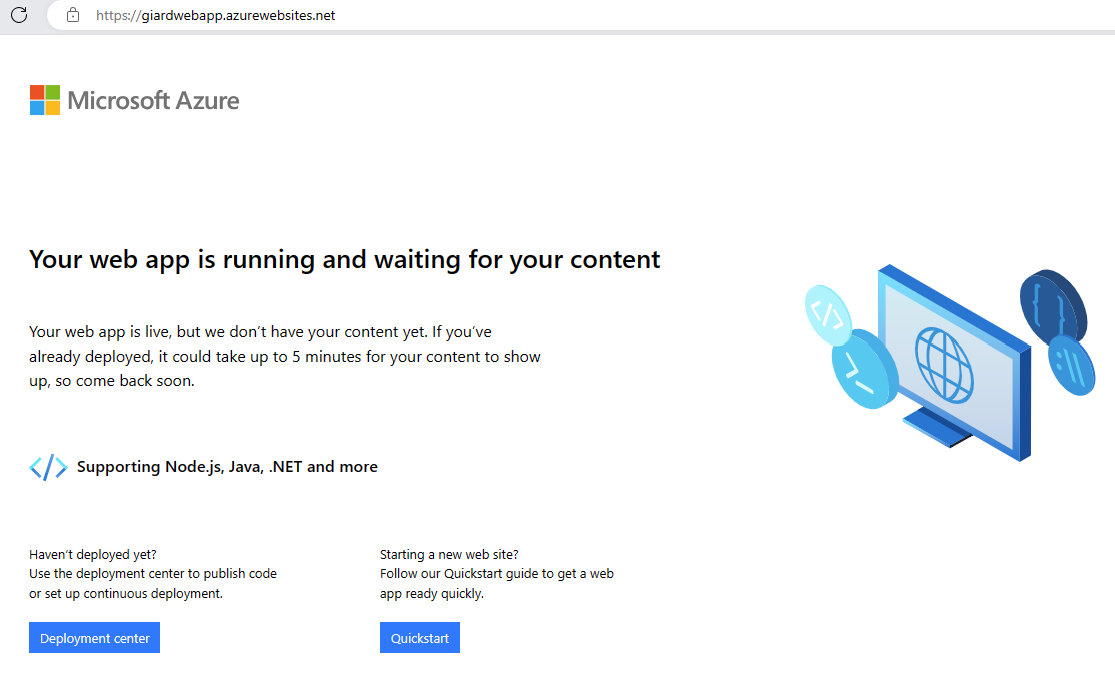
Click the "Default domain" link (Fig. 15) to display the default home page created by Azure, as shown in Fig. 16.

Default Domain Link
Fig. 15

Home Page
Fig. 16

Conclusion

In this article, I showed you how to create an Azure Web Application.


Azure Application Insights collects a lot of information about the performance of an Azure Service - but only if you turn it on.

Enabling Application Insights for a Virtual Machine (VM) is a simple step when creating the Virtual Machine.

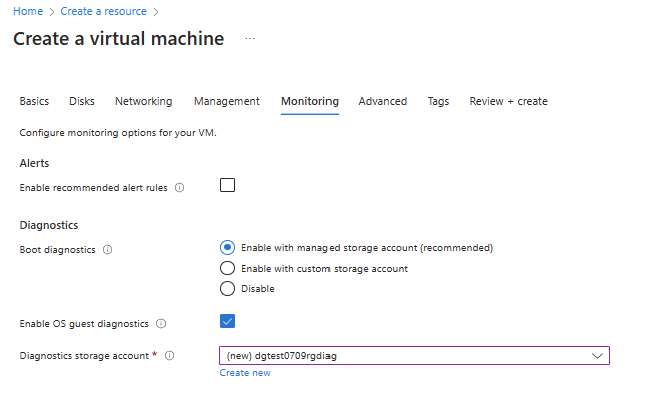
When you create a new Virtual Machine in the Azure Portal, you are presented with a tabbed dialog. The "Monitoring" tab is shown in Fig. 1.

Monitoring Tab
Fig. 1

By default, Boot Diagnostics is enabled, and logs are stored in a storage account managed by Microsoft. Boot Diagnostics help you troubleshoot issues that occur during the boot process - sometimes preventing the VM from booting up. You can choose to store these logs in your own storage account, or you can disable this entirely.

You can log even more information by checking the "Enable OS guest diagnostics" checkbox and selecting a storage account in which to save these log entries. This provides data every minute about the health of the VM. 

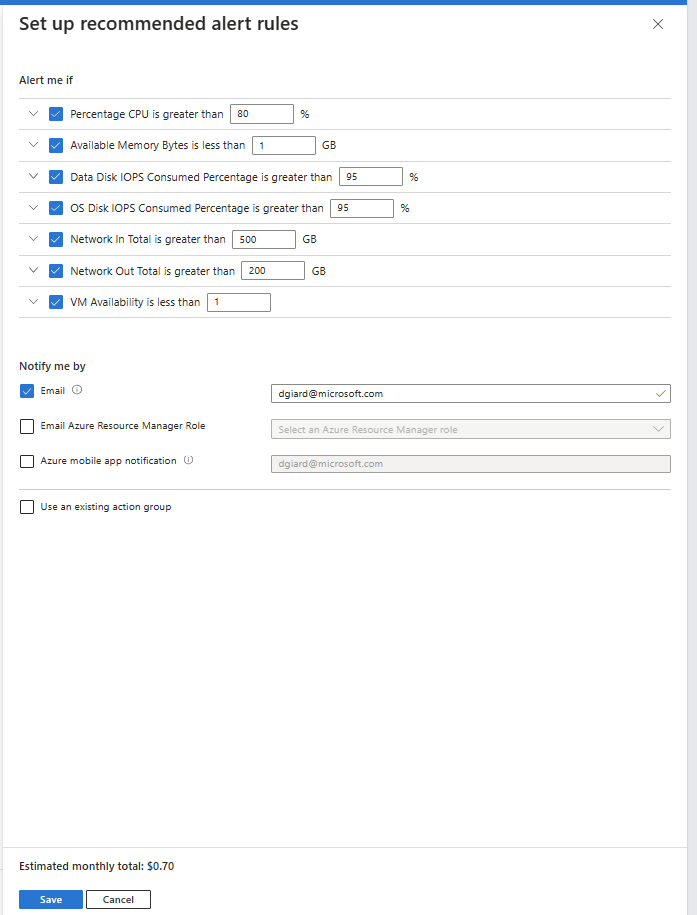
Check the "Enable recommended alert rule" checkbox to enable alerts when a metric is outside a normal range. Checking this checkbox displays the "Recommended alert rules" dialog, as shown in Fig. 2.

Recommended Alerts dialog
Fig. 2

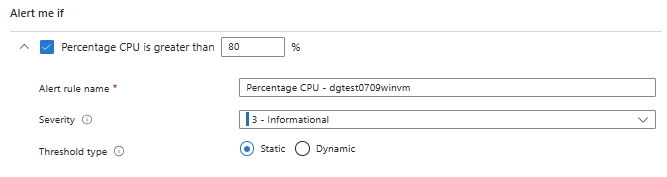
Here you can specify the thresholds that trigger an alert and the action to fire when a threshold is reached. You can expand each category to configure more information about the alert. For example, Fig. 3 shows the "Percentage CPU" alert expanded.

Alert Rule Details
Fig. 3

You can also enable and configure Application Insights after creating a Virtual Machine.

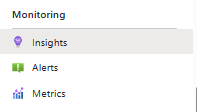
To do so, navigate to the VM and select the "Insights" button under the "Monitoring" section in the left menu, as shown in Fig. 4.

Insights Button
Fig. 4

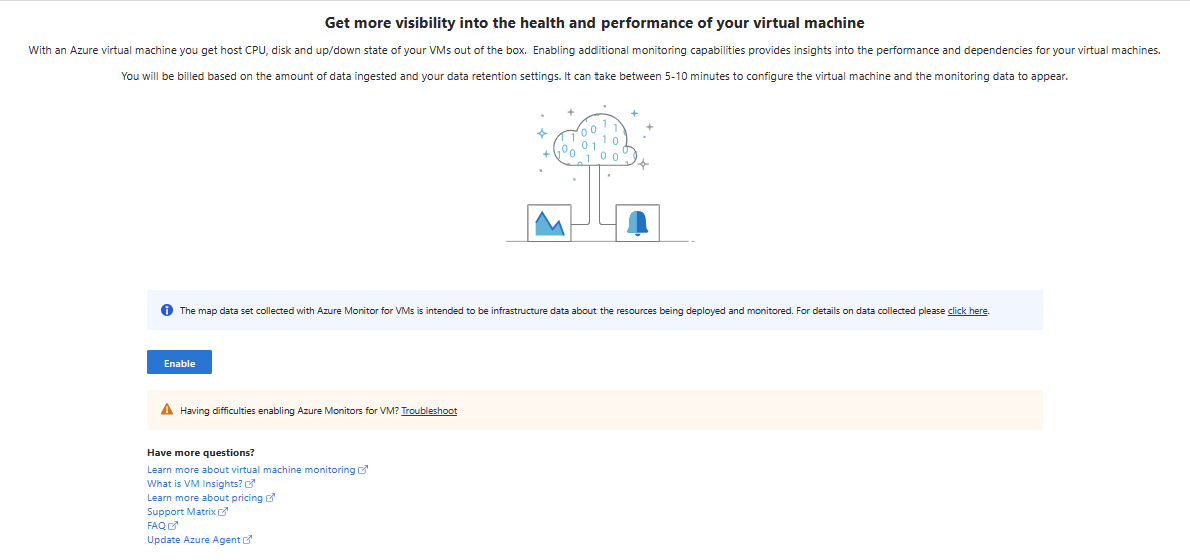
If you did not enable Application Insights when creating the VM, the dialog shown in Fig. 5 displays.

Enable Insights dialog
Fig. 5

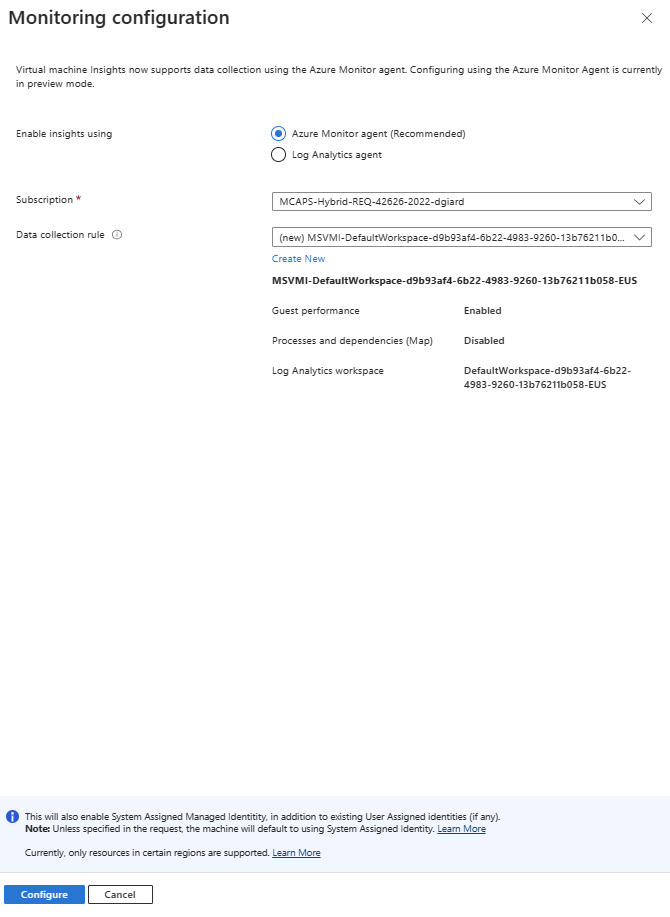
Click the [Enable] button to enable Application Insights for this VM. The "Monitoring configuration" dialog displays, as shown in Fig. 6.

Monitoring Configuration Dialog
Fig. 6

Configure Application Insights, as desired and click the [Configure] button.

In this article, you learned how to enable and configure Azure Application Insights for an Azure Virtual Machine - when creating the VM and after the VM is created. In future articles, I will explain and demonstrate some of the features provided by Application Insights.


Application Insights is a set of tools within Azure Monitor. These tools allow you to view the performance of your application or service quickly and to review detailed information to determine the causes of an incident.

It works by collecting and reading metrics, telemetry data, and logs.

Using Application Insights, we can view application performance in real time, test for uptime, measure feature usage, and determine when a problem occurred.

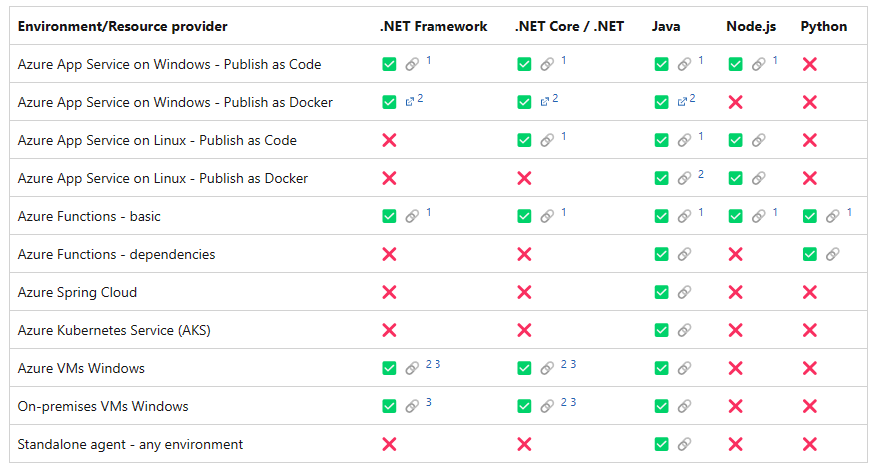
There are two ways to enable Application Insights for a service or application. In many cases, you can simply turn on the feature when you create the service or after it is running. If the service does not support automatic collection of Application Insights data, you can use an SDK to add code to your application that logs data.

For Azure App Services and Azure Functions on Windows running .NET code, Application Insights is on by default and enabled automatically.

See Fig. 1

Supported Environments
Fig. 1

Source: https://learn.microsoft.com/en-us/azure/azure-monitor/app/codeless-overview#supported-environments-languages-and-resource-providers

Note: For scenarios that are not supported, you can write code to log Application Insights data.

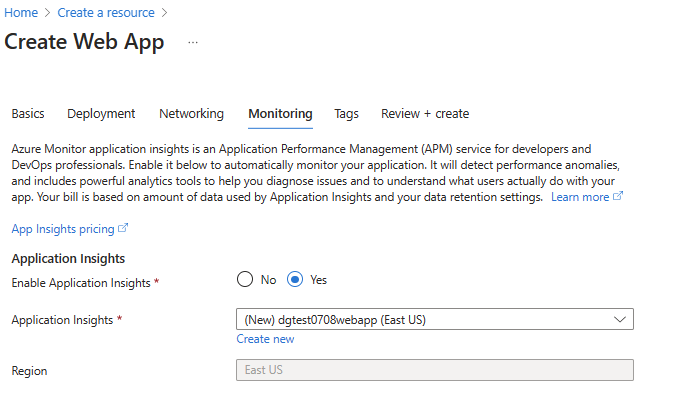
You can explicitly turn on or off Application Insights and configure its settings when you create a new Web App in the Azure Portal by selecting the "Monitoring" blade, as shown in Fig. 2.

Monitoring Blade
Fig. 2

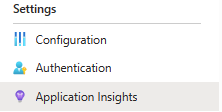
If you change your mind after creating an App Service, you can still enable Application Insights later. Within the App Service, click the [Application Insights] button under the "Settings" section of the left menu, as shown in Fig. 3.

Application Insights Button
Fig. 3

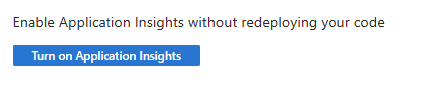
Fig. 4 shows the "Application Insights" blade for an App Service in which Application Insights is not enabled.

Application Insights Blade with App Insights Turned Off
Fig. 4

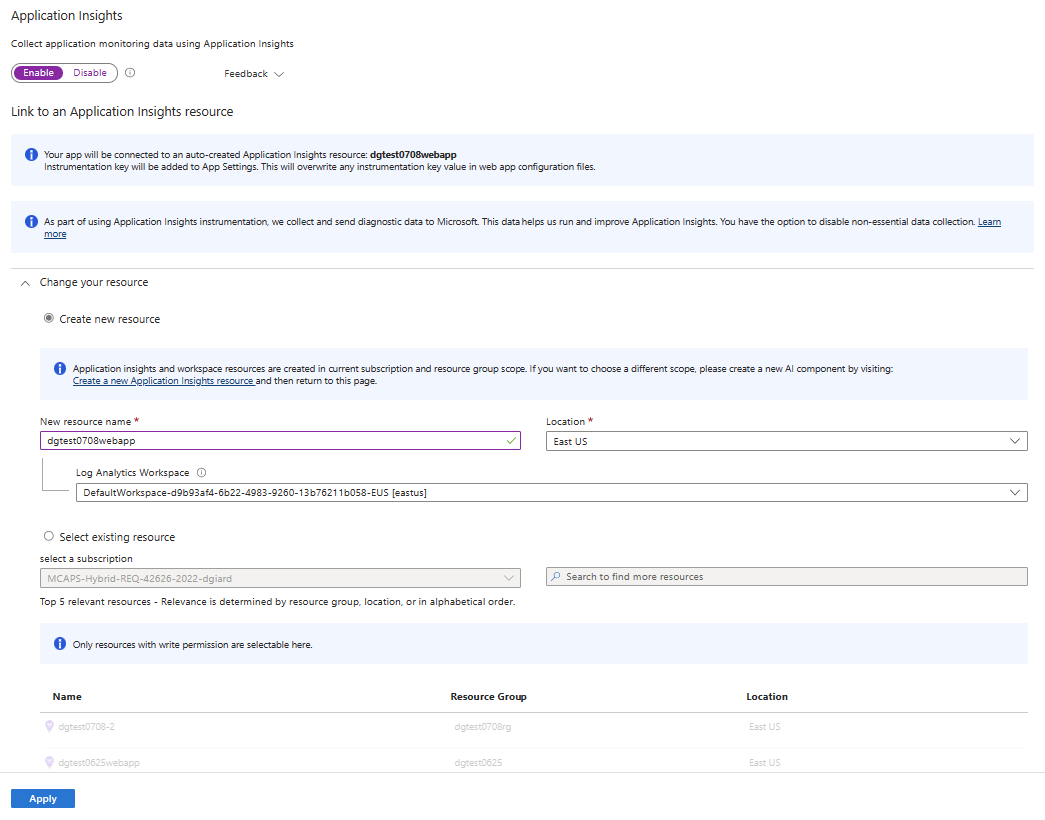
Click the [Turn on Application Insights] button to display the "Application Insights" dialog, as shown in Fig. 5.

Application Insights Dialog
Fig. 5

Here you can enable Application Insights and configure it how you desire.

In this article, I showed how to enable Application Insights for an App Service. In future articles, I will explain and demonstrate some of the features provided by Application Insights.


Episode 757

Dolly Desir on Application Monitoring

Datadog engineer Dolly Desir explains the principles and advantages of monitoring and logging an application.

Links:

https://learn.datadoghq.com/


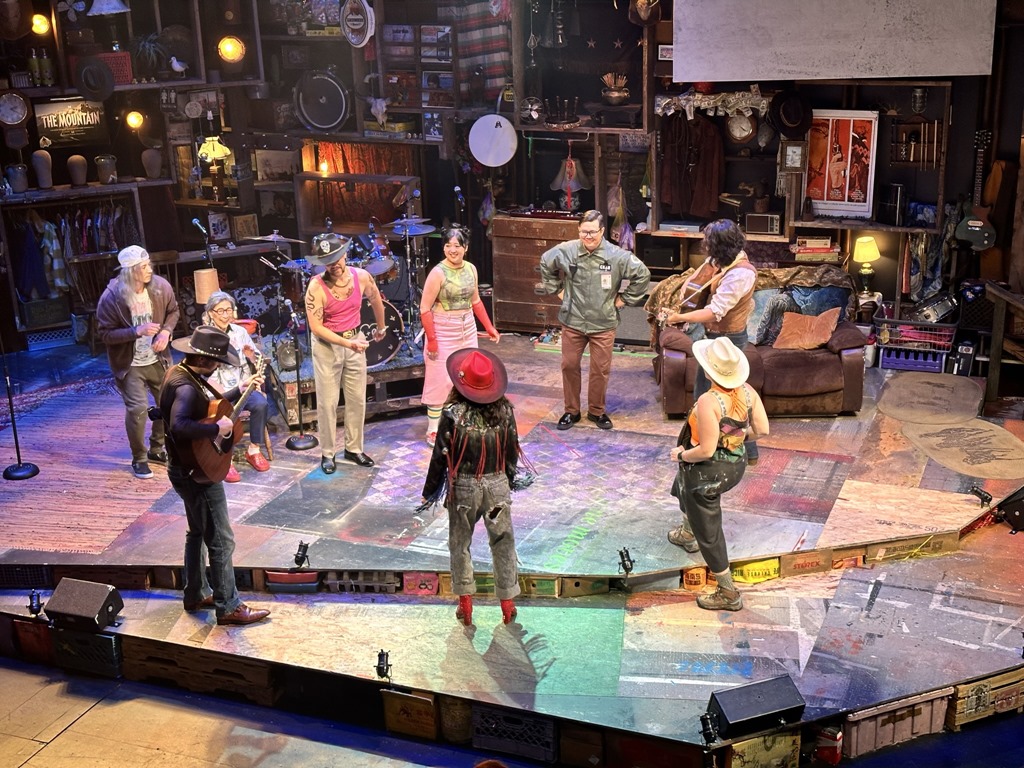
The cast of Lucy and Charlie's Honeymoon break into song"Lucy and Charlie's Honeymoon" is the brainchild of actor/writer/musician Matthew Yee. Yee wrote the script and stars as the title character Charlie.

The story chronicles a few days in the life of Lucy and Charlie, self-described "First Generation Asian American Renegades," who married two weeks after they met. Charlie fell in love with Lucy when she punched a bride during a bachelorette party. The day after the wedding, the couple decide to rob a gas station. The first problem occurs because they are terrible bank robbers (Charlie gets brain freeze from drinking a Slurpee too fast, and the surveillance video goes viral on Tik Tok. The second problem happens when they try to rescue Bao - an illegal immigrant forced into indenture by a heartless mobster.

The actors break out their instruments every few minutes and burst into song to advance the plot or show their emotion. The music is primarily country and western, with some folk, rock, and rockabilly thrown in for good measure.

This play is mostly a farcical comedy but also contains tragic and poignant moments. It forced us to think about illegal immigration, the role of police, human trafficking, and the family unit.

"Lucy and Charlie's Honeymoon" is a fun, wild ride with excitement, humor, and great music.


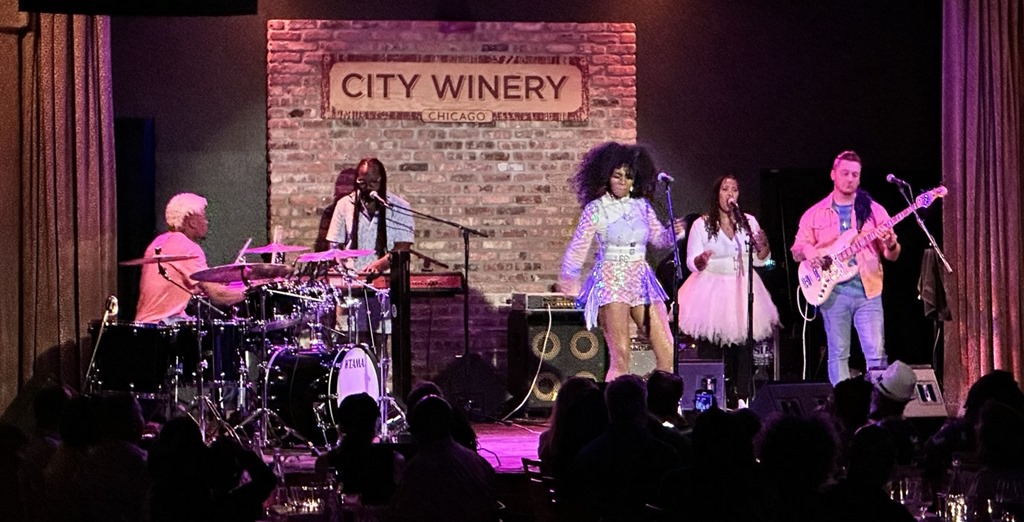
Nik West at the City WineryBeing a successful session musician and touring musician in others' bands will build your reputation in the music industry, but it is unlikely to sell albums or sell out concert venues.

This is the challenge that Nik West faces. She has performed with every musician, from Prince to Steven Tyler to John Mayer. She is in high demand among other musicians. But she has had limited commercial success as a solo artist. Wednesday night at City Winery in Chicago's West Loop, West delivered an excellent performance for two hours in front of an audience that barely half-filled the hall.

The sparse crowd did not dampen her enthusiasm. For two hours, she entertained with singing, musicianship, and dancing. She has a fine voice, but her special talent is the bass guitar, which she showed off repeatedly. The music ranged from R&B to rock to blues. But it was her bass-slapping funk music that drew the loudest cheers.

She mixed originals with covers of songs by Sly and the Family Stone ("Thank You Falettinme Be Mice Elf Agin"), Tiny Turner ("Proud Mary"), and Prince ("Kiss"). She told the story of Prince inviting her to jam at his Paisley Park studio, where he encouraged her and her talent.

Four others joined Nik on stage, including a frenetic drummer and a keyboardist, who made his instrument sound like a horn section.

Together, they played a funky set for almost two hours. The crowd did not get bigger, but they left happy.


Monitoring an application or service is essential to keeping it running smoothly and continuously improving it.

It is useful to understand some of the ways that we can monitor our app. Some important concepts are metrics, logs, traces, and spans.

Metrics and Logs

Metrics are numerical values that describe some aspect of a system at a particular point in time. They are lightweight and capable of supporting near real-time scenarios. Examples include the amount of memory or storage used, disk access time, and response time. The purpose of a metric is to inform a user about the health and operation of the system at a point in time. These metrics, such as the average CPU usage each hour, can be pre-aggregated. Metrics tend to be lightweight, so they can be reported and stored quickly and are often collected regularly. They are ideal for use in simple logic, such as sending an email when the temperature of a machine exceeds a dangerous level.

Logs store events and activities. Log entries can contain different kinds of data organized into records with different sets of properties for each type. These records tend to be well-structured and verbose but are usually much larger than metrics data because they contain more detailed information. Logs are not pre-aggregated. You would use querying, reporting, and other tools to perform aggregations. Telemetry, such as events and traces, are stored as logs in addition to performance data to be combined for analysis. Log data comes from an application, its underlying service, the platform, or the operating system.

So, which one should we use? The answer is: both!

Use Metrics to determine the health of a system. When an unusual metric indicates a problem, query the logs to determine the reason for that problem.

Traces and Spans

A trace shows a continuous view of a single request in an application. Imagine a button on a web page that calls an API that calls a library that queries a database and returns the resulting data up the stack. If a user clicks the button, each component in the stack can log some information. Each log entry can contain a correlation ID to indicate they are all part of the same request. Filtering the logs on this correlation ID allows us to view details of the request as it moves through the system. Each component's log entries are known as a "span," while the collection of log entries for the entire request is a "trace." This trace will differ from when another user clicks the button (or if the same user clicks it later.) Each trace will have a different correlation ID, allowing us to distinguish one request from another. Storing the correlation ID is particularly helpful when isolating problems that occur sporadically. We can see if parameters are passed properly or if there are factors in one layer that contribute to the error.

Conclusion

In this article, I covered some key application and service monitoring concepts. In future articles, I will show tools for monitoring in Microsoft Azure.


GCast 152:

Transactable Containers Labs, Lab 2: Creating a CNAB Bundle

A walkthrough of Lab 2 of the Transactable Containers labs Learn how a Microsoft partner can create, package, and submit a Kubernetes application to the Azure marketplace

This video walks through Lab 2 in which you create a CNAB Bundle.

Links: https://microsoft.github.io/Mastering-the-Marketplace/container/#hands-on-labs
https://davidgiard.com/becoming-a-microsoft-partner


Introduction

Like many software developers, I once thought of monitoring only after I had completed coding an application's functionality. Now, I see it as an essential part of the development process, allowing me to better maintain, improve, and troubleshoot my application.

Application monitoring is an important part of developing any software application or service. A well-monitored application allows you to discover and troubleshoot problems, improve system quality, maintain security, and manage complexity.
Let's talk about some of those advantages.

Discover problems

By keeping track of important measurables, we can determine when those measurables fall outside of an acceptable range. This aberration often indicates a fixable problem. For example, if memory or CPU usage spikes unexpectedly, it may suggest that we need to scale up or scale out our service.

Troubleshooting

Once we discover a problem, it can be difficult to find the root of that problem. An effective way to learn more is by reviewing logs recorded when the problem occurred.

Manage Costs

Cost is an important consideration for any business. Monitoring costs for hosted applications and services can help us decide whether we are using resources effectively. Most hosts provide information on costs, broken down by services and time.

Improve system

Analyze system proactively
Who is using which parts of the system? We may discover that certain features are rarely used. With this information, we can raise the visibility of these parts, deprecate them, or make them more attractive. The point is: we should make these decisions based on real data.

Where are the bottlenecks?

How much resource is the system using? Are any services consuming excess memory or CPU? Are any services slow to respond? Knowing where these bottlenecks exist can help us focus our energy and improve the system's performance.

Security

By monitoring for suspicious activity, you can detect threats to your application from outside or inside your organization.

Manage complexity

We cannot hold all the applications and interdependencies in our heads. Monitoring helps us manage that complexity by saving information about the activity.

Compliance

Some industries require certain information to be logged and retained for a given time. A monitoring solution helps meet these legal obligations.

Conclusion

In this article, I explained some of the advantages of maintaining effective monitoring for your service or application. In future articles, I will show you how to implement monitoring using the tools provided by Microsoft Azure.


Leigh Bardugo's debut novel "Shadow and Bone" ended with heroes Alina and Mal escaping from the evil Darkling to begin a new life across the sea. "Siege and Storm" continues the story. The Darkling tracks down the couple and hires a crew of privateers to ship them back to his homeland. But the privateers' leader is not who or what he seems and soon everyone's plans are thrown into chaos.

"Siege" expands on the characters and relationships of the first novel and introduces some interesting new characters - most notably Prince Nicolai. Nicolai is a charming rogue, who is second in line for the throne but is far more qualified to lead his country than his older brother or his parents. Alina's character evolves as her super power - the ability to generate massive amounts of light and heat - increases. Sadly, the Darkling has also gained new powers following his defeat in volume 1.

This book also introduces a love triangle or quadrangle with Alina at the center. Readers will have their opinions of which suitor is best for her.

This second book in the trilogy tells a more cohesive story than the first. But like many middle chapters, it leaves the tale unfinished, encouraging the reader to proceed to the third and final volume. That is what I will do.


Episode 756

Tim Banks on the Solace of You

In a recent conversation with Dell Developer Advocate and Jiu Jitsu champion Tim Banks, we talked about everything from self-advocacy to mental health to challenges of underrepresented people in the tech industry to how we need to develop our life outside of work.


June 2023 Gratitudes

Comments [0]

6/5
Today I am grateful to watch the NBA Finals with my son last night.

6/6
Today I am grateful for the times I have been able to escape a toxic work environment.

6/7
Today I am grateful to get a lot done yesterday and today.

6/8
Today I am grateful for a classical music concert at Lakeshore Park last night

6/9
Today I am grateful to be a teacher and coach for a Java workshop this week.

6/10
Today I am grateful for lunch with Adam yesterday.

6/11
Today I am grateful to see:
- "Personality: The Lloyd Price Story" at the Studebaker Theatre yesterday afternoon
- James McMurtry in concert last night at the Old Town School of Folk Music

6/12
Today I am grateful to see Los Lobos at the Chicago Blues Festival last night.

6/13
Today I am grateful for a vacation day yesterday, just to relax and recharge.

6/14
Today I am grateful to catch up on writing book reviews last night.

6/15
Today I am grateful to attend a Partnership Leaders event in downtown Chicago last night.

6/16
Today I am grateful:
- to see Cracker in concert yesterday
- to drink țuică with Dan and Randy last night

6/17
Today I am grateful:
-to the organizers of #juneteenthconf yesterday
-to see an excellent production of The Who's "Tommy" at the Goodman Theatre last night.

6/18
Today I am grateful to be a father to two amazing sons!

6/19
Today I am grateful to those who called or messaged me with a Father's Day greeting yesterday.

6/20
Today I am grateful for:
- a visit from my son on his birthday
- Jenni's ice cream for Father's Day

6/21
Today I am grateful to catch up with Josh yesterday.

6/22
Today I am grateful for a free concert at the Chicago Women's Park and Gardens last night.

6/23
Today I am grateful for a new washer and dryer.

6/24
Today I am grateful for a bike ride along the lake front with Thad yesterday.

6/25
Today I am grateful to see Asteroid City at the Music Box Theatre last night.

6/26
Today I am grateful to finish a draft of this presentation I have been working on for a week.

6/27
Today I am grateful for some good discussions yesterday about my goals for next Fiscal Year.

6/28
Today I am grateful to see Garbage and Noel Gallagher in concert last night.

6/29
Today I am grateful:
- to attend a West Michigan White Caps game with J. last night
- to meet Hall of Famer Jack Morris
- to drive a Tesla for the first time

6/30
Today I am grateful for:
- Lunch with Chris and J. yesterday
- J.'s hospitality this week
- Coffee with Nick in Kalamazoo on my way home

7/1
Today I am grateful to catch up with Mike yesterday.

7/2
Today I am grateful for dinner and a Cubs game with family last night to celebrate my son's birthday.


When I arrived at the Huntington Bank Pavilion Tuesday evening, I had no idea who the headliner was. Noel Gallagher rose to fame as the lead singer of Oasis. Oasis split up in 2009, and his new band - Noel Gallagher's High Flying Birds - has had success in the UK and Europe but has not equaled that popularity in the US. Garbage filled arenas during their heyday of the 1990s, but these days find their greatest commercial success outside the US.

MetricIt turned out that Noel Gallagher was the headliner. But the show did not begin with Garbage. Rather, Metric - a hard-rocking band from Toronto featuring the angelic vocals of Emily Haines – opened the night's entertainment with an entertaining set.

GarbageGarbage took the stage next. Although lead singer Shirley Manson hails from Scotland, the group has upper Midwest roots. They formed in Madison, WI in 1993. Manson's energetic vocals contrast with her voice between songs as she charmed the crowd and voiced her love of Chicago, which the band visits every year. They played for an over an hour before announcing they had to cut the set short due to poor air quality (fires in Canada drifted smoke across the northern US) and Manson's asthma.

Noel GallagherFor Noel Gallagher, stagehands placed dozens of live flower arrangements around the stage. Gallagher played mostly acoustic guitar, switching to electric occasionally. His songs have an energy and a lot of lyrical complexity. He let the music do most of the talking, addressing the crowd sparsely between songs. The audience was on its feet most of the night, singing along. The show's first half featured the music of  High Flying Birds, while the final half dozen songs were from Gallagher's Oasis days.

The band closed with a singalong of Bob Dylan's "Quinn The Eskimo," followed by a rousing rendition of "Don't Look Back in Anger."

While The Flying Birds did not return to the stage for an encore, it was a full night. Three bands, a smoky sky, and three excellent sets left the audience satisfied.


Episode 755

Andy Huang on Application Resiliency

Cloud Solution Architect Andy Huang describes how you can make your applications more resilient - able to survive unexpected failures and surges in demand.


Tommy cast curtain callPete Townsend was only 23 years old when he composed the rock opera "Tommy." The Who recorded it and released the album in 1969, and it became a classic in the ensuing years.

Since then, many people have adapted this story and music to stage and film. This month, the Goodman Theatre brought a new interpretation to Chicago, directed by Des McAnuff.

For the few people unfamiliar with The Who's breakthrough album, it tells the story of Tommy - a boy who becomes deaf, dumb, and blind to repress the experience after witnessing his father's murder of his mother's lover. Tommy inspires a cult following as a young adult when the world learns he has an almost supernatural ability to play pinball.

The official opening is June 23, but I saw a preview performance Friday evening. McAnuff's adaptation sticks closely to the original story, although he altered the ending to create a more sympathetic title character.

The music was great, of course. Updated arrangements kept it familiar but fresh. Listening to these songs was like visiting an old friend after a long time apart and discovering how they had grown over the years.

The minimalist set lit by high-contrast lighting gave the show a futuristic feel. Rectangles - framed by bright neon lights - represented doors, mirrors, and pinball machines.

Three actors played Tommy at various ages and often interacted to represent the character's inward reflection.

Act 1 was flawless. The cast perfectly executed every song, dance, and emotion. While still good, the second act lacked some of the energy prior o intermission.

I do not think I have ever witnessed a show that generated so much excitement from the audience. One could hear cheering mid-song and see fists pumped in time to the beat.

Rumor has it that Townsend will appear at the Goodman one night during the show's run. He was not in attendance Friday, but his spirit was alive.


Cracker in concert, 2023A blood donation led me to discover the music of Cracker.

I was at the Red Cross thirty years ago, where I had just given a pint of my blood. The nurse on duty told me they were giving away a free CD or tape to anyone who donated today. I searched the available collection of mildly popular bands and selected Cracker's eponymous debut album. I took home the CD and played it for days, relishing the energy the band brought to songs like "Teen Angst," "Happy Birthday to Me," and "Someday."

Decades later, I finally saw the band in concert Thursday night at SPACE in Evanston. David Lowery and Johnny Hickman remain from the original group. They each provide guitar and lead vocals, the core of Cracker's sound. They are joined these days by bassist Bryan Howard and drummer Carlton "Coco" Owens. On this night, a local violinist had added extra textures to the music when she joined them on stage.

Some performers talk to the audience between each song. Not Cracker.
Some musicians bring a dozen guitars on stage and switch each song. Not Cracker.

Cracker lets their music do the talking for them.

They played "Teen Angst" and "Someday" from my blood donation album (but not "Happy Birthday to Me"), along with their hit song "Low" and selections from their nine studio albums. They mixed in "Ambiguity Song" and "Take the Skinheads Bowling" from Lowery's earlier band, Camper Van Beethoven.

Lowery sang lead on most songs. These songs tended toward the post-punk-pop sound that made the band famous in the 1990s, along with a few blues numbers. When Hickman took the lead, the band shifted to more of an alt-country sound. The encore set opened with Hickman singing and playing solo "Poor Life Choices" - a song he wrote during the recent pandemic that had the audience singing along to his clever lyrics.

Catchy guitar licks and high energy kept the audience bouncing for the night before heading home to rest their aging bodies.


GCast 151:

Transactable Containers Labs, Lab 1, part 2: Deploying the Containers

A walkthrough of Lab 1 of the Transactable Containers labs Learn how a Microsoft partner can create, package, and submit a Kubernetes application to the Azure marketplace

This video walks through the second half of Lab 1 in which you deploy your containers to an Azure Container Registry.

Links: https://microsoft.github.io/Mastering-the-Marketplace/container/#hands-on-labs
https://davidgiard.com/becoming-a-microsoft-partner


OrganizersAndHelpersAndMindaHartsMichael Brown of Microsoft's Commercial Software Engineering has hosted the Juneteenth Conference virtually for years. This year, he decided to hold an in-person event. Although he currently lives in the Seattle area, Michael selected Chicago - where he grew up - as a location for the 2023 event. Ultimately, he chose a hybrid format that attracted 40-50 people, most of whom were in-person at the downtown Chicago Microsoft office.

The conference began and ended with all attendees in the same room listening to Tim Banks (opening keynote) and Minda Harts (closing interview).

Tim Banks delivering the keynoteTim Banks delivered an excellent keynote address titled "The Solace of You," he encouraged people to identify their true selves and avoid tying their identity solely to their occupations. He recalled the days when African Americans had no choice but to dress and act like white military men and when everyone was discouraged from revealing any hint of mental illness or deviation from the norm. Change happens when people use their available platform to advocate for themselves and others, much as Tim has done speaking for groups underrepresented in the tech industry. "Use your voice," he told us.

Minda Harts and Brandi BrownThe day's final session brought everyone back to this room as Brandi Brown interviewed Minda Harts. Minda is the author of "The Memo" and "Right Within: How to Heal from Racial Trauma in the Workplace." Minda shared her journey in corporate America, where she was the only woman of color in almost every organization she joined. After years of dealing with microaggressions from managers and co-workers, she chose a different path, writing about and publishing her experiences and how she began to heal from toxic work relationships.
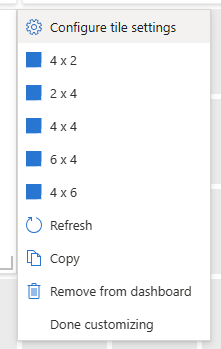
Eight more sessions by eight speakers filled the four time slots between Tim's and Minda's sessions.

Some of the presentations were technical. Kedasha Kerr gave a presentation in which she used GitHub co-pilot to write a node application that called the Chat GPT API. Dolly Desir walked through the basics of logging and monitoring in her talk "From Zero to Monitored."

But most presentations focused on people, relationships, careers, and workplaces. I heard multiple times that the conference was not intended to be a technical conference; instead, it was a conference for black people in tech.

Athena Sayaka told her story of channeling her traits into productivity in her talk "How To Leverage Your Neurodivergence At Work." When Ashley Janelle presented "4 Steps to Becoming a UX/UI Designer," she spoke about ways to build your portfolio and enter the field.

For most time slots, I had to choose between two appealing sessions to attend. Fortunately, the talks were recorded and are or will be available here.

Michael and Brandi Brown did the work of organizing and running the conference. Because I live in Chicago, I and some others in the Chicagoland area helped to promote it locally and facilitate communication between the Browns and the local office.

I was not the target audience for this event. All the speakers and 90% of the attendees were black, and the messaging was often directed at African Americans (I heard things like "This is what we experience"; "This is what we need to do"). But I never felt excluded and learned something from the messages I heard. The conference provided a perspective that can help me be aware of how my words and actions may be seen by others, even if I do not intend them in this way.

Everyone I spoke with got something out of the day.


Episode 754

Alex Mattoni on Cycle.io

Alex Mattoni discusses cycle.io - a DevOps tool that streamlines hybrid infrastructure management and container orchestration.


Larry McMurtry 2023James McMurtry grew up in a literary household, so it is no surprise that his music contains some of the most clever and poignant lyrics you will ever hear. McMurtry's father, Larry McMurtry, wrote dozens of novels, including his 1985 Pulitzer Prize winner "Lonesome Dove." Son James channeled that creativity into songwriting.

The Austin-based singer-songwriter performed Saturday evening in front of a sold-out crowd at the Old Town School of Folk Music.

The evening began with Betty Soo, another singer-songwriter from Austin, whose voice, music, and emotion won over the audience. Soo accompanied herself solo on guitar for most of the set but was joined for the last few songs by McMurtry's guitarist and drummer. The pace of the music changed from reflective to rocking when the solo became a trio.

After a short break, the players returned to the stage, led by McMurtry, who played for over 90 minutes of high-quality music. He did not talk much and never smiled, but his songs pleased the audience.

"Canola Fields" paints a picture as a man drives across southern Alberta and is reminded of a lost love when he sees canola fields ("About the same chartreuse as that '69 Bug you used to drive around San Jose.")

"Childish Things" is told from the perspective of a middle-aged man lamenting his childhood life.

His song "Choctaw Bingo" tells the story of a dysfunctional family heading from various places around the country to visit eccentric Uncle Slayton in Oklahoma ("You know he had to leave Texas, but he won't say why"). He introduced this song, calling it "a medley of our hit," but this was tongue in cheek as McMurtry has never had much commercial success. But audiences still flock to see him because he has a gift for captivating the listener.

He does not talk much, but he speaks volumes through his music.


Personality castLloyd Price was one of the early pioneers of the style of rhythm and blues that evolved into Rock & Roll. A draft notice from the US Army during the Korean War hindered his influence on popular music. His deployment interrupted his music career for two years just as his fame began to rise. Still, Price returned to writing and recording hit songs after the war.

"Personality: The Lloyd Price Musical" tells his story.

Musician  Dave Bartholomew and record producer Art Rupe discovered Price when they heard his song "Lawdy Miss Clawdy" and invited him to record with Specialty Records in 1952. Success followed quickly, as did women, a broken marriage, and greed.

Actor Saint Aubyn narrates the musical, playing the part of an older Lloyd Price, while Darian Peer acts out Price as a teenager and young adult. After the Korean War, Aubyn steps in to play both the title character and the narrator.

Personality castThe show focuses on Price's career and his friendship with his manager Harold Logan. The two collaborated on several business ventures, including a nightclub and a record company. Their friendship was based on loyalty and trust - two things often lacking in the entertainment industry - and lasted until Logan's murder in 1962.

You would expect the music to be great, and it is. Lloyd Price penned most of the songs, but we get a few made songs famous by the likes of Sister Rosetta Tharpe, Little Richard, and Emma Franklin (Aretha's sister.) The play also brings to life contemporary musicians Louis Armstrong, Fats Waller, and Sam Cooke.

I received complimentary tickets to a preview performance of "Personality," and I am delighted I did. The music, the dancing, the acting, and the script were all enjoyable.


After a recent Windows update, I noticed a change in the behavior of Outlook and Edge.

When I click a link in an email message, it opens a web page in a browser. This behavior has been true for many years. But now, the browser contains a sidebar with the email message, as shown in Fig. 1.

Outlook Pane

Fig. 1

The sidebar is often a useful feature, but not in this context - at least not for me. It adds no value and takes up valuable screen space, so I end up closing it 99.9% of the time.

In this article, I will show you how to toggle this feature on and off.

Click the "Settings and More" button (Fig. 2) to expand the menu shown in Fig. 3.

Edge Menu Button

Fig. 2

Edge Menu

Fig. 3

Select [Settings] to open the "Settings" blade, as shown in Fig. 4.

Settings blade

Fig. 4

Click the [Sidebar] button (Fig. 5) to open the "Sidebar" blade, as shown in Fig. 6.

Sidebar Button

Fig. 5

Sidebar Blade

Fig. 6

Under the "App specific settings" section, click the [Outlook] button (Fig. 7) to open the "App and notification settings / Outlook" dialog, as shown in Fig. 8.

Outlook Button

Fig. 7

Outlook Blade

Fig. 8

Toggle the switch next to "Automatically open Outlook email context in the side pane. Turn it off if you do not want this sidebar displayed when you click a link in an email message. Turn it on if you like this behavior. There is no [Save] button. The setting is automatically and immediately saved.

Decide whether or not you want this feature and change this setting according to your preferences.


Episode 753

Nikki Conley on Video Indexer

Nikkie Conley describes the Azure Video Indexer - a tool that uses Artificial Intelligence to analyze audio and video files and identify objects, faces, scenes, keywords, emotions, and transcripts.
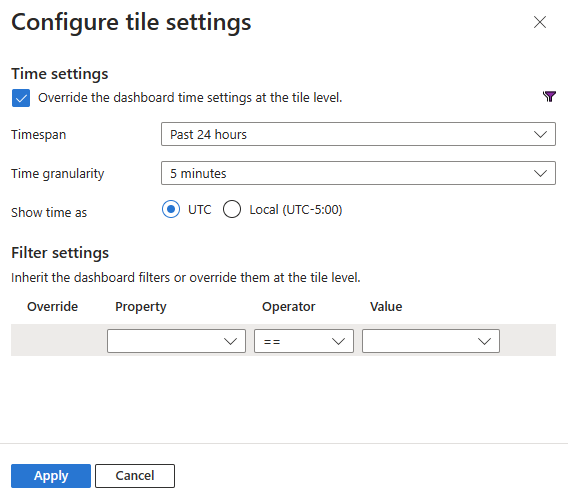

"George Washington Crosby began to hallucinate eight days before he died."

Paul Harding hit the ground running with his 2009 debut novel "Tinkers."

"Tinkers" tells the story of the final eight days of George Crosby's life. As George lies dying in his living room surrounded by his family, he thinks back on his father, Howard, who walked out on his family when George was a boy. The story switches to Howard's life a generation earlier. Howard was an epileptic and left home when he discovered his wife was planning to commit him to an institution. Finally, we learn the story of Howard's father, whose wife committed him when his mental capacity deteriorated.

Harding tells this multi-generational story nonlinearly, revealing family secrets through the eyes of unreliable narrators, many of whom are losing their mental facilities. He tells a moving story of people and relationships and helplessness and growing old.
The author switches between first-person and third-person narration; between prose and poetry; and between past and present. Despite these sometimes jarring shifts, the story flows naturally, guiding the reader to its conclusion.
It is a touching story that earned its accolades.


What would happen if soldiers on the front line of a war refused to continue fighting?

William Faulkner's 1954 novel "A Fable" explores this possibility. In the middle of World War I, a French Corporal persuades his comrades to ignore their orders and stop fighting the Germans. The Germans notice and also cease hostilities. The truce spreads to the armies of other countries in the conflict, and the war is brought temporarily to a halt. The peace enrages commanders on both sides, who interpret the soldiers' actions as Mutiny. The opposing generals meet in secret to determine how to deal with this threat to their authority.

Like most Faulkner novels, this one is difficult to read. Long, involved sentences with parenthetical asides, most of which provide important background information and some of which reflect seemingly random musings of the author, challenge the reader's attention. Often followed by sentence fragments. The author declines to provide names for most of his characters forcing the reader to keep track of them by their titles - and sometimes not even that.
Unlike most Faulkner novels, he sets this one outside the fictional Mississippi county of Yoknapatawpha. The battlefields of eastern France provide a different flavor from most of his writing.

The Corporal exhibits numerous similarities to Jesus Christ. He begins by converting the twelve men in his squad, who spread the message to the rest of the army. He is betrayed by one of his followers. He is arrested, tried, and executed before the women in his life come to claim his body. The story takes place over a few days and parallels the Passion of the Christ.
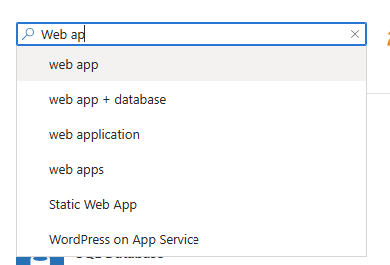
Although this novel won the Pulitzer Prize for Fiction and the National Book Award, it has been largely forgotten. Critics hold many of Faulkner's earlier works in much higher regard.

The book's strength is its satire. It underscores the absurdity of war and the lengths those invested in combat will go to perpetuate it. I wonder if Joseph Heller drew some inspiration when he penned his classic anti-war farce "Catch-22." Heller's execution was superior, but Faulkner came first.


GCast 150:

Transactable Containers Labs, Lab 1, part 1: Creating and running containers locally

A walkthrough of Lab 1 of the Transactable Containers labs Learn how a Microsoft partner can create, package, and submit a Kubernetes application to the Azure marketplace

This video walks you through the first half of lab 1 in which you will create and run containers on your local machine.

Links: https://microsoft.github.io/Mastering-the-Marketplace/container/#hands-on-labs
https://davidgiard.com/becoming-a-microsoft-partner


<< Older Posts | Newer Posts >>